Compare commits
11 commits
| Author | SHA1 | Date | |
|---|---|---|---|

|
9d22178533 | ||
|
|
5d6ac9622d | ||
|
|
97b76b46af | ||
|
|
7bbcc3c624 | ||
|
|
2811a1d4f5 | ||
|
|
2b8d1ce260 | ||
|
|
715eb250e7 | ||
|
|
6106ef020f | ||
|
|
09cd74f7b0 | ||
|
|
cc6eb090ec | ||
|
|
cd02be37ae |
18
.eslintignore
Normal file
18
.eslintignore
Normal file
|
|
@ -0,0 +1,18 @@
|
|||
test/assets/modernizr.js
|
||||
/tests/third_party/
|
||||
/packages/*/lib/
|
||||
*.js
|
||||
/packages/playwright-core/src/generated/*
|
||||
/packages/playwright-core/src/third_party/
|
||||
/packages/playwright-core/types/*
|
||||
/packages/playwright-ct-core/src/generated/*
|
||||
/index.d.ts
|
||||
node_modules/
|
||||
**/*.d.ts
|
||||
output/
|
||||
test-results/
|
||||
/tests/components/
|
||||
/tests/installation/fixture-scripts/
|
||||
DEPS
|
||||
.cache/
|
||||
/utils/
|
||||
15
.eslintrc-with-ts-config.js
Normal file
15
.eslintrc-with-ts-config.js
Normal file
|
|
@ -0,0 +1,15 @@
|
|||
module.exports = {
|
||||
extends: "./.eslintrc.js",
|
||||
parserOptions: {
|
||||
ecmaVersion: 9,
|
||||
sourceType: "module",
|
||||
project: "./tsconfig.json",
|
||||
},
|
||||
rules: {
|
||||
"@typescript-eslint/no-base-to-string": "error",
|
||||
"@typescript-eslint/no-unnecessary-boolean-literal-compare": 2,
|
||||
},
|
||||
parserOptions: {
|
||||
project: "./tsconfig.json"
|
||||
},
|
||||
};
|
||||
137
.eslintrc.js
Normal file
137
.eslintrc.js
Normal file
|
|
@ -0,0 +1,137 @@
|
|||
module.exports = {
|
||||
parser: "@typescript-eslint/parser",
|
||||
plugins: ["@typescript-eslint", "notice"],
|
||||
parserOptions: {
|
||||
ecmaVersion: 9,
|
||||
sourceType: "module",
|
||||
},
|
||||
extends: [
|
||||
"plugin:react/recommended",
|
||||
"plugin:react-hooks/recommended"
|
||||
],
|
||||
|
||||
settings: {
|
||||
react: { version: "18" }
|
||||
},
|
||||
|
||||
/**
|
||||
* ESLint rules
|
||||
*
|
||||
* All available rules: http://eslint.org/docs/rules/
|
||||
*
|
||||
* Rules take the following form:
|
||||
* "rule-name", [severity, { opts }]
|
||||
* Severity: 2 == error, 1 == warning, 0 == off.
|
||||
*/
|
||||
rules: {
|
||||
"@typescript-eslint/no-unused-vars": [2, {args: "none"}],
|
||||
"@typescript-eslint/consistent-type-imports": [2, {disallowTypeAnnotations: false}],
|
||||
/**
|
||||
* Enforced rules
|
||||
*/
|
||||
// syntax preferences
|
||||
"object-curly-spacing": ["error", "always"],
|
||||
"quotes": [2, "single", {
|
||||
"avoidEscape": true,
|
||||
"allowTemplateLiterals": true
|
||||
}],
|
||||
"jsx-quotes": [2, "prefer-single"],
|
||||
"no-extra-semi": 2,
|
||||
"@typescript-eslint/semi": [2],
|
||||
"comma-style": [2, "last"],
|
||||
"wrap-iife": [2, "inside"],
|
||||
"spaced-comment": [2, "always", {
|
||||
"markers": ["*"]
|
||||
}],
|
||||
"eqeqeq": [2],
|
||||
"accessor-pairs": [2, {
|
||||
"getWithoutSet": false,
|
||||
"setWithoutGet": false
|
||||
}],
|
||||
"brace-style": [2, "1tbs", {"allowSingleLine": true}],
|
||||
"curly": [2, "multi-or-nest", "consistent"],
|
||||
"new-parens": 2,
|
||||
"arrow-parens": [2, "as-needed"],
|
||||
"prefer-const": 2,
|
||||
"quote-props": [2, "consistent"],
|
||||
"nonblock-statement-body-position": [2, "below"],
|
||||
|
||||
// anti-patterns
|
||||
"no-var": 2,
|
||||
"no-with": 2,
|
||||
"no-multi-str": 2,
|
||||
"no-caller": 2,
|
||||
"no-implied-eval": 2,
|
||||
"no-labels": 2,
|
||||
"no-new-object": 2,
|
||||
"no-octal-escape": 2,
|
||||
"no-self-compare": 2,
|
||||
"no-shadow-restricted-names": 2,
|
||||
"no-cond-assign": 2,
|
||||
"no-debugger": 2,
|
||||
"no-dupe-keys": 2,
|
||||
"no-duplicate-case": 2,
|
||||
"no-empty-character-class": 2,
|
||||
"no-unreachable": 2,
|
||||
"no-unsafe-negation": 2,
|
||||
"radix": 2,
|
||||
"valid-typeof": 2,
|
||||
"no-implicit-globals": [2],
|
||||
"no-unused-expressions": [2, { "allowShortCircuit": true, "allowTernary": true, "allowTaggedTemplates": true}],
|
||||
"no-proto": 2,
|
||||
|
||||
// es2015 features
|
||||
"require-yield": 2,
|
||||
"template-curly-spacing": [2, "never"],
|
||||
|
||||
// spacing details
|
||||
"space-infix-ops": 2,
|
||||
"space-in-parens": [2, "never"],
|
||||
"array-bracket-spacing": [2, "never"],
|
||||
"comma-spacing": [2, { "before": false, "after": true }],
|
||||
"keyword-spacing": [2, "always"],
|
||||
"space-before-function-paren": [2, {
|
||||
"anonymous": "never",
|
||||
"named": "never",
|
||||
"asyncArrow": "always"
|
||||
}],
|
||||
"no-whitespace-before-property": 2,
|
||||
"keyword-spacing": [2, {
|
||||
"overrides": {
|
||||
"if": {"after": true},
|
||||
"else": {"after": true},
|
||||
"for": {"after": true},
|
||||
"while": {"after": true},
|
||||
"do": {"after": true},
|
||||
"switch": {"after": true},
|
||||
"return": {"after": true}
|
||||
}
|
||||
}],
|
||||
"arrow-spacing": [2, {
|
||||
"after": true,
|
||||
"before": true
|
||||
}],
|
||||
"@typescript-eslint/func-call-spacing": 2,
|
||||
"@typescript-eslint/type-annotation-spacing": 2,
|
||||
|
||||
// file whitespace
|
||||
"no-multiple-empty-lines": [2, {"max": 2, "maxEOF": 0}],
|
||||
"no-mixed-spaces-and-tabs": 2,
|
||||
"no-trailing-spaces": 2,
|
||||
"linebreak-style": [ process.platform === "win32" ? 0 : 2, "unix" ],
|
||||
"indent": [2, 2, { "SwitchCase": 1, "CallExpression": {"arguments": 2}, "MemberExpression": 2 }],
|
||||
"key-spacing": [2, {
|
||||
"beforeColon": false
|
||||
}],
|
||||
"eol-last": 2,
|
||||
|
||||
// copyright
|
||||
"notice/notice": [2, {
|
||||
"mustMatch": "Copyright",
|
||||
"templateFile": require("path").join(__dirname, "utils", "copyright.js"),
|
||||
}],
|
||||
|
||||
// react
|
||||
"react/react-in-jsx-scope": 0
|
||||
}
|
||||
};
|
||||
2
.github/workflows/infra.yml
vendored
2
.github/workflows/infra.yml
vendored
|
|
@ -35,7 +35,7 @@ jobs:
|
|||
exit 1
|
||||
fi
|
||||
- name: Audit prod NPM dependencies
|
||||
run: node utils/check_audit.js
|
||||
run: npm audit --omit dev
|
||||
lint-snippets:
|
||||
name: "Lint snippets"
|
||||
runs-on: ubuntu-latest
|
||||
|
|
|
|||
|
|
@ -3,21 +3,9 @@ name: Roll Browser into Playwright
|
|||
on:
|
||||
repository_dispatch:
|
||||
types: [roll_into_pw]
|
||||
workflow_dispatch:
|
||||
inputs:
|
||||
browser:
|
||||
description: 'Browser name, e.g. chromium'
|
||||
required: true
|
||||
type: string
|
||||
revision:
|
||||
description: 'Browser revision without v prefix, e.g. 1234'
|
||||
required: true
|
||||
type: string
|
||||
|
||||
env:
|
||||
ELECTRON_SKIP_BINARY_DOWNLOAD: 1
|
||||
BROWSER: ${{ github.event.client_payload.browser || github.event.inputs.browser }}
|
||||
REVISION: ${{ github.event.client_payload.revision || github.event.inputs.revision }}
|
||||
|
||||
permissions:
|
||||
contents: write
|
||||
|
|
@ -36,19 +24,19 @@ jobs:
|
|||
run: npx playwright install-deps
|
||||
- name: Roll to new revision
|
||||
run: |
|
||||
./utils/roll_browser.js $BROWSER $REVISION
|
||||
./utils/roll_browser.js ${{ github.event.client_payload.browser }} ${{ github.event.client_payload.revision }}
|
||||
npm run build
|
||||
- name: Prepare branch
|
||||
id: prepare-branch
|
||||
run: |
|
||||
BRANCH_NAME="roll-into-pw-${BROWSER}/${REVISION}"
|
||||
BRANCH_NAME="roll-into-pw-${{ github.event.client_payload.browser }}/${{ github.event.client_payload.revision }}"
|
||||
echo "BRANCH_NAME=$BRANCH_NAME" >> $GITHUB_OUTPUT
|
||||
git config --global user.name github-actions
|
||||
git config --global user.email 41898282+github-actions[bot]@users.noreply.github.com
|
||||
git checkout -b "$BRANCH_NAME"
|
||||
git add .
|
||||
git commit -m "feat(${BROWSER}): roll to r${REVISION}"
|
||||
git push origin $BRANCH_NAME --force
|
||||
git commit -m "feat(${{ github.event.client_payload.browser }}): roll to r${{ github.event.client_payload.revision }}"
|
||||
git push origin $BRANCH_NAME
|
||||
- name: Create Pull Request
|
||||
uses: actions/github-script@v7
|
||||
with:
|
||||
|
|
@ -59,7 +47,7 @@ jobs:
|
|||
repo: 'playwright',
|
||||
head: 'microsoft:${{ steps.prepare-branch.outputs.BRANCH_NAME }}',
|
||||
base: 'main',
|
||||
title: 'feat(${{ env.BROWSER }}): roll to r${{ env.REVISION }}',
|
||||
title: 'feat(${{ github.event.client_payload.browser }}): roll to r${{ github.event.client_payload.revision }}',
|
||||
});
|
||||
await github.rest.issues.addLabels({
|
||||
owner: 'microsoft',
|
||||
|
|
|
|||
3
.github/workflows/tests_bidi.yml
vendored
3
.github/workflows/tests_bidi.yml
vendored
|
|
@ -7,8 +7,7 @@ on:
|
|||
- main
|
||||
paths:
|
||||
- .github/workflows/tests_bidi.yml
|
||||
- packages/playwright-core/src/server/bidi/**
|
||||
- tests/bidi/**
|
||||
- packages/playwright-core/src/server/bidi/*
|
||||
schedule:
|
||||
# Run every day at midnight
|
||||
- cron: '0 0 * * *'
|
||||
|
|
|
|||
2
.gitignore
vendored
2
.gitignore
vendored
|
|
@ -35,4 +35,4 @@ test-results
|
|||
.cache/
|
||||
.eslintcache
|
||||
playwright.env
|
||||
/firefox/
|
||||
firefox
|
||||
|
|
|
|||
|
|
@ -1,35 +0,0 @@
|
|||
# How to File a Bug Report That Actually Gets Resolved
|
||||
|
||||
Make sure you’re on the latest Playwright release before filing. Check existing GitHub issues to avoid duplicates.
|
||||
|
||||
## Use the Template
|
||||
|
||||
Follow the **Bug Report** template. It guides you step-by-step:
|
||||
|
||||
- Fill it out thoroughly.
|
||||
- Clearly list the steps needed to reproduce the bug.
|
||||
- Provide what you expected to see versus what happened in reality.
|
||||
- Include system info from `npx envinfo --preset playwright`.
|
||||
|
||||
## Keep Your Repro Minimal
|
||||
|
||||
We can't parse your entire code base. Reduce it down to the absolute essentials:
|
||||
|
||||
- Start a fresh project (`npm init playwright@latest new-project`).
|
||||
- Add only the code/DOM needed to show the problem.
|
||||
- Only use major frameworks if necessary (React, Angular, static HTTP server, etc.).
|
||||
- Avoid adding extra libraries unless absolutely necessary. Note that we won't install any suspect dependencies.
|
||||
|
||||
## Why This Matters
|
||||
- Most issues that lack a repro turn out to be misconfigurations or usage errors.
|
||||
- We can't fix problems if we can’t reproduce them ourselves.
|
||||
- We can’t debug entire private projects or handle sensitive credentials.
|
||||
- Each confirmed bug will have a test in our repo, so your repro must be as clean as possible.
|
||||
|
||||
## More Help
|
||||
|
||||
- [Stack Overflow’s Minimal Reproducible Example Guide](https://stackoverflow.com/help/minimal-reproducible-example)
|
||||
- [Playwright Debugging Tools](https://playwright.dev/docs/debug)
|
||||
|
||||
## Bottom Line
|
||||
A well-isolated bug speeds up verification and resolution. Minimal, public repro or it’s unlikely we can assist.
|
||||
|
|
@ -1,6 +1,6 @@
|
|||
# 🎭 Playwright
|
||||
|
||||
[](https://www.npmjs.com/package/playwright) <!-- GEN:chromium-version-badge -->[](https://www.chromium.org/Home)<!-- GEN:stop --> <!-- GEN:firefox-version-badge -->[](https://www.mozilla.org/en-US/firefox/new/)<!-- GEN:stop --> <!-- GEN:webkit-version-badge -->[](https://webkit.org/)<!-- GEN:stop --> [](https://aka.ms/playwright/discord)
|
||||
[](https://www.npmjs.com/package/playwright) <!-- GEN:chromium-version-badge -->[](https://www.chromium.org/Home)<!-- GEN:stop --> <!-- GEN:firefox-version-badge -->[](https://www.mozilla.org/en-US/firefox/new/)<!-- GEN:stop --> <!-- GEN:webkit-version-badge -->[](https://webkit.org/)<!-- GEN:stop --> [](https://aka.ms/playwright/discord)
|
||||
|
||||
## [Documentation](https://playwright.dev) | [API reference](https://playwright.dev/docs/api/class-playwright)
|
||||
|
||||
|
|
@ -8,9 +8,9 @@ Playwright is a framework for Web Testing and Automation. It allows testing [Chr
|
|||
|
||||
| | Linux | macOS | Windows |
|
||||
| :--- | :---: | :---: | :---: |
|
||||
| Chromium <!-- GEN:chromium-version -->134.0.6998.35<!-- GEN:stop --> | :white_check_mark: | :white_check_mark: | :white_check_mark: |
|
||||
| Chromium <!-- GEN:chromium-version -->133.0.6943.16<!-- GEN:stop --> | :white_check_mark: | :white_check_mark: | :white_check_mark: |
|
||||
| WebKit <!-- GEN:webkit-version -->18.2<!-- GEN:stop --> | :white_check_mark: | :white_check_mark: | :white_check_mark: |
|
||||
| Firefox <!-- GEN:firefox-version -->135.0<!-- GEN:stop --> | :white_check_mark: | :white_check_mark: | :white_check_mark: |
|
||||
| Firefox <!-- GEN:firefox-version -->134.0<!-- GEN:stop --> | :white_check_mark: | :white_check_mark: | :white_check_mark: |
|
||||
|
||||
Headless execution is supported for all browsers on all platforms. Check out [system requirements](https://playwright.dev/docs/intro#system-requirements) for details.
|
||||
|
||||
|
|
|
|||
|
|
@ -1,3 +1,3 @@
|
|||
REMOTE_URL="https://github.com/mozilla/gecko-dev"
|
||||
BASE_BRANCH="release"
|
||||
BASE_REVISION="5cfa81898f6eef8fb1abe463e5253cea5bc17f3f"
|
||||
BASE_REVISION="bc78b98043438d8ee2727a483b6e10dedfda883f"
|
||||
|
|
|
|||
|
|
@ -393,7 +393,7 @@ class PageTarget {
|
|||
this._videoRecordingInfo = undefined;
|
||||
this._screencastRecordingInfo = undefined;
|
||||
this._dialogs = new Map();
|
||||
this.forcedColors = 'none';
|
||||
this.forcedColors = 'no-override';
|
||||
this.disableCache = false;
|
||||
this.mediumOverride = '';
|
||||
this.crossProcessCookie = {
|
||||
|
|
@ -635,8 +635,7 @@ class PageTarget {
|
|||
}
|
||||
|
||||
updateForcedColorsOverride(browsingContext = undefined) {
|
||||
const isActive = this.forcedColors === 'active' || this._browserContext.forcedColors === 'active';
|
||||
(browsingContext || this._linkedBrowser.browsingContext).forcedColorsOverride = isActive ? 'active' : 'none';
|
||||
(browsingContext || this._linkedBrowser.browsingContext).forcedColorsOverride = (this.forcedColors !== 'no-override' ? this.forcedColors : this._browserContext.forcedColors) || 'no-override';
|
||||
}
|
||||
|
||||
async setInterceptFileChooserDialog(enabled) {
|
||||
|
|
@ -859,8 +858,8 @@ function fromProtocolReducedMotion(reducedMotion) {
|
|||
function fromProtocolForcedColors(forcedColors) {
|
||||
if (forcedColors === 'active' || forcedColors === 'none')
|
||||
return forcedColors;
|
||||
if (!forcedColors)
|
||||
return 'none';
|
||||
if (forcedColors === null)
|
||||
return undefined;
|
||||
throw new Error('Unknown forced colors: ' + forcedColors);
|
||||
}
|
||||
|
||||
|
|
@ -894,7 +893,7 @@ class BrowserContext {
|
|||
this.forceOffline = false;
|
||||
this.disableCache = false;
|
||||
this.colorScheme = 'none';
|
||||
this.forcedColors = 'none';
|
||||
this.forcedColors = 'no-override';
|
||||
this.reducedMotion = 'none';
|
||||
this.videoRecordingOptions = undefined;
|
||||
this.crossProcessCookie = {
|
||||
|
|
|
|||
|
|
@ -105,10 +105,7 @@ class Juggler {
|
|||
};
|
||||
|
||||
// Force create hidden window here, otherwise its creation later closes the web socket!
|
||||
// Since https://phabricator.services.mozilla.com/D219834, hiddenDOMWindow is only available on MacOS.
|
||||
if (Services.appShell.hasHiddenWindow) {
|
||||
Services.appShell.hiddenDOMWindow;
|
||||
}
|
||||
|
||||
let pipeStopped = false;
|
||||
let browserHandler;
|
||||
|
|
|
|||
File diff suppressed because it is too large
Load diff
|
|
@ -1,3 +1,3 @@
|
|||
REMOTE_URL="https://github.com/WebKit/WebKit.git"
|
||||
BASE_BRANCH="main"
|
||||
BASE_REVISION="76c95d6131edd36775a5eac01e297926fc974be8"
|
||||
BASE_REVISION="8ceb1da47e75a488ae4c12017a861636904acd4f"
|
||||
|
|
|
|||
|
|
@ -33,7 +33,6 @@
|
|||
#import <WebKit/WKUserContentControllerPrivate.h>
|
||||
#import <WebKit/WKWebViewConfigurationPrivate.h>
|
||||
#import <WebKit/WKWebViewPrivate.h>
|
||||
#import <WebKit/WKWebpagePreferencesPrivate.h>
|
||||
#import <WebKit/WKWebsiteDataStorePrivate.h>
|
||||
#import <WebKit/WebNSURLExtras.h>
|
||||
#import <WebKit/WebKit.h>
|
||||
|
|
@ -241,8 +240,6 @@ const NSActivityOptions ActivityOptions =
|
|||
configuration.preferences._hiddenPageDOMTimerThrottlingAutoIncreases = NO;
|
||||
configuration.preferences._pageVisibilityBasedProcessSuppressionEnabled = NO;
|
||||
configuration.preferences._domTimersThrottlingEnabled = NO;
|
||||
// Do not auto play audio and video with sound.
|
||||
configuration.defaultWebpagePreferences._autoplayPolicy = _WKWebsiteAutoplayPolicyAllowWithoutSound;
|
||||
_WKProcessPoolConfiguration *processConfiguration = [[[_WKProcessPoolConfiguration alloc] init] autorelease];
|
||||
processConfiguration.forceOverlayScrollbars = YES;
|
||||
configuration.processPool = [[[WKProcessPool alloc] _initWithConfiguration:processConfiguration] autorelease];
|
||||
|
|
|
|||
File diff suppressed because it is too large
Load diff
|
|
@ -21,13 +21,6 @@ Creates new instances of [APIRequestContext].
|
|||
### option: APIRequest.newContext.extraHTTPHeaders = %%-context-option-extrahttpheaders-%%
|
||||
* since: v1.16
|
||||
|
||||
### option: APIRequest.newContext.failOnStatusCode
|
||||
* since: v1.51
|
||||
- `failOnStatusCode` <[boolean]>
|
||||
|
||||
Whether to throw on response codes other than 2xx and 3xx. By default response object is returned
|
||||
for all status codes.
|
||||
|
||||
### option: APIRequest.newContext.httpCredentials = %%-context-option-httpcredentials-%%
|
||||
* since: v1.16
|
||||
|
||||
|
|
@ -71,7 +64,6 @@ Methods like [`method: APIRequestContext.get`] take the base URL into considerat
|
|||
- `localStorage` <[Array]<[Object]>>
|
||||
- `name` <[string]>
|
||||
- `value` <[string]>
|
||||
- `indexedDB` ?<[Array]<[unknown]>> indexedDB to set for context
|
||||
|
||||
Populates context with given storage state. This option can be used to initialize context with logged-in information
|
||||
obtained via [`method: BrowserContext.storageState`] or [`method: APIRequestContext.storageState`]. Either a path to the
|
||||
|
|
|
|||
|
|
@ -880,7 +880,6 @@ context cookies from the response. The method will automatically follow redirect
|
|||
- `localStorage` <[Array]<[Object]>>
|
||||
- `name` <[string]>
|
||||
- `value` <[string]>
|
||||
- `indexedDB` <[Array]<[unknown]>>
|
||||
|
||||
Returns storage state for this request context, contains current cookies and local storage snapshot if it was passed to the constructor.
|
||||
|
||||
|
|
@ -891,9 +890,3 @@ Returns storage state for this request context, contains current cookies and loc
|
|||
|
||||
### option: APIRequestContext.storageState.path = %%-storagestate-option-path-%%
|
||||
* since: v1.16
|
||||
|
||||
### option: APIRequestContext.storageState.indexedDB
|
||||
* since: v1.51
|
||||
- `indexedDB` ?<boolean>
|
||||
|
||||
Set to `true` to include IndexedDB in the storage state snapshot.
|
||||
|
|
|
|||
|
|
@ -1511,9 +1511,8 @@ Whether to emulate network being offline for the browser context.
|
|||
- `localStorage` <[Array]<[Object]>>
|
||||
- `name` <[string]>
|
||||
- `value` <[string]>
|
||||
- `indexedDB` <[Array]<[unknown]>>
|
||||
|
||||
Returns storage state for this browser context, contains current cookies, local storage snapshot and IndexedDB snapshot.
|
||||
Returns storage state for this browser context, contains current cookies and local storage snapshot.
|
||||
|
||||
## async method: BrowserContext.storageState
|
||||
* since: v1.8
|
||||
|
|
@ -1523,17 +1522,6 @@ Returns storage state for this browser context, contains current cookies, local
|
|||
### option: BrowserContext.storageState.path = %%-storagestate-option-path-%%
|
||||
* since: v1.8
|
||||
|
||||
### option: BrowserContext.storageState.indexedDB
|
||||
* since: v1.51
|
||||
- `indexedDB` ?<boolean>
|
||||
|
||||
Set to `true` to include IndexedDB in the storage state snapshot.
|
||||
If your application uses IndexedDB to store authentication tokens, like Firebase Authentication, enable this.
|
||||
|
||||
:::note
|
||||
IndexedDBs with typed arrays are currently not supported.
|
||||
:::
|
||||
|
||||
## property: BrowserContext.tracing
|
||||
* since: v1.12
|
||||
- type: <[Tracing]>
|
||||
|
|
|
|||
|
|
@ -89,17 +89,13 @@ class BrowserTypeExamples
|
|||
* since: v1.8
|
||||
- returns: <[Browser]>
|
||||
|
||||
This method attaches Playwright to an existing browser instance created via `BrowserType.launchServer` in Node.js.
|
||||
|
||||
:::note
|
||||
The major and minor version of the Playwright instance that connects needs to match the version of Playwright that launches the browser (1.2.3 → is compatible with 1.2.x).
|
||||
:::
|
||||
This method attaches Playwright to an existing browser instance. When connecting to another browser launched via `BrowserType.launchServer` in Node.js, the major and minor version needs to match the client version (1.2.3 → is compatible with 1.2.x).
|
||||
|
||||
### param: BrowserType.connect.wsEndpoint
|
||||
* since: v1.10
|
||||
- `wsEndpoint` <[string]>
|
||||
|
||||
A Playwright browser websocket endpoint to connect to. You obtain this endpoint via `BrowserServer.wsEndpoint`.
|
||||
A browser websocket endpoint to connect to.
|
||||
|
||||
### option: BrowserType.connect.headers
|
||||
* since: v1.11
|
||||
|
|
@ -156,10 +152,6 @@ The default browser context is accessible via [`method: Browser.contexts`].
|
|||
Connecting over the Chrome DevTools Protocol is only supported for Chromium-based browsers.
|
||||
:::
|
||||
|
||||
:::note
|
||||
This connection is significantly lower fidelity than the Playwright protocol connection via [`method: BrowserType.connect`]. If you are experiencing issues or attempting to use advanced functionality, you probably want to use [`method: BrowserType.connect`].
|
||||
:::
|
||||
|
||||
**Usage**
|
||||
|
||||
```js
|
||||
|
|
|
|||
|
|
@ -155,7 +155,7 @@ Additional locator to match.
|
|||
- returns: <[string]>
|
||||
|
||||
Captures the aria snapshot of the given element.
|
||||
Read more about [aria snapshots](../aria-snapshots.md) and [`method: LocatorAssertions.toMatchAriaSnapshot`] for the corresponding assertion.
|
||||
Read more about [aria snapshots](../aria-snapshots.md) and [`method: LocatorAssertions.toMatchAriaSnapshot#1`] for the corresponding assertion.
|
||||
|
||||
**Usage**
|
||||
|
||||
|
|
@ -864,6 +864,31 @@ If [`param: expression`] throws or rejects, this method throws.
|
|||
|
||||
**Usage**
|
||||
|
||||
```js
|
||||
const tweets = page.locator('.tweet .retweets');
|
||||
expect(await tweets.evaluate(node => node.innerText)).toBe('10 retweets');
|
||||
```
|
||||
|
||||
```java
|
||||
Locator tweets = page.locator(".tweet .retweets");
|
||||
assertEquals("10 retweets", tweets.evaluate("node => node.innerText"));
|
||||
```
|
||||
|
||||
```python async
|
||||
tweets = page.locator(".tweet .retweets")
|
||||
assert await tweets.evaluate("node => node.innerText") == "10 retweets"
|
||||
```
|
||||
|
||||
```python sync
|
||||
tweets = page.locator(".tweet .retweets")
|
||||
assert tweets.evaluate("node => node.innerText") == "10 retweets"
|
||||
```
|
||||
|
||||
```csharp
|
||||
var tweets = page.Locator(".tweet .retweets");
|
||||
Assert.AreEqual("10 retweets", await tweets.EvaluateAsync("node => node.innerText"));
|
||||
```
|
||||
|
||||
### param: Locator.evaluate.expression = %%-evaluate-expression-%%
|
||||
* since: v1.14
|
||||
|
||||
|
|
@ -1090,9 +1115,6 @@ await rowLocator
|
|||
### option: Locator.filter.hasNotText = %%-locator-option-has-not-text-%%
|
||||
* since: v1.33
|
||||
|
||||
### option: Locator.filter.visible = %%-locator-option-visible-%%
|
||||
* since: v1.51
|
||||
|
||||
## method: Locator.first
|
||||
* since: v1.14
|
||||
- returns: <[Locator]>
|
||||
|
|
@ -2038,9 +2060,9 @@ Triggers a `change` and `input` event once all the provided options have been se
|
|||
|
||||
```html
|
||||
<select multiple>
|
||||
<option value="red">Red</option>
|
||||
<option value="green">Green</option>
|
||||
<option value="blue">Blue</option>
|
||||
<option value="red">Red</div>
|
||||
<option value="green">Green</div>
|
||||
<option value="blue">Blue</div>
|
||||
</select>
|
||||
```
|
||||
|
||||
|
|
@ -2335,7 +2357,7 @@ This method expects [Locator] to point to an
|
|||
## async method: Locator.tap
|
||||
* since: v1.14
|
||||
|
||||
Perform a tap gesture on the element matching the locator. For examples of emulating other gestures by manually dispatching touch events, see the [emulating legacy touch events](../touch-events.md) page.
|
||||
Perform a tap gesture on the element matching the locator.
|
||||
|
||||
**Details**
|
||||
|
||||
|
|
|
|||
|
|
@ -240,24 +240,6 @@ Expected accessible description.
|
|||
### option: LocatorAssertions.NotToHaveAccessibleDescription.timeout = %%-csharp-java-python-assertions-timeout-%%
|
||||
* since: v1.44
|
||||
|
||||
## async method: LocatorAssertions.NotToHaveAccessibleErrorMessage
|
||||
* since: v1.50
|
||||
* langs: python
|
||||
|
||||
The opposite of [`method: LocatorAssertions.toHaveAccessibleErrorMessage`].
|
||||
|
||||
### param: LocatorAssertions.NotToHaveAccessibleErrorMessage.errorMessage
|
||||
* since: v1.50
|
||||
- `errorMessage` <[string]|[RegExp]>
|
||||
|
||||
Expected accessible error message.
|
||||
|
||||
### option: LocatorAssertions.NotToHaveAccessibleErrorMessage.ignoreCase = %%-assertions-ignore-case-%%
|
||||
* since: v1.50
|
||||
|
||||
### option: LocatorAssertions.NotToHaveAccessibleErrorMessage.timeout = %%-csharp-java-python-assertions-timeout-%%
|
||||
* since: v1.50
|
||||
|
||||
|
||||
## async method: LocatorAssertions.NotToHaveAccessibleName
|
||||
* since: v1.44
|
||||
|
|
@ -464,7 +446,7 @@ Expected options currently selected.
|
|||
* since: v1.49
|
||||
* langs: python
|
||||
|
||||
The opposite of [`method: LocatorAssertions.toMatchAriaSnapshot`].
|
||||
The opposite of [`method: LocatorAssertions.toMatchAriaSnapshot#1`].
|
||||
|
||||
### param: LocatorAssertions.NotToMatchAriaSnapshot.expected
|
||||
* since: v1.49
|
||||
|
|
@ -2198,7 +2180,7 @@ Expected options currently selected.
|
|||
* since: v1.23
|
||||
|
||||
|
||||
## async method: LocatorAssertions.toMatchAriaSnapshot
|
||||
## async method: LocatorAssertions.toMatchAriaSnapshot#1
|
||||
* since: v1.49
|
||||
* langs:
|
||||
- alias-java: matchesAriaSnapshot
|
||||
|
|
@ -2247,14 +2229,14 @@ assertThat(page.locator("body")).matchesAriaSnapshot("""
|
|||
""");
|
||||
```
|
||||
|
||||
### param: LocatorAssertions.toMatchAriaSnapshot.expected
|
||||
### param: LocatorAssertions.toMatchAriaSnapshot#1.expected
|
||||
* since: v1.49
|
||||
- `expected` <string>
|
||||
|
||||
### option: LocatorAssertions.toMatchAriaSnapshot.timeout = %%-js-assertions-timeout-%%
|
||||
### option: LocatorAssertions.toMatchAriaSnapshot#1.timeout = %%-js-assertions-timeout-%%
|
||||
* since: v1.49
|
||||
|
||||
### option: LocatorAssertions.toMatchAriaSnapshot.timeout = %%-csharp-java-python-assertions-timeout-%%
|
||||
### option: LocatorAssertions.toMatchAriaSnapshot#1.timeout = %%-csharp-java-python-assertions-timeout-%%
|
||||
* since: v1.49
|
||||
|
||||
## async method: LocatorAssertions.toMatchAriaSnapshot#2
|
||||
|
|
@ -2263,13 +2245,28 @@ assertThat(page.locator("body")).matchesAriaSnapshot("""
|
|||
|
||||
Asserts that the target element matches the given [accessibility snapshot](../aria-snapshots.md).
|
||||
|
||||
Snapshot is stored in a separate `.snapshot.yml` file in a location configured by `expect.toMatchAriaSnapshot.pathTemplate` and/or `snapshotPathTemplate` properties in the configuration file.
|
||||
|
||||
**Usage**
|
||||
|
||||
```js
|
||||
await expect(page.locator('body')).toMatchAriaSnapshot();
|
||||
await expect(page.locator('body')).toMatchAriaSnapshot({ name: 'body.snapshot.yml' });
|
||||
await expect(page.locator('body')).toMatchAriaSnapshot({ name: 'snapshot' });
|
||||
await expect(page.locator('body')).toMatchAriaSnapshot({ path: '/path/to/snapshot.yml' });
|
||||
```
|
||||
|
||||
```python async
|
||||
await expect(page.locator('body')).to_match_aria_snapshot(path='/path/to/snapshot.yml')
|
||||
```
|
||||
|
||||
```python sync
|
||||
expect(page.locator('body')).to_match_aria_snapshot(path='/path/to/snapshot.yml')
|
||||
```
|
||||
|
||||
```csharp
|
||||
await Expect(page.Locator("body")).ToMatchAriaSnapshotAsync(new { Path = "/path/to/snapshot.yml" });
|
||||
```
|
||||
|
||||
```java
|
||||
assertThat(page.locator("body")).matchesAriaSnapshot(new LocatorAssertions.MatchesAriaSnapshotOptions().setPath("/path/to/snapshot.yml"));
|
||||
```
|
||||
|
||||
### option: LocatorAssertions.toMatchAriaSnapshot#2.name
|
||||
|
|
@ -2277,7 +2274,7 @@ await expect(page.locator('body')).toMatchAriaSnapshot({ name: 'body.snapshot.ym
|
|||
* langs: js
|
||||
- `name` <[string]>
|
||||
|
||||
Name of the snapshot to store in the snapshot folder corresponding to this test.
|
||||
Name of the snapshot to store in the snapshot (screenshot) folder corresponding to this test.
|
||||
Generates sequential names if not specified.
|
||||
|
||||
### option: LocatorAssertions.toMatchAriaSnapshot#2.timeout = %%-js-assertions-timeout-%%
|
||||
|
|
|
|||
|
|
@ -1309,18 +1309,6 @@ Emulates `'forced-colors'` media feature, supported values are `'active'` and `'
|
|||
* langs: csharp, python
|
||||
- `forcedColors` <[ForcedColors]<"active"|"none"|"null">>
|
||||
|
||||
### option: Page.emulateMedia.contrast
|
||||
* since: v1.51
|
||||
* langs: js, java
|
||||
- `contrast` <null|[Contrast]<"no-preference"|"more">>
|
||||
|
||||
Emulates `'prefers-contrast'` media feature, supported values are `'no-preference'`, `'more'`. Passing `null` disables contrast emulation.
|
||||
|
||||
### option: Page.emulateMedia.contrast
|
||||
* since: v1.51
|
||||
* langs: csharp, python
|
||||
- `contrast` <[Contrast]<"no-preference"|"more"|"null">>
|
||||
|
||||
## async method: Page.evalOnSelector
|
||||
* since: v1.9
|
||||
* discouraged: This method does not wait for the element to pass actionability
|
||||
|
|
|
|||
|
|
@ -296,18 +296,7 @@ Ensures the page is navigated to the given URL.
|
|||
**Usage**
|
||||
|
||||
```js
|
||||
// Check for the page URL to be 'https://playwright.dev/docs/intro' (including query string)
|
||||
await expect(page).toHaveURL('https://playwright.dev/docs/intro');
|
||||
|
||||
// Check for the page URL to contain 'doc', followed by an optional 's', followed by '/'
|
||||
await expect(page).toHaveURL(/docs?\//);
|
||||
|
||||
// Check for the predicate to be satisfied
|
||||
// For example: verify query strings
|
||||
await expect(page).toHaveURL(url => {
|
||||
const params = url.searchParams;
|
||||
return params.has('search') && params.has('options') && params.get('id') === '5';
|
||||
});
|
||||
await expect(page).toHaveURL(/.*checkout/);
|
||||
```
|
||||
|
||||
```java
|
||||
|
|
@ -334,18 +323,17 @@ expect(page).to_have_url(re.compile(".*checkout"))
|
|||
await Expect(Page).ToHaveURLAsync(new Regex(".*checkout"));
|
||||
```
|
||||
|
||||
### param: PageAssertions.toHaveURL.url
|
||||
### param: PageAssertions.toHaveURL.urlOrRegExp
|
||||
* since: v1.18
|
||||
- `url` <[string]|[RegExp]|[function]\([URL]\):[boolean]>
|
||||
- `urlOrRegExp` <[string]|[RegExp]>
|
||||
|
||||
Expected URL string, RegExp, or predicate receiving [URL] to match.
|
||||
When [`option: Browser.newContext.baseURL`] is provided via the context options and the `url` argument is a string, the two values are merged via the [`new URL()`](https://developer.mozilla.org/en-US/docs/Web/API/URL/URL) constructor and used for the comparison against the current browser URL.
|
||||
Expected URL string or RegExp.
|
||||
|
||||
### option: PageAssertions.toHaveURL.ignoreCase
|
||||
* since: v1.44
|
||||
- `ignoreCase` <[boolean]>
|
||||
|
||||
Whether to perform case-insensitive match. [`option: ignoreCase`] option takes precedence over the corresponding regular expression parameter if specified. A provided predicate ignores this flag.
|
||||
Whether to perform case-insensitive match. [`option: ignoreCase`] option takes precedence over the corresponding regular expression flag if specified.
|
||||
|
||||
### option: PageAssertions.toHaveURL.timeout = %%-js-assertions-timeout-%%
|
||||
* since: v1.18
|
||||
|
|
|
|||
|
|
@ -4,8 +4,6 @@
|
|||
The Touchscreen class operates in main-frame CSS pixels relative to the top-left corner of the viewport. Methods on the
|
||||
touchscreen can only be used in browser contexts that have been initialized with `hasTouch` set to true.
|
||||
|
||||
This class is limited to emulating tap gestures. For examples of other gestures simulated by manually dispatching touch events, see the [emulating legacy touch events](../touch-events.md) page.
|
||||
|
||||
## async method: Touchscreen.tap
|
||||
* since: v1.8
|
||||
|
||||
|
|
|
|||
|
|
@ -1,9 +1,7 @@
|
|||
# class: WebSocket
|
||||
* since: v1.8
|
||||
|
||||
The [WebSocket] class represents WebSocket connections within a page. It provides the ability to inspect and manipulate the data being transmitted and received.
|
||||
|
||||
If you want to intercept or modify WebSocket frames, consider using [WebSocketRoute].
|
||||
The [WebSocket] class represents websocket connections in the page.
|
||||
|
||||
## event: WebSocket.close
|
||||
* since: v1.8
|
||||
|
|
|
|||
|
|
@ -259,12 +259,11 @@ Specify environment variables that will be visible to the browser. Defaults to `
|
|||
- `httpOnly` <[boolean]>
|
||||
- `secure` <[boolean]>
|
||||
- `sameSite` <[SameSiteAttribute]<"Strict"|"Lax"|"None">> sameSite flag
|
||||
- `origins` <[Array]<[Object]>>
|
||||
- `origins` <[Array]<[Object]>> localStorage to set for context
|
||||
- `origin` <[string]>
|
||||
- `localStorage` <[Array]<[Object]>> localStorage to set for context
|
||||
- `localStorage` <[Array]<[Object]>>
|
||||
- `name` <[string]>
|
||||
- `value` <[string]>
|
||||
- `indexedDB` ?<[Array]<[unknown]>> indexedDB to set for context
|
||||
|
||||
Learn more about [storage state and auth](../auth.md).
|
||||
|
||||
|
|
@ -674,18 +673,6 @@ Emulates `'forced-colors'` media feature, supported values are `'active'`, `'non
|
|||
|
||||
Emulates `'forced-colors'` media feature, supported values are `'active'`, `'none'`. See [`method: Page.emulateMedia`] for more details. Passing `'null'` resets emulation to system defaults. Defaults to `'none'`.
|
||||
|
||||
## context-option-contrast
|
||||
* langs: js, java
|
||||
- `contrast` <null|[ForcedColors]<"no-preference"|"more">>
|
||||
|
||||
Emulates `'prefers-contrast'` media feature, supported values are `'no-preference'`, `'more'`. See [`method: Page.emulateMedia`] for more details. Passing `null` resets emulation to system defaults. Defaults to `'no-preference'`.
|
||||
|
||||
## context-option-contrast-csharp-python
|
||||
* langs: csharp, python
|
||||
- `contrast` <[ForcedColors]<"no-preference"|"more"|"null">>
|
||||
|
||||
Emulates `'prefers-contrast'` media feature, supported values are `'no-preference'`, `'more'`. See [`method: Page.emulateMedia`] for more details. Passing `'null'` resets emulation to system defaults. Defaults to `'no-preference'`.
|
||||
|
||||
## context-option-logger
|
||||
* langs: js
|
||||
- `logger` <[Logger]>
|
||||
|
|
@ -986,8 +973,6 @@ between the same pixel in compared images, between zero (strict) and one (lax),
|
|||
- %%-context-option-reducedMotion-csharp-python-%%
|
||||
- %%-context-option-forcedColors-%%
|
||||
- %%-context-option-forcedColors-csharp-python-%%
|
||||
- %%-context-option-contrast-%%
|
||||
- %%-context-option-contrast-csharp-python-%%
|
||||
- %%-context-option-logger-%%
|
||||
- %%-context-option-videospath-%%
|
||||
- %%-context-option-videosize-%%
|
||||
|
|
@ -1155,11 +1140,6 @@ Note that outer and inner locators must belong to the same frame. Inner locator
|
|||
|
||||
Matches elements that do not contain specified text somewhere inside, possibly in a child or a descendant element. When passed a [string], matching is case-insensitive and searches for a substring.
|
||||
|
||||
## locator-option-visible
|
||||
- `visible` <[boolean]>
|
||||
|
||||
Only matches visible or invisible elements.
|
||||
|
||||
## locator-options-list-v1.14
|
||||
- %%-locator-option-has-text-%%
|
||||
- %%-locator-option-has-%%
|
||||
|
|
@ -1210,7 +1190,6 @@ Specify screenshot type, defaults to `png`.
|
|||
|
||||
Specify locators that should be masked when the screenshot is taken. Masked elements will be overlaid with
|
||||
a pink box `#FF00FF` (customized by [`option: maskColor`]) that completely covers its bounding box.
|
||||
The mask is also applied to invisible elements, see [Matching only visible elements](../locators.md#matching-only-visible-elements) to disable that.
|
||||
|
||||
## screenshot-option-mask-color
|
||||
* since: v1.35
|
||||
|
|
@ -1779,9 +1758,7 @@ await Expect(Page.GetByTitle("Issues count")).toHaveText("25 issues");
|
|||
- `type` ?<[string]>
|
||||
* langs: js
|
||||
|
||||
This option configures a template controlling location of snapshots generated by [`method: PageAssertions.toHaveScreenshot#1`], [`method: LocatorAssertions.toMatchAriaSnapshot#2`] and [`method: SnapshotAssertions.toMatchSnapshot#1`].
|
||||
|
||||
You can configure templates for each assertion separately in [`property: TestConfig.expect`].
|
||||
This option configures a template controlling location of snapshots generated by [`method: PageAssertions.toHaveScreenshot#1`] and [`method: SnapshotAssertions.toMatchSnapshot#1`].
|
||||
|
||||
**Usage**
|
||||
|
||||
|
|
@ -1790,19 +1767,7 @@ import { defineConfig } from '@playwright/test';
|
|||
|
||||
export default defineConfig({
|
||||
testDir: './tests',
|
||||
|
||||
// Single template for all assertions
|
||||
snapshotPathTemplate: '{testDir}/__screenshots__/{testFilePath}/{arg}{ext}',
|
||||
|
||||
// Assertion-specific templates
|
||||
expect: {
|
||||
toHaveScreenshot: {
|
||||
pathTemplate: '{testDir}/__screenshots__{/projectName}/{testFilePath}/{arg}{ext}',
|
||||
},
|
||||
toMatchAriaSnapshot: {
|
||||
pathTemplate: '{testDir}/__snapshots__/{testFilePath}/{arg}{ext}',
|
||||
},
|
||||
},
|
||||
});
|
||||
```
|
||||
|
||||
|
|
@ -1833,22 +1798,22 @@ test.describe('suite', () => {
|
|||
|
||||
The list of supported tokens:
|
||||
|
||||
* `{arg}` - Relative snapshot path **without extension**. This comes from the arguments passed to `toHaveScreenshot()`, `toMatchAriaSnapshot()` or `toMatchSnapshot()`; if called without arguments, this will be an auto-generated snapshot name.
|
||||
* `{arg}` - Relative snapshot path **without extension**. These come from the arguments passed to the `toHaveScreenshot()` and `toMatchSnapshot()` calls; if called without arguments, this will be an auto-generated snapshot name.
|
||||
* Value: `foo/bar/baz`
|
||||
* `{ext}` - Snapshot extension (with the leading dot).
|
||||
* `{ext}` - snapshot extension (with dots)
|
||||
* Value: `.png`
|
||||
* `{platform}` - The value of `process.platform`.
|
||||
* `{projectName}` - Project's file-system-sanitized name, if any.
|
||||
* Value: `''` (empty string).
|
||||
* `{snapshotDir}` - Project's [`property: TestProject.snapshotDir`].
|
||||
* `{snapshotDir}` - Project's [`property: TestConfig.snapshotDir`].
|
||||
* Value: `/home/playwright/tests` (since `snapshotDir` is not provided in config, it defaults to `testDir`)
|
||||
* `{testDir}` - Project's [`property: TestProject.testDir`].
|
||||
* Value: `/home/playwright/tests` (absolute path since `testDir` is resolved relative to directory with config)
|
||||
* `{testDir}` - Project's [`property: TestConfig.testDir`].
|
||||
* Value: `/home/playwright/tests` (absolute path is since `testDir` is resolved relative to directory with config)
|
||||
* `{testFileDir}` - Directories in relative path from `testDir` to **test file**.
|
||||
* Value: `page`
|
||||
* `{testFileName}` - Test file name with extension.
|
||||
* Value: `page-click.spec.ts`
|
||||
* `{testFilePath}` - Relative path from `testDir` to **test file**.
|
||||
* `{testFilePath}` - Relative path from `testDir` to **test file**
|
||||
* Value: `page/page-click.spec.ts`
|
||||
* `{testName}` - File-system-sanitized test title, including parent describes but excluding file name.
|
||||
* Value: `suite-test-should-work`
|
||||
|
|
|
|||
|
|
@ -6,7 +6,7 @@ import LiteYouTube from '@site/src/components/LiteYouTube';
|
|||
|
||||
## Overview
|
||||
|
||||
With Playwright's Snapshot testing you can assert the accessibility tree of a page against a predefined snapshot template.
|
||||
With the Playwright Snapshot testing you can assert the accessibility tree of a page against a predefined snapshot template.
|
||||
|
||||
```js
|
||||
await page.goto('https://playwright.dev/');
|
||||
|
|
@ -154,7 +154,7 @@ structure of a page, use the [Chrome DevTools Accessibility Pane](https://develo
|
|||
|
||||
## Snapshot matching
|
||||
|
||||
The [`method: LocatorAssertions.toMatchAriaSnapshot`] assertion method in Playwright compares the accessible
|
||||
The [`method: LocatorAssertions.toMatchAriaSnapshot#1`] assertion method in Playwright compares the accessible
|
||||
structure of the locator scope with a predefined aria snapshot template, helping validate the page's state against
|
||||
testing requirements.
|
||||
|
||||
|
|
@ -222,7 +222,7 @@ attributes.
|
|||
```
|
||||
|
||||
In this example, the button role is matched, but the accessible name ("Submit") is not specified, allowing the test to
|
||||
pass regardless of the button's label.
|
||||
pass regardless of the button’s label.
|
||||
|
||||
<hr/>
|
||||
|
||||
|
|
@ -280,12 +280,12 @@ support regex patterns.
|
|||
|
||||
## Generating snapshots
|
||||
|
||||
Creating aria snapshots in Playwright helps ensure and maintain your application's structure.
|
||||
Creating aria snapshots in Playwright helps ensure and maintain your application’s structure.
|
||||
You can generate snapshots in various ways depending on your testing setup and workflow.
|
||||
|
||||
### Generating snapshots with the Playwright code generator
|
||||
### 1. Generating snapshots with the Playwright code generator
|
||||
|
||||
If you're using Playwright's [Code Generator](./codegen.md), generating aria snapshots is streamlined with its
|
||||
If you’re using Playwright’s [Code Generator](./codegen.md), generating aria snapshots is streamlined with its
|
||||
interactive interface:
|
||||
|
||||
- **"Assert snapshot" Action**: In the code generator, you can use the "Assert snapshot" action to automatically create
|
||||
|
|
@ -296,18 +296,20 @@ recorded test flow.
|
|||
aria snapshot for a selected locator, letting you explore, inspect, and verify element roles, attributes, and
|
||||
accessible names to aid snapshot creation and review.
|
||||
|
||||
### Updating snapshots with `@playwright/test` and the `--update-snapshots` flag
|
||||
* langs: js
|
||||
### 2. Updating snapshots with `@playwright/test` and the `--update-snapshots` flag
|
||||
|
||||
When using the Playwright test runner (`@playwright/test`), you can automatically update snapshots with the `--update-snapshots` flag, `-u` for short.
|
||||
|
||||
Running tests with the `--update-snapshots` flag will update snapshots that did not match. Matching snapshots will not be updated.
|
||||
When using the Playwright test runner (`@playwright/test`), you can automatically update snapshots by running tests with
|
||||
the `--update-snapshots` flag:
|
||||
|
||||
```bash
|
||||
npx playwright test --update-snapshots
|
||||
```
|
||||
|
||||
Updating snapshots is useful when application structure changes require new snapshots as a baseline. Note that Playwright will wait for the maximum expect timeout specified in the test runner configuration to ensure the page is settled before taking the snapshot. It might be necessary to adjust the `--timeout` if the test hits the timeout while generating snapshots.
|
||||
This command regenerates snapshots for assertions, including aria snapshots, replacing outdated ones. It’s
|
||||
useful when application structure changes require new snapshots as a baseline. Note that Playwright will wait for the
|
||||
maximum expect timeout specified in the test runner configuration to ensure the
|
||||
page is settled before taking the snapshot. It might be necessary to adjust the `--timeout` if the test hits the timeout
|
||||
while generating snapshots.
|
||||
|
||||
#### Empty template for snapshot generation
|
||||
|
||||
|
|
@ -327,40 +329,10 @@ When updating snapshots, Playwright creates patch files that capture differences
|
|||
applied, and committed to source control, allowing teams to track structural changes over time and ensure updates are
|
||||
consistent with application requirements.
|
||||
|
||||
The way source code is updated can be changed using the `--update-source-method` flag. There are several options available:
|
||||
|
||||
- **"patch"** (default): Generates a unified diff file that can be applied to the source code using `git apply`.
|
||||
- **"3way"**: Generates merge conflict markers in your source code, allowing you to choose whether to accept changes.
|
||||
- **"overwrite"**: Overwrites the source code with the new snapshot values.
|
||||
|
||||
```bash
|
||||
npx playwright test --update-snapshots --update-source-mode=3way
|
||||
```
|
||||
|
||||
#### Snapshots as separate files
|
||||
|
||||
To store your snapshots in a separate file, use the `toMatchAriaSnapshot` method with the `name` option, specifying a `.snapshot.yml` file extension.
|
||||
|
||||
```js
|
||||
await expect(page.getByRole('main')).toMatchAriaSnapshot({ name: 'main.snapshot.yml' });
|
||||
```
|
||||
|
||||
By default, snapshots from a test file `example.spec.ts` are placed in the `example.spec.ts-snapshots` directory. As snapshots should be the same across browsers, only one snapshot is saved even if testing with multiple browsers. Should you wish, you can customize the [snapshot path template](./api/class-testconfig#test-config-snapshot-path-template) using the following configuration:
|
||||
|
||||
```js
|
||||
export default defineConfig({
|
||||
expect: {
|
||||
toMatchAriaSnapshot: {
|
||||
pathTemplate: '__snapshots__/{testFilePath}/{arg}{ext}',
|
||||
},
|
||||
},
|
||||
});
|
||||
```
|
||||
|
||||
### Using the `Locator.ariaSnapshot` method
|
||||
### 3. Using the `Locator.ariaSnapshot` method
|
||||
|
||||
The [`method: Locator.ariaSnapshot`] method allows you to programmatically create a YAML representation of accessible
|
||||
elements within a locator's scope, especially helpful for generating snapshots dynamically during test execution.
|
||||
elements within a locator’s scope, especially helpful for generating snapshots dynamically during test execution.
|
||||
|
||||
**Example**:
|
||||
|
||||
|
|
@ -389,7 +361,7 @@ var snapshot = await page.Locator("body").AriaSnapshotAsync();
|
|||
Console.WriteLine(snapshot);
|
||||
```
|
||||
|
||||
This command outputs the aria snapshot within the specified locator's scope in YAML format, which you can validate
|
||||
This command outputs the aria snapshot within the specified locator’s scope in YAML format, which you can validate
|
||||
or store as needed.
|
||||
|
||||
## Accessibility tree examples
|
||||
|
|
|
|||
|
|
@ -232,7 +232,7 @@ await page.goto('https://github.com/login')
|
|||
# Interact with login form
|
||||
await page.get_by_label("Username or email address").fill("username")
|
||||
await page.get_by_label("Password").fill("password")
|
||||
await page.get_by_role("button", name="Sign in").click()
|
||||
await page.page.get_by_role("button", name="Sign in").click()
|
||||
# Continue with the test
|
||||
```
|
||||
|
||||
|
|
@ -266,9 +266,9 @@ existing authentication state instead.
|
|||
Playwright provides a way to reuse the signed-in state in the tests. That way you can log
|
||||
in only once and then skip the log in step for all of the tests.
|
||||
|
||||
Web apps use cookie-based or token-based authentication, where authenticated state is stored as [cookies](https://developer.mozilla.org/en-US/docs/Web/HTTP/Cookies), in [local storage](https://developer.mozilla.org/en-US/docs/Web/API/Storage) or in [IndexedDB](https://developer.mozilla.org/en-US/docs/Web/API/IndexedDB_API). Playwright provides [`method: BrowserContext.storageState`] method that can be used to retrieve storage state from authenticated contexts and then create new contexts with prepopulated state.
|
||||
Web apps use cookie-based or token-based authentication, where authenticated state is stored as [cookies](https://developer.mozilla.org/en-US/docs/Web/HTTP/Cookies) or in [local storage](https://developer.mozilla.org/en-US/docs/Web/API/Storage). Playwright provides [`method: BrowserContext.storageState`] method that can be used to retrieve storage state from authenticated contexts and then create new contexts with prepopulated state.
|
||||
|
||||
Cookies, local storage and IndexedDB state can be used across different browsers. They depend on your application's authentication model which may require some combination of cookies, local storage or IndexedDB.
|
||||
Cookies and local storage state can be used across different browsers. They depend on your application's authentication model: some apps might require both cookies and local storage.
|
||||
|
||||
The following code snippet retrieves state from an authenticated context and creates a new context with that state.
|
||||
|
||||
|
|
@ -583,7 +583,7 @@ test('admin and user', async ({ adminPage, userPage }) => {
|
|||
|
||||
### Session storage
|
||||
|
||||
Reusing authenticated state covers [cookies](https://developer.mozilla.org/en-US/docs/Web/HTTP/Cookies), [local storage](https://developer.mozilla.org/en-US/docs/Web/API/Storage) and [IndexedDB](https://developer.mozilla.org/en-US/docs/Web/API/IndexedDB_API) based authentication. Rarely, [session storage](https://developer.mozilla.org/en-US/docs/Web/API/Window/sessionStorage) is used for storing information associated with the signed-in state. Session storage is specific to a particular domain and is not persisted across page loads. Playwright does not provide API to persist session storage, but the following snippet can be used to save/load session storage.
|
||||
Reusing authenticated state covers [cookies](https://developer.mozilla.org/en-US/docs/Web/HTTP/Cookies) and [local storage](https://developer.mozilla.org/en-US/docs/Web/API/Storage) based authentication. Rarely, [session storage](https://developer.mozilla.org/en-US/docs/Web/API/Window/sessionStorage) is used for storing information associated with the signed-in state. Session storage is specific to a particular domain and is not persisted across page loads. Playwright does not provide API to persist session storage, but the following snippet can be used to save/load session storage.
|
||||
|
||||
```js
|
||||
// Get session storage and store as env variable
|
||||
|
|
|
|||
|
|
@ -804,7 +804,7 @@ Sharding in CircleCI is indexed with 0 which means that you will need to overrid
|
|||
executor: pw-noble-development
|
||||
parallelism: 4
|
||||
steps:
|
||||
- run: SHARD="$((${CIRCLE_NODE_INDEX}+1))"; npx playwright test --shard=${SHARD}/${CIRCLE_NODE_TOTAL}
|
||||
- run: SHARD="$((${CIRCLE_NODE_INDEX}+1))"; npx playwright test -- --shard=${SHARD}/${CIRCLE_NODE_TOTAL}
|
||||
```
|
||||
|
||||
### Jenkins
|
||||
|
|
|
|||
|
|
@ -325,7 +325,7 @@ pwsh bin/Debug/netX/playwright.ps1 codegen --timezone="Europe/Rome" --geolocatio
|
|||
|
||||
### Preserve authenticated state
|
||||
|
||||
Run `codegen` with `--save-storage` to save [cookies](https://developer.mozilla.org/en-US/docs/Web/HTTP/Cookies), [localStorage](https://developer.mozilla.org/en-US/docs/Web/API/Window/localStorage) and [IndexedDB](https://developer.mozilla.org/en-US/docs/Web/API/IndexedDB_API) data at the end of the session. This is useful to separately record an authentication step and reuse it later when recording more tests.
|
||||
Run `codegen` with `--save-storage` to save [cookies](https://developer.mozilla.org/en-US/docs/Web/HTTP/Cookies) and [localStorage](https://developer.mozilla.org/en-US/docs/Web/API/Window/localStorage) at the end of the session. This is useful to separately record an authentication step and reuse it later when recording more tests.
|
||||
|
||||
```bash js
|
||||
npx playwright codegen github.com/microsoft/playwright --save-storage=auth.json
|
||||
|
|
@ -375,7 +375,7 @@ Make sure you only use the `auth.json` locally as it contains sensitive informat
|
|||
|
||||
#### Load authenticated state
|
||||
|
||||
Run with `--load-storage` to consume the previously loaded storage from the `auth.json`. This way, all [cookies](https://developer.mozilla.org/en-US/docs/Web/HTTP/Cookies), [localStorage](https://developer.mozilla.org/en-US/docs/Web/API/Window/localStorage) and [IndexedDB](https://developer.mozilla.org/en-US/docs/Web/API/IndexedDB_API) data will be restored, bringing most web apps to the authenticated state without the need to login again. This means you can continue generating tests from the logged in state.
|
||||
Run with `--load-storage` to consume the previously loaded storage from the `auth.json`. This way, all [cookies](https://developer.mozilla.org/en-US/docs/Web/HTTP/Cookies) and [localStorage](https://developer.mozilla.org/en-US/docs/Web/API/Window/localStorage) will be restored, bringing most web apps to the authenticated state without the need to login again. This means you can continue generating tests from the logged in state.
|
||||
|
||||
```bash js
|
||||
npx playwright codegen --load-storage=auth.json github.com/microsoft/playwright
|
||||
|
|
|
|||
|
|
@ -1310,19 +1310,19 @@ Consider a page with two buttons, the first invisible and the second [visible](.
|
|||
* This will only find a second button, because it is visible, and then click it.
|
||||
|
||||
```js
|
||||
await page.locator('button').filter({ visible: true }).click();
|
||||
await page.locator('button').locator('visible=true').click();
|
||||
```
|
||||
```java
|
||||
page.locator("button").filter(new Locator.FilterOptions.setVisible(true)).click();
|
||||
page.locator("button").locator("visible=true").click();
|
||||
```
|
||||
```python async
|
||||
await page.locator("button").filter(visible=True).click()
|
||||
await page.locator("button").locator("visible=true").click()
|
||||
```
|
||||
```python sync
|
||||
page.locator("button").filter(visible=True).click()
|
||||
page.locator("button").locator("visible=true").click()
|
||||
```
|
||||
```csharp
|
||||
await page.Locator("button").Filter(new() { Visible = true }).ClickAsync();
|
||||
await page.Locator("button").Locator("visible=true").ClickAsync();
|
||||
```
|
||||
|
||||
## Lists
|
||||
|
|
|
|||
|
|
@ -708,13 +708,9 @@ Playwright uses simplified glob patterns for URL matching in network interceptio
|
|||
- A double `**` matches any characters including `/`
|
||||
1. Question mark `?` matches any single character except `/`
|
||||
1. Curly braces `{}` can be used to match a list of options separated by commas `,`
|
||||
1. Square brackets `[]` can be used to match a set of characters
|
||||
1. Backslash `\` can be used to escape any of special characters (note to escape backslash itself as `\\`)
|
||||
|
||||
Examples:
|
||||
- `https://example.com/*.js` matches `https://example.com/file.js` but not `https://example.com/path/file.js`
|
||||
- `https://example.com/\\?page=1` matches `https://example.com/?page=1` but not `https://example.com`
|
||||
- `**/v[0-9]*` matches `https://example.com/v1/` but not `https://example.com/vote/`
|
||||
- `**/*.js` matches both `https://example.com/file.js` and `https://example.com/path/file.js`
|
||||
- `**/*.{png,jpg,jpeg}` matches all image requests
|
||||
|
||||
|
|
|
|||
|
|
@ -4,43 +4,12 @@ title: "Release notes"
|
|||
toc_max_heading_level: 2
|
||||
---
|
||||
|
||||
## Version 1.50
|
||||
|
||||
### Support for Xunit
|
||||
|
||||
* Support for xUnit 2.8+ via [Microsoft.Playwright.Xunit](https://www.nuget.org/packages/Microsoft.Playwright.Xunit). Follow our [Getting Started](./intro.md) guide to learn more.
|
||||
|
||||
### Miscellaneous
|
||||
|
||||
* Added method [`method: LocatorAssertions.toHaveAccessibleErrorMessage`] to assert the Locator points to an element with a given [aria errormessage](https://w3c.github.io/aria/#aria-errormessage).
|
||||
|
||||
### UI updates
|
||||
|
||||
* New button in Codegen for picking elements to produce aria snapshots.
|
||||
* Additional details (such as keys pressed) are now displayed alongside action API calls in traces.
|
||||
* Display of `canvas` content in traces is error-prone. Display is now disabled by default, and can be enabled via the `Display canvas content` UI setting.
|
||||
* `Call` and `Network` panels now display additional time information.
|
||||
|
||||
### Breaking
|
||||
|
||||
* [`method: LocatorAssertions.toBeEditable`] and [`method: Locator.isEditable`] now throw if the target element is not `<input>`, `<select>`, or a number of other editable elements.
|
||||
|
||||
### Browser Versions
|
||||
|
||||
* Chromium 133.0.6943.16
|
||||
* Mozilla Firefox 134.0
|
||||
* WebKit 18.2
|
||||
|
||||
This version was also tested against the following stable channels:
|
||||
|
||||
* Google Chrome 132
|
||||
* Microsoft Edge 132
|
||||
|
||||
## Version 1.49
|
||||
|
||||
### Aria snapshots
|
||||
|
||||
New assertion [`method: LocatorAssertions.toMatchAriaSnapshot`] verifies page structure by comparing to an expected accessibility tree, represented as YAML.
|
||||
New assertion [`method: LocatorAssertions.toMatchAriaSnapshot#1`] verifies page structure by comparing to an expected accessibility tree, represented as YAML.
|
||||
|
||||
```csharp
|
||||
await page.GotoAsync("https://playwright.dev");
|
||||
|
|
@ -824,9 +793,9 @@ This version was also tested against the following stable channels:
|
|||
|
||||
```html
|
||||
<select multiple>
|
||||
<option value="red">Red</option>
|
||||
<option value="green">Green</option>
|
||||
<option value="blue">Blue</option>
|
||||
<option value="red">Red</div>
|
||||
<option value="green">Green</div>
|
||||
<option value="blue">Blue</div>
|
||||
</select>
|
||||
```
|
||||
|
||||
|
|
|
|||
|
|
@ -4,39 +4,11 @@ title: "Release notes"
|
|||
toc_max_heading_level: 2
|
||||
---
|
||||
|
||||
## Version 1.50
|
||||
|
||||
### Miscellaneous
|
||||
|
||||
* Added method [`method: LocatorAssertions.toHaveAccessibleErrorMessage`] to assert the Locator points to an element with a given [aria errormessage](https://w3c.github.io/aria/#aria-errormessage).
|
||||
|
||||
### UI updates
|
||||
|
||||
* New button in Codegen for picking elements to produce aria snapshots.
|
||||
* Additional details (such as keys pressed) are now displayed alongside action API calls in traces.
|
||||
* Display of `canvas` content in traces is error-prone. Display is now disabled by default, and can be enabled via the `Display canvas content` UI setting.
|
||||
* `Call` and `Network` panels now display additional time information.
|
||||
|
||||
### Breaking
|
||||
|
||||
* [`method: LocatorAssertions.toBeEditable`] and [`method: Locator.isEditable`] now throw if the target element is not `<input>`, `<select>`, or a number of other editable elements.
|
||||
|
||||
### Browser Versions
|
||||
|
||||
* Chromium 133.0.6943.16
|
||||
* Mozilla Firefox 134.0
|
||||
* WebKit 18.2
|
||||
|
||||
This version was also tested against the following stable channels:
|
||||
|
||||
* Google Chrome 132
|
||||
* Microsoft Edge 132
|
||||
|
||||
## Version 1.49
|
||||
|
||||
### Aria snapshots
|
||||
|
||||
New assertion [`method: LocatorAssertions.toMatchAriaSnapshot`] verifies page structure by comparing to an expected accessibility tree, represented as YAML.
|
||||
New assertion [`method: LocatorAssertions.toMatchAriaSnapshot#1`] verifies page structure by comparing to an expected accessibility tree, represented as YAML.
|
||||
|
||||
```java
|
||||
page.navigate("https://playwright.dev");
|
||||
|
|
@ -888,9 +860,9 @@ This version was also tested against the following stable channels:
|
|||
|
||||
```html
|
||||
<select multiple>
|
||||
<option value="red">Red</option>
|
||||
<option value="green">Green</option>
|
||||
<option value="blue">Blue</option>
|
||||
<option value="red">Red</div>
|
||||
<option value="green">Green</div>
|
||||
<option value="blue">Blue</div>
|
||||
</select>
|
||||
```
|
||||
|
||||
|
|
|
|||
|
|
@ -49,12 +49,11 @@ import LiteYouTube from '@site/src/components/LiteYouTube';
|
|||
|
||||
* Option [`property: TestConfig.webServer`] added a `gracefulShutdown` field for specifying a process kill signal other than the default `SIGKILL`.
|
||||
* Exposed [`property: TestStep.attachments`] from the reporter API to allow retrieval of all attachments created by that step.
|
||||
* New option `pathTemplate` for `toHaveScreenshot` and `toMatchAriaSnapshot` assertions in the [`property: TestConfig.expect`] configuration.
|
||||
|
||||
### UI updates
|
||||
|
||||
* Updated default HTML reporter to improve display of attachments.
|
||||
* New button in Codegen for picking elements to produce aria snapshots.
|
||||
* New button for picking elements to produce aria snapshots.
|
||||
* Additional details (such as keys pressed) are now displayed alongside action API calls in traces.
|
||||
* Display of `canvas` content in traces is error-prone. Display is now disabled by default, and can be enabled via the `Display canvas content` UI setting.
|
||||
* `Call` and `Network` panels now display additional time information.
|
||||
|
|
@ -84,7 +83,7 @@ This version was also tested against the following stable channels:
|
|||
|
||||
### Aria snapshots
|
||||
|
||||
New assertion [`method: LocatorAssertions.toMatchAriaSnapshot`] verifies page structure by comparing to an expected accessibility tree, represented as YAML.
|
||||
New assertion [`method: LocatorAssertions.toMatchAriaSnapshot#1`] verifies page structure by comparing to an expected accessibility tree, represented as YAML.
|
||||
|
||||
```js
|
||||
await page.goto('https://playwright.dev');
|
||||
|
|
@ -1498,9 +1497,9 @@ This version was also tested against the following stable channels:
|
|||
|
||||
```html
|
||||
<select multiple>
|
||||
<option value="red">Red</option>
|
||||
<option value="green">Green</option>
|
||||
<option value="blue">Blue</option>
|
||||
<option value="red">Red</div>
|
||||
<option value="green">Green</div>
|
||||
<option value="blue">Blue</div>
|
||||
</select>
|
||||
```
|
||||
|
||||
|
|
|
|||
|
|
@ -4,43 +4,11 @@ title: "Release notes"
|
|||
toc_max_heading_level: 2
|
||||
---
|
||||
|
||||
## Version 1.50
|
||||
|
||||
### Async Pytest Plugin
|
||||
|
||||
* [Playwright's Pytest plugin](./test-runners.md) now has support for [Async Fixtures](https://playwright.dev/python/docs/test-runners#async-fixtures).
|
||||
|
||||
### Miscellaneous
|
||||
|
||||
* Added method [`method: LocatorAssertions.toHaveAccessibleErrorMessage`] to assert the Locator points to an element with a given [aria errormessage](https://w3c.github.io/aria/#aria-errormessage).
|
||||
|
||||
### UI updates
|
||||
|
||||
* New button in Codegen for picking elements to produce aria snapshots.
|
||||
* Additional details (such as keys pressed) are now displayed alongside action API calls in traces.
|
||||
* Display of `canvas` content in traces is error-prone. Display is now disabled by default, and can be enabled via the `Display canvas content` UI setting.
|
||||
* `Call` and `Network` panels now display additional time information.
|
||||
|
||||
### Breaking
|
||||
|
||||
* [`method: LocatorAssertions.toBeEditable`] and [`method: Locator.isEditable`] now throw if the target element is not `<input>`, `<select>`, or a number of other editable elements.
|
||||
|
||||
### Browser Versions
|
||||
|
||||
* Chromium 133.0.6943.16
|
||||
* Mozilla Firefox 134.0
|
||||
* WebKit 18.2
|
||||
|
||||
This version was also tested against the following stable channels:
|
||||
|
||||
* Google Chrome 132
|
||||
* Microsoft Edge 132
|
||||
|
||||
## Version 1.49
|
||||
|
||||
### Aria snapshots
|
||||
|
||||
New assertion [`method: LocatorAssertions.toMatchAriaSnapshot`] verifies page structure by comparing to an expected accessibility tree, represented as YAML.
|
||||
New assertion [`method: LocatorAssertions.toMatchAriaSnapshot#1`] verifies page structure by comparing to an expected accessibility tree, represented as YAML.
|
||||
|
||||
```python
|
||||
page.goto("https://playwright.dev")
|
||||
|
|
@ -800,9 +768,9 @@ This version was also tested against the following stable channels:
|
|||
|
||||
```html
|
||||
<select multiple>
|
||||
<option value="red">Red</option>
|
||||
<option value="green">Green</option>
|
||||
<option value="blue">Blue</option>
|
||||
<option value="red">Red</div>
|
||||
<option value="green">Green</div>
|
||||
<option value="blue">Blue</div>
|
||||
</select>
|
||||
```
|
||||
|
||||
|
|
|
|||
|
|
@ -93,8 +93,8 @@ See [`property: TestConfig.reporter`].
|
|||
## property: FullConfig.reportSlowTests
|
||||
* since: v1.10
|
||||
- type: <[null]|[Object]>
|
||||
- `max` <[int]> The maximum number of slow test files to report.
|
||||
- `threshold` <[float]> Test file duration in milliseconds that is considered slow.
|
||||
- `max` <[int]> The maximum number of slow test files to report. Defaults to `5`.
|
||||
- `threshold` <[float]> Test duration in milliseconds that is considered slow. Defaults to 15 seconds.
|
||||
|
||||
See [`property: TestConfig.reportSlowTests`].
|
||||
|
||||
|
|
|
|||
|
|
@ -1751,7 +1751,7 @@ Step name.
|
|||
|
||||
### param: Test.step.body
|
||||
* since: v1.10
|
||||
- `body` <[function]\([TestStepInfo]\):[Promise]<[any]>>
|
||||
- `body` <[function]\(\):[Promise]<[any]>>
|
||||
|
||||
Step body.
|
||||
|
||||
|
|
|
|||
|
|
@ -48,9 +48,6 @@ export default defineConfig({
|
|||
- `scale` ?<[ScreenshotScale]<"css"|"device">> See [`option: Page.screenshot.scale`] in [`method: Page.screenshot`]. Defaults to `"css"`.
|
||||
- `stylePath` ?<[string]|[Array]<[string]>> See [`option: Page.screenshot.style`] in [`method: Page.screenshot`].
|
||||
- `threshold` ?<[float]> An acceptable perceived color difference between the same pixel in compared images, ranging from `0` (strict) and `1` (lax). `"pixelmatch"` comparator computes color difference in [YIQ color space](https://en.wikipedia.org/wiki/YIQ) and defaults `threshold` value to `0.2`.
|
||||
- `pathTemplate` ?<[string]> A template controlling location of the screenshots. See [`property: TestConfig.snapshotPathTemplate`] for details.
|
||||
- `toMatchAriaSnapshot` ?<[Object]> Configuration for the [`method: LocatorAssertions.toMatchAriaSnapshot#2`] method.
|
||||
- `pathTemplate` ?<[string]> A template controlling location of the aria snapshots. See [`property: TestConfig.snapshotPathTemplate`] for details.
|
||||
- `toMatchSnapshot` ?<[Object]> Configuration for the [`method: SnapshotAssertions.toMatchSnapshot#1`] method.
|
||||
- `maxDiffPixels` ?<[int]> An acceptable amount of pixels that could be different, unset by default.
|
||||
- `maxDiffPixelRatio` ?<[float]> An acceptable ratio of pixels that are different to the total amount of pixels, between `0` and `1` , unset by default.
|
||||
|
|
@ -237,12 +234,7 @@ export default defineConfig({
|
|||
* since: v1.10
|
||||
- type: ?<[Metadata]>
|
||||
|
||||
Metadata contains key-value pairs to be included in the report. For example, HTML report will display it as key-value pairs, and JSON report will include metadata serialized as json.
|
||||
|
||||
* Providing `gitCommit: 'generate'` property will populate it with the git commit details.
|
||||
* Providing `gitDiff: 'generate'` property will populate it with the git diff details.
|
||||
|
||||
On selected CI providers, both will be generated automatically. Specifying values will prevent the automatic generation.
|
||||
Metadata that will be put directly to the test report serialized as JSON.
|
||||
|
||||
**Usage**
|
||||
|
||||
|
|
@ -250,7 +242,7 @@ On selected CI providers, both will be generated automatically. Specifying value
|
|||
import { defineConfig } from '@playwright/test';
|
||||
|
||||
export default defineConfig({
|
||||
metadata: { title: 'acceptance tests' },
|
||||
metadata: 'acceptance tests',
|
||||
});
|
||||
```
|
||||
|
||||
|
|
@ -429,7 +421,7 @@ export default defineConfig({
|
|||
* since: v1.10
|
||||
- type: ?<[null]|[Object]>
|
||||
- `max` <[int]> The maximum number of slow test files to report. Defaults to `5`.
|
||||
- `threshold` <[float]> Test file duration in milliseconds that is considered slow. Defaults to 5 minutes.
|
||||
- `threshold` <[float]> Test duration in milliseconds that is considered slow. Defaults to 15 seconds.
|
||||
|
||||
Whether to report slow test files. Pass `null` to disable this feature.
|
||||
|
||||
|
|
@ -663,7 +655,7 @@ import { defineConfig } from '@playwright/test';
|
|||
export default defineConfig({
|
||||
webServer: {
|
||||
command: 'npm run start',
|
||||
url: 'http://localhost:3000',
|
||||
url: 'http://127.0.0.1:3000',
|
||||
timeout: 120 * 1000,
|
||||
reuseExistingServer: !process.env.CI,
|
||||
},
|
||||
|
|
@ -692,19 +684,19 @@ export default defineConfig({
|
|||
webServer: [
|
||||
{
|
||||
command: 'npm run start',
|
||||
url: 'http://localhost:3000',
|
||||
url: 'http://127.0.0.1:3000',
|
||||
timeout: 120 * 1000,
|
||||
reuseExistingServer: !process.env.CI,
|
||||
},
|
||||
{
|
||||
command: 'npm run backend',
|
||||
url: 'http://localhost:3333',
|
||||
url: 'http://127.0.0.1:3333',
|
||||
timeout: 120 * 1000,
|
||||
reuseExistingServer: !process.env.CI,
|
||||
}
|
||||
],
|
||||
use: {
|
||||
baseURL: 'http://localhost:3000',
|
||||
baseURL: 'http://127.0.0.1:3000',
|
||||
},
|
||||
});
|
||||
```
|
||||
|
|
|
|||
|
|
@ -507,27 +507,6 @@ export default defineConfig({
|
|||
|
||||
Learn more about [automatic screenshots](../test-use-options.md#recording-options).
|
||||
|
||||
## property: TestOptions.pageSnapshot
|
||||
* since: v1.51
|
||||
- type: <[PageSnapshotMode]<"off"|"on"|"only-on-failure">>
|
||||
|
||||
Whether to automatically capture a ARIA snapshot of the page after each test. Defaults to `'only-on-failure'`.
|
||||
* `'off'`: Do not capture page snapshots.
|
||||
* `'on'`: Capture page snapshot after each test.
|
||||
* `'only-on-failure'`: Capture page snapshot after each test failure.
|
||||
|
||||
**Usage**
|
||||
|
||||
```js title="playwright.config.ts"
|
||||
import { defineConfig } from '@playwright/test';
|
||||
|
||||
export default defineConfig({
|
||||
use: {
|
||||
pageSnapshot: 'on',
|
||||
},
|
||||
});
|
||||
```
|
||||
|
||||
## property: TestOptions.storageState = %%-js-python-context-option-storage-state-%%
|
||||
* since: v1.10
|
||||
|
||||
|
|
|
|||
|
|
@ -98,9 +98,6 @@ export default defineConfig({
|
|||
- `caret` ?<[ScreenshotCaret]<"hide"|"initial">> See [`option: Page.screenshot.caret`] in [`method: Page.screenshot`]. Defaults to `"hide"`.
|
||||
- `scale` ?<[ScreenshotScale]<"css"|"device">> See [`option: Page.screenshot.scale`] in [`method: Page.screenshot`]. Defaults to `"css"`.
|
||||
- `stylePath` ?<[string]|[Array]<[string]>> See [`option: Page.screenshot.style`] in [`method: Page.screenshot`].
|
||||
- `pathTemplate` ?<[string]> A template controlling location of the screenshots. See [`property: TestProject.snapshotPathTemplate`] for details.
|
||||
- `toMatchAriaSnapshot` ?<[Object]> Configuration for the [`method: LocatorAssertions.toMatchAriaSnapshot#2`] method.
|
||||
- `pathTemplate` ?<[string]> A template controlling location of the aria snapshots. See [`property: TestProject.snapshotPathTemplate`] for details.
|
||||
- `toMatchSnapshot` ?<[Object]> Configuration for the [`method: SnapshotAssertions.toMatchSnapshot#1`] method.
|
||||
- `threshold` ?<[float]> an acceptable perceived color difference between the same pixel in compared images, ranging from `0` (strict) and `1` (lax). `"pixelmatch"` comparator computes color difference in [YIQ color space](https://en.wikipedia.org/wiki/YIQ) and defaults `threshold` value to `0.2`.
|
||||
- `maxDiffPixels` ?<[int]> an acceptable amount of pixels that could be different, unset by default.
|
||||
|
|
@ -183,10 +180,6 @@ Metadata that will be put directly to the test report serialized as JSON.
|
|||
|
||||
Project name is visible in the report and during test execution.
|
||||
|
||||
:::warning
|
||||
Playwright executes the configuration file multiple times. Do not dynamically produce non-stable values in your configuration.
|
||||
:::
|
||||
|
||||
## property: TestProject.snapshotDir
|
||||
* since: v1.10
|
||||
- type: ?<[string]>
|
||||
|
|
|
|||
|
|
@ -1,103 +0,0 @@
|
|||
# class: TestStepInfo
|
||||
* since: v1.51
|
||||
* langs: js
|
||||
|
||||
`TestStepInfo` contains information about currently running test step. It is passed as an argument to the step function. `TestStepInfo` provides utilities to control test step execution.
|
||||
|
||||
```js
|
||||
import { test, expect } from '@playwright/test';
|
||||
|
||||
test('basic test', async ({ page, browserName }, TestStepInfo) => {
|
||||
await test.step('check some behavior', async step => {
|
||||
await step.skip(browserName === 'webkit', 'The feature is not available in WebKit');
|
||||
// ... rest of the step code
|
||||
await page.check('input');
|
||||
});
|
||||
});
|
||||
```
|
||||
|
||||
## async method: TestStepInfo.attach
|
||||
* since: v1.51
|
||||
|
||||
Attach a value or a file from disk to the current test step. Some reporters show test step attachments. Either [`option: path`] or [`option: body`] must be specified, but not both. Calling this method will attribute the attachment to the step, as opposed to [`method: TestInfo.attach`] which stores all attachments at the test level.
|
||||
|
||||
For example, you can attach a screenshot to the test step:
|
||||
|
||||
```js
|
||||
import { test, expect } from '@playwright/test';
|
||||
|
||||
test('basic test', async ({ page }) => {
|
||||
await page.goto('https://playwright.dev');
|
||||
await test.step('check page rendering', async step => {
|
||||
const screenshot = await page.screenshot();
|
||||
await step.attach('screenshot', { body: screenshot, contentType: 'image/png' });
|
||||
});
|
||||
});
|
||||
```
|
||||
|
||||
Or you can attach files returned by your APIs:
|
||||
|
||||
```js
|
||||
import { test, expect } from '@playwright/test';
|
||||
import { download } from './my-custom-helpers';
|
||||
|
||||
test('basic test', async ({}) => {
|
||||
await test.step('check download behavior', async step => {
|
||||
const tmpPath = await download('a');
|
||||
await step.attach('downloaded', { path: tmpPath });
|
||||
});
|
||||
});
|
||||
```
|
||||
|
||||
:::note
|
||||
[`method: TestStepInfo.attach`] automatically takes care of copying attached files to a
|
||||
location that is accessible to reporters. You can safely remove the attachment
|
||||
after awaiting the attach call.
|
||||
:::
|
||||
|
||||
### param: TestStepInfo.attach.name
|
||||
* since: v1.51
|
||||
- `name` <[string]>
|
||||
|
||||
Attachment name. The name will also be sanitized and used as the prefix of file name
|
||||
when saving to disk.
|
||||
|
||||
### option: TestStepInfo.attach.body
|
||||
* since: v1.51
|
||||
- `body` <[string]|[Buffer]>
|
||||
|
||||
Attachment body. Mutually exclusive with [`option: path`].
|
||||
|
||||
### option: TestStepInfo.attach.contentType
|
||||
* since: v1.51
|
||||
- `contentType` <[string]>
|
||||
|
||||
Content type of this attachment to properly present in the report, for example `'application/json'` or `'image/png'`. If omitted, content type is inferred based on the [`option: path`], or defaults to `text/plain` for [string] attachments and `application/octet-stream` for [Buffer] attachments.
|
||||
|
||||
### option: TestStepInfo.attach.path
|
||||
* since: v1.51
|
||||
- `path` <[string]>
|
||||
|
||||
Path on the filesystem to the attached file. Mutually exclusive with [`option: body`].
|
||||
|
||||
## method: TestStepInfo.skip#1
|
||||
* since: v1.51
|
||||
|
||||
Unconditionally skip the currently running step. Test step is immediately aborted. This is similar to [`method: Test.step.skip`].
|
||||
|
||||
## method: TestStepInfo.skip#2
|
||||
* since: v1.51
|
||||
|
||||
Conditionally skips the currently running step with an optional description. This is similar to [`method: Test.step.skip`].
|
||||
|
||||
### param: TestStepInfo.skip#2.condition
|
||||
* since: v1.51
|
||||
- `condition` <[boolean]>
|
||||
|
||||
A skip condition. Test step is skipped when the condition is `true`.
|
||||
|
||||
### param: TestStepInfo.skip#2.description
|
||||
* since: v1.51
|
||||
- `description` ?<[string]>
|
||||
|
||||
Optional description that will be reflected in a test report.
|
||||
|
|
@ -110,7 +110,6 @@ Complete set of Playwright Test options is available in the [configuration file]
|
|||
| `--ui` | Run tests in interactive UI mode. |
|
||||
| `--ui-host <host>` | Host to serve UI on; specifying this option opens UI in a browser tab. |
|
||||
| `--ui-port <port>` | Port to serve UI on, 0 for any free port; specifying this option opens UI in a browser tab. |
|
||||
| `-u` or `--update-snapshots [mode]` | Update snapshots with actual results. Possible values are "all", "changed", "missing", and "none". Running tests without the flag defaults to "missing"; running tests with the flag but without a value defaults to "changed". |
|
||||
| `--update-source-method [mode]` | Update snapshots with actual results. Possible values are "patch" (default), "3way" and "overwrite". "Patch" creates a unified diff file that can be used to update the source code later. "3way" generates merge conflict markers in source code. "Overwrite" overwrites the source code with the new snapshot values.|
|
||||
| `-u` or `--update-snapshots [mode]` | Update snapshots with actual results. Possible values are "all", "changed", "missing", and "none". Not passing defaults to "missing"; passing without a value defaults to "changed". |
|
||||
| `-j <workers>` or `--workers <workers>` | Number of concurrent workers or percentage of logical CPU cores, use 1 to run in a single worker (default: 50%). |
|
||||
| `-x` | Stop after the first failure. |
|
||||
|
|
|
|||
|
|
@ -853,14 +853,6 @@ export default defineConfig({
|
|||
});
|
||||
```
|
||||
|
||||
### How do I use CSS imports?
|
||||
|
||||
If you have a component that imports CSS, Vite will handle it automatically. You can also use CSS pre-processors such as Sass, Less, or Stylus, and Vite will handle them as well without any additional configuration. However, corresponding CSS pre-processor needs to be installed.
|
||||
|
||||
Vite has a hard requirement that all CSS Modules are named `*.module.[css extension]`. If you have a custom build config for your project normally and have imports of the form `import styles from 'styles.css'` you must rename your files to properly indicate they are to be treated as modules. You could also write a Vite plugin to handle this for you.
|
||||
|
||||
Check [Vite documentation](https://vite.dev/guide/features#css) for more details.
|
||||
|
||||
### How can I test components that uses Pinia?
|
||||
|
||||
Pinia needs to be initialized in `playwright/index.{js,ts,jsx,tsx}`. If you do this inside a `beforeMount` hook, the `initialState` can be overwritten on a per-test basis:
|
||||
|
|
|
|||
|
|
@ -35,7 +35,7 @@ export default defineConfig({
|
|||
|
||||
use: {
|
||||
// Base URL to use in actions like `await page.goto('/')`.
|
||||
baseURL: 'http://localhost:3000',
|
||||
baseURL: 'http://127.0.0.1:3000',
|
||||
|
||||
// Collect trace when retrying the failed test.
|
||||
trace: 'on-first-retry',
|
||||
|
|
@ -50,7 +50,7 @@ export default defineConfig({
|
|||
// Run your local dev server before starting the tests.
|
||||
webServer: {
|
||||
command: 'npm run start',
|
||||
url: 'http://localhost:3000',
|
||||
url: 'http://127.0.0.1:3000',
|
||||
reuseExistingServer: !process.env.CI,
|
||||
},
|
||||
});
|
||||
|
|
|
|||
|
|
@ -407,8 +407,8 @@ Automatic fixtures are set up for each test/worker, even when the test does not
|
|||
Here is an example fixture that automatically attaches debug logs when the test fails, so we can later review the logs in the reporter. Note how it uses [TestInfo] object that is available in each test/fixture to retrieve metadata about the test being run.
|
||||
|
||||
```js title="my-test.ts"
|
||||
import debug from 'debug';
|
||||
import fs from 'fs';
|
||||
import * as debug from 'debug';
|
||||
import * as fs from 'fs';
|
||||
import { test as base } from '@playwright/test';
|
||||
|
||||
export const test = base.extend<{ saveLogs: void }>({
|
||||
|
|
|
|||
|
|
@ -50,14 +50,6 @@ Start time of this particular test step.
|
|||
|
||||
List of steps inside this step.
|
||||
|
||||
## property: TestStep.annotations
|
||||
* since: v1.51
|
||||
- type: <[Array]<[Object]>>
|
||||
- `type` <[string]> Annotation type, for example `'skip'`.
|
||||
- `description` ?<[string]> Optional description.
|
||||
|
||||
The list of annotations applicable to the current test step.
|
||||
|
||||
## property: TestStep.attachments
|
||||
* since: v1.50
|
||||
- type: <[Array]<[Object]>>
|
||||
|
|
|
|||
|
|
@ -263,7 +263,7 @@ See the [guides for CI providers](./ci.md) to deploy your tests to CI/CD.
|
|||
## Async Fixtures
|
||||
|
||||
If you want to use async fixtures, you can use the [`pytest-playwright-asyncio`](https://pypi.org/project/pytest-playwright-asyncio/) plugin.
|
||||
Make sure to use `pytest-asyncio>=0.24.0` and make your tests use of [`loop_scope=session`](https://pytest-asyncio.readthedocs.io/en/latest/how-to-guides/run_session_tests_in_same_loop.html).
|
||||
Make sure to use `pytest-asyncio>=0.24.0` and make your tests use of [`loop_scope=sesion`](https://pytest-asyncio.readthedocs.io/en/latest/how-to-guides/run_session_tests_in_same_loop.html).
|
||||
|
||||
```python
|
||||
import pytest
|
||||
|
|
|
|||
|
|
@ -48,7 +48,7 @@ The snapshot name `example-test-1-chromium-darwin.png` consists of a few parts:
|
|||
|
||||
- `chromium-darwin` - the browser name and the platform. Screenshots differ between browsers and platforms due to different rendering, fonts and more, so you will need different snapshots for them. If you use multiple projects in your [configuration file](./test-configuration.md), project name will be used instead of `chromium`.
|
||||
|
||||
The snapshot name and path can be configured with [`property: TestConfig.snapshotPathTemplate`] in the playwright config.
|
||||
The snapshot name and path can be configured with [`snapshotPathTemplate`](./api/class-testproject#test-project-snapshot-path-template) in the playwright config.
|
||||
|
||||
## Updating screenshots
|
||||
|
||||
|
|
|
|||
|
|
@ -21,7 +21,6 @@ To open UI mode, run the following command in your terminal:
|
|||
```bash
|
||||
npx playwright test --ui
|
||||
```
|
||||
|
||||
## Running your tests
|
||||
|
||||
Once you launch UI Mode you will see a list of all your test files. You can run all your tests by clicking the triangle icon in the sidebar. You can also run a single test file, a block of tests or a single test by hovering over the name and clicking on the triangle next to it.
|
||||
|
|
@ -34,12 +33,14 @@ Filter tests by text or `@tag` or by passed, failed or skipped tests. You can al
|
|||
|
||||
|
||||
|
||||
|
||||
## Timeline view
|
||||
|
||||
At the top of the trace you can see a timeline view of your test with different colors to highlight navigation and actions. Hover back and forth to see an image snapshot for each action. Double click on an action to see the time range for that action. You can use the slider in the timeline to increase the actions selected and these will be shown in the Actions tab and all console logs and network logs will be filtered to only show the logs for the actions selected.
|
||||
|
||||

|
||||
|
||||
|
||||
## Actions
|
||||
|
||||
In the Actions tab you can see what locator was used for every action and how long each one took to run. Hover over each action of your test and visually see the change in the DOM snapshot. Go back and forward in time and click an action to inspect and debug. Use the Before and After tabs to visually see what happened before and after the action.
|
||||
|
|
@ -59,7 +60,7 @@ Click on the pick locator button and hover over the DOM snapshot to see the loca
|
|||
|
||||
## Source
|
||||
|
||||
As you hover over each action of your test the line of code for that action is highlighted in the source panel. The button "Open in VSCode" is at the top-right of this section. Upon clicking the button, it will open your test in VS Code right at the line of code that you clicked on.
|
||||
As you hover over each action of your test the line of code for that action is highlighted in the source panel.
|
||||
|
||||
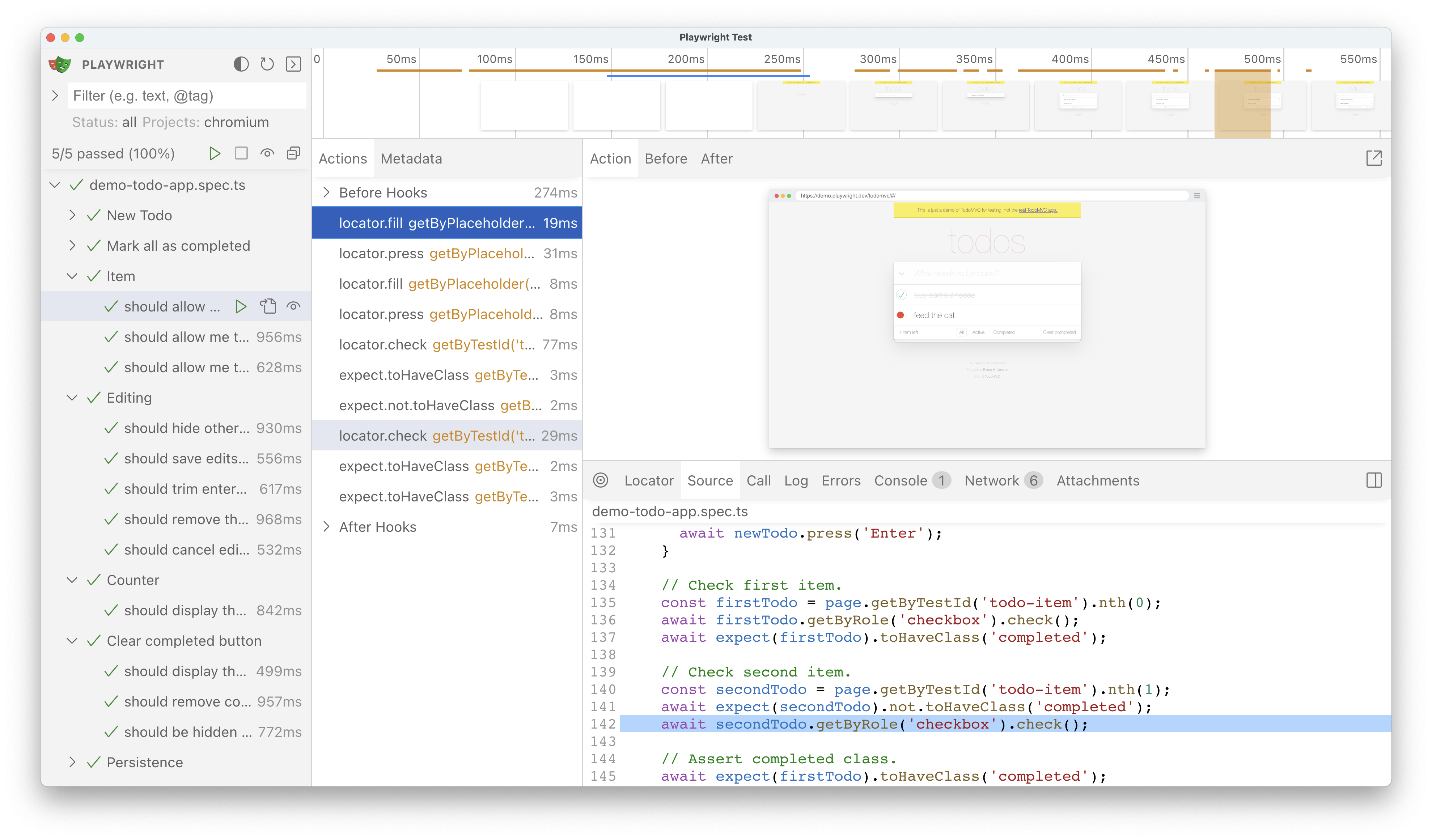
|
||||
|
||||
|
|
@ -107,7 +108,7 @@ Next to the Actions tab you will find the Metadata tab which will show you more
|
|||
|
||||
## Watch mode
|
||||
|
||||
Next to the name of each test in the sidebar you will find an eye icon. Clicking on the icon will activate watch mode which will re-run the test when you make changes to it. You can watch a number of tests at the same time be clicking the eye icon next to each one or all tests by clicking the eye icon at the top of the sidebar.
|
||||
Next to the name of each test in the sidebar you will find an eye icon. Clicking on the icon will activate watch mode which will re-run the test when you make changes to it. You can watch a number of tests at the same time be clicking the eye icon next to each one or all tests by clicking the eye icon at the top of the sidebar. If you are using VS Code then you can easily open your test by clicking on the file icon next to the eye icon. This will open your test in VS Code right at the line of code that you clicked on.
|
||||
|
||||
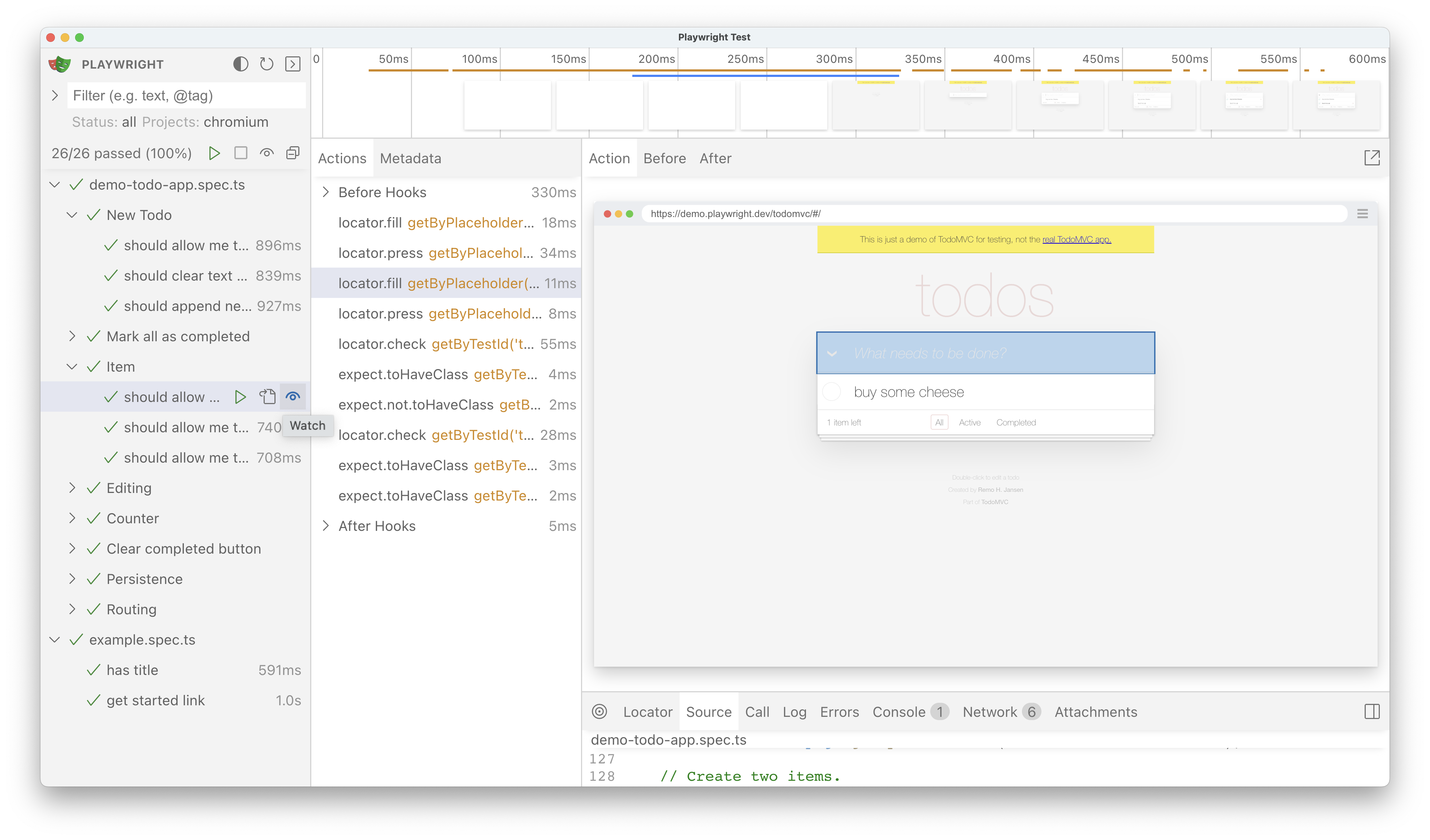
|
||||
|
||||
|
|
|
|||
|
|
@ -17,7 +17,7 @@ import { defineConfig } from '@playwright/test';
|
|||
export default defineConfig({
|
||||
use: {
|
||||
// Base URL to use in actions like `await page.goto('/')`.
|
||||
baseURL: 'http://localhost:3000',
|
||||
baseURL: 'http://127.0.0.1:3000',
|
||||
|
||||
// Populates context with given storage state.
|
||||
storageState: 'state.json',
|
||||
|
|
|
|||
|
|
@ -18,7 +18,7 @@ export default defineConfig({
|
|||
// Run your local dev server before starting the tests
|
||||
webServer: {
|
||||
command: 'npm run start',
|
||||
url: 'http://localhost:3000',
|
||||
url: 'http://127.0.0.1:3000',
|
||||
reuseExistingServer: !process.env.CI,
|
||||
stdout: 'ignore',
|
||||
stderr: 'pipe',
|
||||
|
|
@ -52,7 +52,7 @@ export default defineConfig({
|
|||
// Run your local dev server before starting the tests
|
||||
webServer: {
|
||||
command: 'npm run start',
|
||||
url: 'http://localhost:3000',
|
||||
url: 'http://127.0.0.1:3000',
|
||||
reuseExistingServer: !process.env.CI,
|
||||
timeout: 120 * 1000,
|
||||
},
|
||||
|
|
@ -63,7 +63,7 @@ export default defineConfig({
|
|||
|
||||
It is also recommended to specify the `baseURL` in the `use: {}` section of your config, so that tests can use relative urls and you don't have to specify the full URL over and over again.
|
||||
|
||||
When using [`method: Page.goto`], [`method: Page.route`], [`method: Page.waitForURL`], [`method: Page.waitForRequest`], or [`method: Page.waitForResponse`] it takes the base URL in consideration by using the [`URL()`](https://developer.mozilla.org/en-US/docs/Web/API/URL/URL) constructor for building the corresponding URL. For Example, by setting the baseURL to `http://localhost:3000` and navigating to `/login` in your tests, Playwright will run the test using `http://localhost:3000/login`.
|
||||
When using [`method: Page.goto`], [`method: Page.route`], [`method: Page.waitForURL`], [`method: Page.waitForRequest`], or [`method: Page.waitForResponse`] it takes the base URL in consideration by using the [`URL()`](https://developer.mozilla.org/en-US/docs/Web/API/URL/URL) constructor for building the corresponding URL. For Example, by setting the baseURL to `http://127.0.0.1:3000` and navigating to `/login` in your tests, Playwright will run the test using `http://127.0.0.1:3000/login`.
|
||||
|
||||
```js title="playwright.config.ts"
|
||||
import { defineConfig } from '@playwright/test';
|
||||
|
|
@ -74,11 +74,11 @@ export default defineConfig({
|
|||
// Run your local dev server before starting the tests
|
||||
webServer: {
|
||||
command: 'npm run start',
|
||||
url: 'http://localhost:3000',
|
||||
url: 'http://127.0.0.1:3000',
|
||||
reuseExistingServer: !process.env.CI,
|
||||
},
|
||||
use: {
|
||||
baseURL: 'http://localhost:3000',
|
||||
baseURL: 'http://127.0.0.1:3000',
|
||||
},
|
||||
});
|
||||
```
|
||||
|
|
@ -89,7 +89,7 @@ Now you can use a relative path when navigating the page:
|
|||
import { test } from '@playwright/test';
|
||||
|
||||
test('test', async ({ page }) => {
|
||||
// This will navigate to http://localhost:3000/login
|
||||
// This will navigate to http://127.0.0.1:3000/login
|
||||
await page.goto('./login');
|
||||
});
|
||||
```
|
||||
|
|
@ -106,19 +106,19 @@ export default defineConfig({
|
|||
webServer: [
|
||||
{
|
||||
command: 'npm run start',
|
||||
url: 'http://localhost:3000',
|
||||
url: 'http://127.0.0.1:3000',
|
||||
timeout: 120 * 1000,
|
||||
reuseExistingServer: !process.env.CI,
|
||||
},
|
||||
{
|
||||
command: 'npm run backend',
|
||||
url: 'http://localhost:3333',
|
||||
url: 'http://127.0.0.1:3333',
|
||||
timeout: 120 * 1000,
|
||||
reuseExistingServer: !process.env.CI,
|
||||
}
|
||||
],
|
||||
use: {
|
||||
baseURL: 'http://localhost:3000',
|
||||
baseURL: 'http://127.0.0.1:3000',
|
||||
},
|
||||
});
|
||||
```
|
||||
|
|
|
|||
|
|
@ -1,13 +1,19 @@
|
|||
---
|
||||
id: touch-events
|
||||
title: "Emulating legacy touch events"
|
||||
title: "Emulating touch events"
|
||||
---
|
||||
|
||||
## Introduction
|
||||
|
||||
Web applications that handle [touch events](https://developer.mozilla.org/en-US/docs/Web/API/Touch_events) to respond to gestures like swipe, pinch, and tap can be tested by manually dispatching [TouchEvent](https://developer.mozilla.org/en-US/docs/Web/API/TouchEvent/TouchEvent)s to the page. The examples below demonstrate how to use [`method: Locator.dispatchEvent`] and pass [Touch](https://developer.mozilla.org/en-US/docs/Web/API/Touch) points as arguments.
|
||||
Mobile web sites may listen to [touch events](https://developer.mozilla.org/en-US/docs/Web/API/Touch_events) and react to user touch gestures such as swipe, pinch, tap etc. To test this functionality you can manually generate [TouchEvent]s in the page context using [`method: Locator.evaluate`].
|
||||
|
||||
### Emulating pan gesture
|
||||
If your web application relies on [pointer events](https://developer.mozilla.org/en-US/docs/Web/API/Pointer_events) instead of touch events, you can use [`method: Locator.click`] and raw [`Mouse`] events to simulate a single-finger touch, and this will trigger all the same pointer events.
|
||||
|
||||
### Dispatching TouchEvent
|
||||
|
||||
You can dispatch touch events to the page using [`method: Locator.dispatchEvent`]. [Touch](https://developer.mozilla.org/en-US/docs/Web/API/Touch) points can be passed as arguments, see examples below.
|
||||
|
||||
#### Emulating pan gesture
|
||||
|
||||
In the example below, we emulate pan gesture that is expected to move the map. The app under test only uses `clientX/clientY` coordinates of the touch point, so we initialize just that. In a more complex scenario you may need to also set `pageX/pageY/screenX/screenY`, if your app needs them.
|
||||
|
||||
|
|
@ -63,7 +69,7 @@ test(`pan gesture to move the map`, async ({ page }) => {
|
|||
});
|
||||
```
|
||||
|
||||
### Emulating pinch gesture
|
||||
#### Emulating pinch gesture
|
||||
|
||||
In the example below, we emulate pinch gesture, i.e. two touch points moving closer to each other. It is expected to zoom out the map. The app under test only uses `clientX/clientY` coordinates of touch points, so we initialize just that. In a more complex scenario you may need to also set `pageX/pageY/screenX/screenY`, if your app needs them.
|
||||
|
||||
|
|
|
|||
|
|
@ -1,95 +0,0 @@
|
|||
/**
|
||||
* Copyright (c) Microsoft Corporation.
|
||||
*
|
||||
* Licensed under the Apache License, Version 2.0 (the "License");
|
||||
* you may not use this file except in compliance with the License.
|
||||
* You may obtain a copy of the License at
|
||||
*
|
||||
* http://www.apache.org/licenses/LICENSE-2.0
|
||||
*
|
||||
* Unless required by applicable law or agreed to in writing, software
|
||||
* distributed under the License is distributed on an "AS IS" BASIS,
|
||||
* WITHOUT WARRANTIES OR CONDITIONS OF ANY KIND, either express or implied.
|
||||
* See the License for the specific language governing permissions and
|
||||
* limitations under the License.
|
||||
*/
|
||||
|
||||
import { fixupConfigRules } from '@eslint/compat';
|
||||
import { FlatCompat } from '@eslint/eslintrc';
|
||||
import js from '@eslint/js';
|
||||
import typescriptEslint from '@typescript-eslint/eslint-plugin';
|
||||
import tsParser from '@typescript-eslint/parser';
|
||||
import notice from 'eslint-plugin-notice';
|
||||
import path from 'path';
|
||||
import { fileURLToPath } from 'url';
|
||||
import stylistic from '@stylistic/eslint-plugin';
|
||||
import { baseRules } from './eslint.config.mjs';
|
||||
|
||||
const __filename = fileURLToPath(import.meta.url);
|
||||
const __dirname = path.dirname(__filename);
|
||||
|
||||
const compat = new FlatCompat({
|
||||
baseDirectory: __dirname,
|
||||
recommendedConfig: js.configs.recommended,
|
||||
allConfig: js.configs.all
|
||||
});
|
||||
|
||||
const baseConfig = fixupConfigRules(compat.extends('plugin:react/recommended', 'plugin:react-hooks/recommended'));
|
||||
|
||||
const plugins = {
|
||||
'@stylistic': stylistic,
|
||||
'@typescript-eslint': typescriptEslint,
|
||||
notice,
|
||||
};
|
||||
|
||||
const ignores = [
|
||||
'.github/',
|
||||
'*.js',
|
||||
'**/.cache/',
|
||||
'**/*.d.ts',
|
||||
'**/dist/**',
|
||||
'index.d.ts',
|
||||
'node_modules/',
|
||||
'output/',
|
||||
'packages/*/lib/',
|
||||
'test-results/',
|
||||
'tests/',
|
||||
'utils/',
|
||||
];
|
||||
|
||||
export default [
|
||||
{ ignores },
|
||||
{
|
||||
plugins,
|
||||
settings: {
|
||||
react: { version: 'detect' },
|
||||
}
|
||||
},
|
||||
...baseConfig,
|
||||
packageSection('html-reporter'),
|
||||
packageSection('recorder'),
|
||||
packageSection('trace-viewer'),
|
||||
];
|
||||
|
||||
function packageSection(packageName) {
|
||||
return {
|
||||
files: [
|
||||
`packages/${packageName}/src/**/*.ts`,
|
||||
`packages/${packageName}/src/**/*.tsx`,
|
||||
`packages/web/src/**/*.ts`,
|
||||
`packages/web/src/**/*.tsx`,
|
||||
],
|
||||
languageOptions: {
|
||||
parser: tsParser,
|
||||
ecmaVersion: 9,
|
||||
sourceType: 'module',
|
||||
parserOptions: {
|
||||
project: path.join(__dirname, 'packages', packageName, 'tsconfig.json'),
|
||||
},
|
||||
},
|
||||
rules: {
|
||||
...baseRules,
|
||||
'no-console': 2,
|
||||
}
|
||||
};
|
||||
}
|
||||
|
|
@ -1,292 +0,0 @@
|
|||
/**
|
||||
* Copyright (c) Microsoft Corporation.
|
||||
*
|
||||
* Licensed under the Apache License, Version 2.0 (the "License");
|
||||
* you may not use this file except in compliance with the License.
|
||||
* You may obtain a copy of the License at
|
||||
*
|
||||
* http://www.apache.org/licenses/LICENSE-2.0
|
||||
*
|
||||
* Unless required by applicable law or agreed to in writing, software
|
||||
* distributed under the License is distributed on an "AS IS" BASIS,
|
||||
* WITHOUT WARRANTIES OR CONDITIONS OF ANY KIND, either express or implied.
|
||||
* See the License for the specific language governing permissions and
|
||||
* limitations under the License.
|
||||
*/
|
||||
|
||||
import typescriptEslint from '@typescript-eslint/eslint-plugin';
|
||||
import tsParser from '@typescript-eslint/parser';
|
||||
import notice from 'eslint-plugin-notice';
|
||||
import path from 'path';
|
||||
import { fileURLToPath } from 'url';
|
||||
import stylistic from '@stylistic/eslint-plugin';
|
||||
import importRules from 'eslint-plugin-import';
|
||||
|
||||
const __filename = fileURLToPath(import.meta.url);
|
||||
const __dirname = path.dirname(__filename);
|
||||
|
||||
const plugins = {
|
||||
'@stylistic': stylistic,
|
||||
'@typescript-eslint': typescriptEslint,
|
||||
notice,
|
||||
import: importRules,
|
||||
};
|
||||
|
||||
const ignores = [
|
||||
'.github/',
|
||||
'*.js',
|
||||
'**/.cache/',
|
||||
'**/*.d.ts',
|
||||
'index.d.ts',
|
||||
'node_modules/',
|
||||
'output/',
|
||||
'packages/*/lib/',
|
||||
'packages/html-reporter/**',
|
||||
'packages/playwright-core/src/generated/*',
|
||||
'packages/playwright-core/src/third_party/',
|
||||
'packages/playwright-core/types/*',
|
||||
'packages/playwright-ct-core/src/generated/*',
|
||||
'packages/recorder/**',
|
||||
'packages/trace-viewer/**',
|
||||
'packages/web/**',
|
||||
'test-results/',
|
||||
'tests/assets/',
|
||||
'tests/components/',
|
||||
'tests/installation/fixture-scripts/',
|
||||
'tests/third_party/',
|
||||
'utils/',
|
||||
];
|
||||
|
||||
export const baseRules = {
|
||||
'@typescript-eslint/no-unused-vars': [2, { args: 'none', caughtErrors: 'none' }],
|
||||
|
||||
/**
|
||||
* Enforced rules
|
||||
*/
|
||||
// syntax preferences
|
||||
'object-curly-spacing': ['error', 'always'],
|
||||
'quotes': [2, 'single', {
|
||||
'avoidEscape': true,
|
||||
'allowTemplateLiterals': true
|
||||
}],
|
||||
'jsx-quotes': [2, 'prefer-single'],
|
||||
'no-extra-semi': 2,
|
||||
'@stylistic/semi': [2],
|
||||
'comma-style': [2, 'last'],
|
||||
'wrap-iife': [2, 'inside'],
|
||||
'spaced-comment': [2, 'always', {
|
||||
'markers': ['*']
|
||||
}],
|
||||
'eqeqeq': [2],
|
||||
'accessor-pairs': [2, {
|
||||
'getWithoutSet': false,
|
||||
'setWithoutGet': false
|
||||
}],
|
||||
'brace-style': [2, '1tbs', { 'allowSingleLine': true }],
|
||||
'curly': [2, 'multi-or-nest', 'consistent'],
|
||||
'new-parens': 2,
|
||||
'arrow-parens': [2, 'as-needed'],
|
||||
'prefer-const': 2,
|
||||
'quote-props': [2, 'consistent'],
|
||||
'nonblock-statement-body-position': [2, 'below'],
|
||||
|
||||
// anti-patterns
|
||||
'no-var': 2,
|
||||
'no-with': 2,
|
||||
'no-multi-str': 2,
|
||||
'no-caller': 2,
|
||||
'no-implied-eval': 2,
|
||||
'no-labels': 2,
|
||||
'no-new-object': 2,
|
||||
'no-octal-escape': 2,
|
||||
'no-self-compare': 2,
|
||||
'no-shadow-restricted-names': 2,
|
||||
'no-cond-assign': 2,
|
||||
'no-debugger': 2,
|
||||
'no-dupe-keys': 2,
|
||||
'no-duplicate-case': 2,
|
||||
'no-empty-character-class': 2,
|
||||
'no-unreachable': 2,
|
||||
'no-unsafe-negation': 2,
|
||||
'radix': 2,
|
||||
'valid-typeof': 2,
|
||||
'no-implicit-globals': [2],
|
||||
'no-unused-expressions': [2, { 'allowShortCircuit': true, 'allowTernary': true, 'allowTaggedTemplates': true }],
|
||||
'no-proto': 2,
|
||||
|
||||
// es2015 features
|
||||
'require-yield': 2,
|
||||
'template-curly-spacing': [2, 'never'],
|
||||
|
||||
// spacing details
|
||||
'space-infix-ops': 2,
|
||||
'space-in-parens': [2, 'never'],
|
||||
'array-bracket-spacing': [2, 'never'],
|
||||
'comma-spacing': [2, { 'before': false, 'after': true }],
|
||||
'keyword-spacing': [2, 'always'],
|
||||
'space-before-function-paren': [2, {
|
||||
'anonymous': 'never',
|
||||
'named': 'never',
|
||||
'asyncArrow': 'always'
|
||||
}],
|
||||
'no-whitespace-before-property': 2,
|
||||
'keyword-spacing': [2, {
|
||||
'overrides': {
|
||||
'if': { 'after': true },
|
||||
'else': { 'after': true },
|
||||
'for': { 'after': true },
|
||||
'while': { 'after': true },
|
||||
'do': { 'after': true },
|
||||
'switch': { 'after': true },
|
||||
'return': { 'after': true }
|
||||
}
|
||||
}],
|
||||
'arrow-spacing': [2, {
|
||||
'after': true,
|
||||
'before': true
|
||||
}],
|
||||
'@stylistic/func-call-spacing': 2,
|
||||
'@stylistic/type-annotation-spacing': 2,
|
||||
|
||||
// file whitespace
|
||||
'no-multiple-empty-lines': [2, { 'max': 2, 'maxEOF': 0 }],
|
||||
'no-mixed-spaces-and-tabs': 2,
|
||||
'no-trailing-spaces': 2,
|
||||
'linebreak-style': [process.platform === 'win32' ? 0 : 2, 'unix'],
|
||||
'indent': [2, 2, { 'SwitchCase': 1, 'CallExpression': { 'arguments': 2 }, 'MemberExpression': 2 }],
|
||||
'key-spacing': [2, {
|
||||
'beforeColon': false
|
||||
}],
|
||||
'eol-last': 2,
|
||||
|
||||
// copyright
|
||||
'notice/notice': [2, {
|
||||
'mustMatch': 'Copyright',
|
||||
'templateFile': path.join(__dirname, 'utils', 'copyright.js'),
|
||||
}],
|
||||
|
||||
// react
|
||||
'react/react-in-jsx-scope': 0
|
||||
};
|
||||
|
||||
const noFloatingPromisesRules = {
|
||||
'@typescript-eslint/no-floating-promises': 'error',
|
||||
};
|
||||
|
||||
const noBooleanCompareRules = {
|
||||
'@typescript-eslint/no-unnecessary-boolean-literal-compare': 2,
|
||||
};
|
||||
|
||||
const noWebGlobalsRules = {
|
||||
'no-restricted-globals': [
|
||||
'error',
|
||||
{ 'name': 'window' },
|
||||
{ 'name': 'document' },
|
||||
{ 'name': 'globalThis' },
|
||||
],
|
||||
};
|
||||
|
||||
const noNodeGlobalsRules = {
|
||||
'no-restricted-globals': [
|
||||
'error',
|
||||
{ 'name': 'process' },
|
||||
],
|
||||
};
|
||||
|
||||
const importOrderRules = {
|
||||
'import/order': [2, {
|
||||
'groups': ['builtin', 'external', 'internal', ['parent', 'sibling'], 'index', 'type'],
|
||||
'newlines-between': 'always',
|
||||
}],
|
||||
'import/consistent-type-specifier-style': [2, 'prefer-top-level']
|
||||
};
|
||||
|
||||
const languageOptions = {
|
||||
parser: tsParser,
|
||||
ecmaVersion: 9,
|
||||
sourceType: 'module',
|
||||
};
|
||||
|
||||
const languageOptionsWithTsConfig = {
|
||||
parser: tsParser,
|
||||
ecmaVersion: 9,
|
||||
sourceType: 'module',
|
||||
parserOptions: {
|
||||
project: path.join(__dirname, 'tsconfig.json'),
|
||||
},
|
||||
};
|
||||
|
||||
export default [{
|
||||
ignores,
|
||||
}, {
|
||||
files: ['**/*.ts'],
|
||||
plugins,
|
||||
languageOptions,
|
||||
rules: baseRules,
|
||||
}, {
|
||||
files: ['packages/**/*.ts'],
|
||||
languageOptions: languageOptionsWithTsConfig,
|
||||
rules: {
|
||||
'no-console': 2,
|
||||
'no-restricted-properties': [2, {
|
||||
'object': 'process',
|
||||
'property': 'exit',
|
||||
'message': 'Please use gracefullyProcessExitDoNotHang function to exit the process.',
|
||||
}],
|
||||
}
|
||||
}, {
|
||||
files: [
|
||||
'packages/**/*.ts',
|
||||
],
|
||||
rules: {
|
||||
...importOrderRules
|
||||
},
|
||||
}, {
|
||||
files: ['packages/playwright/**/*.ts'],
|
||||
rules: {
|
||||
...noFloatingPromisesRules,
|
||||
}
|
||||
}, {
|
||||
files: ['packages/playwright/src/reporters/**/*.ts'],
|
||||
languageOptions: languageOptionsWithTsConfig,
|
||||
rules: {
|
||||
'no-console': 'off'
|
||||
}
|
||||
}, {
|
||||
files: [
|
||||
'packages/playwright-core/src/server/injected/**/*.ts',
|
||||
'packages/playwright-core/src/server/isomorphic/**/*.ts',
|
||||
'packages/playwright-core/src/utils/isomorphic/**/*.ts',
|
||||
],
|
||||
languageOptions: languageOptionsWithTsConfig,
|
||||
rules: {
|
||||
...noWebGlobalsRules,
|
||||
...noFloatingPromisesRules,
|
||||
...noBooleanCompareRules,
|
||||
}
|
||||
}, {
|
||||
files: [
|
||||
'packages/playwright-core/src/client/**/*.ts',
|
||||
'packages/playwright-core/src/protocol/**/*.ts',
|
||||
'packages/playwright-core/src/utils/**/*.ts',
|
||||
],
|
||||
languageOptions: languageOptionsWithTsConfig,
|
||||
rules: {
|
||||
...noNodeGlobalsRules,
|
||||
...noFloatingPromisesRules,
|
||||
...noBooleanCompareRules,
|
||||
}
|
||||
}, {
|
||||
files: ['tests/**/*.spec.js', 'tests/**/*.ts'],
|
||||
languageOptions: {
|
||||
parser: tsParser,
|
||||
ecmaVersion: 9,
|
||||
sourceType: 'module',
|
||||
parserOptions: {
|
||||
project: path.join(__dirname, 'tests', 'tsconfig.json'),
|
||||
},
|
||||
},
|
||||
rules: {
|
||||
...noFloatingPromisesRules,
|
||||
}
|
||||
}];
|
||||
7095
package-lock.json
generated
7095
package-lock.json
generated
File diff suppressed because it is too large
Load diff
35
package.json
35
package.json
|
|
@ -1,7 +1,7 @@
|
|||
{
|
||||
"name": "playwright-internal",
|
||||
"private": true,
|
||||
"version": "1.51.0-next",
|
||||
"version": "1.50.0",
|
||||
"description": "A high-level API to automate web browsers",
|
||||
"repository": {
|
||||
"type": "git",
|
||||
|
|
@ -30,14 +30,14 @@
|
|||
"ttest": "node ./tests/playwright-test/stable-test-runner/node_modules/@playwright/test/cli test --config=tests/playwright-test/playwright.config.ts",
|
||||
"ct": "playwright test tests/components/test-all.spec.js --reporter=list",
|
||||
"test": "playwright test --config=tests/library/playwright.config.ts",
|
||||
"eslint": "eslint --cache && eslint -c eslint-react.config.mjs",
|
||||
"eslint": "eslint --cache --report-unused-disable-directives --ext ts,tsx,js,jsx,mjs .",
|
||||
"tsc": "tsc -p . && tsc -p packages/html-reporter/",
|
||||
"build-installer": "babel -s --extensions \".ts\" --out-dir packages/playwright-core/lib/utils/ packages/playwright-core/src/utils",
|
||||
"doc": "node utils/doclint/cli.js",
|
||||
"lint": "npm run eslint && npm run tsc && npm run doc && npm run check-deps && node utils/generate_channels.js && node utils/generate_types/ && npm run lint-tests && npm run test-types && npm run lint-packages",
|
||||
"lint-packages": "node utils/workspace.js --ensure-consistent",
|
||||
"lint-tests": "node utils/lint_tests.js",
|
||||
"flint": "concurrently \"npm run eslint\" \"npm run tsc\" \"npm run doc\" \"npm run check-deps\" \"node utils/generate_channels.js\" \"node utils/generate_types/\" \"npm run lint-tests\" \"npm run test-types\" \"npm run lint-packages\" \"node utils/doclint/linting-code-snippets/cli.js --js-only\"",
|
||||
"flint": "concurrently \"npm run eslint\" \"npm run tsc\" \"npm run doc\" \"npm run check-deps\" \"node utils/generate_channels.js\" \"node utils/generate_types/\" \"npm run lint-tests\" \"npm run test-types\" \"npm run lint-packages\"",
|
||||
"clean": "node utils/build/clean.js",
|
||||
"build": "node utils/build/build.js",
|
||||
"watch": "node utils/build/build.js --watch --lint",
|
||||
|
|
@ -62,10 +62,6 @@
|
|||
"@babel/plugin-transform-optional-chaining": "^7.23.4",
|
||||
"@babel/plugin-transform-typescript": "^7.23.6",
|
||||
"@babel/preset-react": "^7.23.3",
|
||||
"@eslint/compat": "^1.2.6",
|
||||
"@eslint/eslintrc": "^3.2.0",
|
||||
"@eslint/js": "^9.19.0",
|
||||
"@stylistic/eslint-plugin": "^3.0.1",
|
||||
"@types/babel__core": "^7.20.2",
|
||||
"@types/codemirror": "^5.60.7",
|
||||
"@types/formidable": "^2.0.4",
|
||||
|
|
@ -75,9 +71,9 @@
|
|||
"@types/react-dom": "^18.0.5",
|
||||
"@types/ws": "^8.5.3",
|
||||
"@types/xml2js": "^0.4.9",
|
||||
"@typescript-eslint/eslint-plugin": "^8.23.0",
|
||||
"@typescript-eslint/parser": "^8.23.0",
|
||||
"@typescript-eslint/utils": "^8.23.0",
|
||||
"@typescript-eslint/eslint-plugin": "^7.15.0",
|
||||
"@typescript-eslint/parser": "^7.15.0",
|
||||
"@typescript-eslint/utils": "^7.15.0",
|
||||
"@vitejs/plugin-basic-ssl": "^1.1.0",
|
||||
"@vitejs/plugin-react": "^4.2.1",
|
||||
"@zip.js/zip.js": "^2.7.29",
|
||||
|
|
@ -89,25 +85,24 @@
|
|||
"cross-env": "^7.0.3",
|
||||
"dotenv": "^16.4.5",
|
||||
"electron": "^30.1.2",
|
||||
"esbuild": "^0.25.0",
|
||||
"eslint": "^9.19.0",
|
||||
"eslint-plugin-import": "^2.31.0",
|
||||
"eslint-plugin-notice": "^1.0.0",
|
||||
"eslint-plugin-react": "^7.37.4",
|
||||
"eslint-plugin-react-hooks": "^5.1.0",
|
||||
"esbuild": "^0.18.11",
|
||||
"eslint": "^8.55.0",
|
||||
"eslint-plugin-internal-playwright": "file:utils/eslint-plugin-internal-playwright",
|
||||
"eslint-plugin-notice": "^0.9.10",
|
||||
"eslint-plugin-react": "^7.35.0",
|
||||
"eslint-plugin-react-hooks": "^4.6.2",
|
||||
"formidable": "^2.1.1",
|
||||
"immutable": "^4.3.7",
|
||||
"license-checker": "^25.0.1",
|
||||
"markdown-to-jsx": "^7.7.3",
|
||||
"mime": "^3.0.0",
|
||||
"node-stream-zip": "^1.15.0",
|
||||
"react": "^18.1.0",
|
||||
"react-dom": "^18.1.0",
|
||||
"ssim.js": "^3.5.0",
|
||||
"typescript": "^5.7.3",
|
||||
"vite": "^6.1.0",
|
||||
"typescript": "^5.7.2",
|
||||
"vite": "^5.4.6",
|
||||
"ws": "^8.17.1",
|
||||
"xml2js": "^0.5.0",
|
||||
"yaml": "2.6.0"
|
||||
"yaml": "^2.6.0"
|
||||
}
|
||||
}
|
||||
|
|
|
|||
21
packages/.eslintrc.js
Normal file
21
packages/.eslintrc.js
Normal file
|
|
@ -0,0 +1,21 @@
|
|||
module.exports = {
|
||||
"extends": "../.eslintrc.js",
|
||||
/**
|
||||
* ESLint rules
|
||||
*
|
||||
* All available rules: http://eslint.org/docs/rules/
|
||||
*
|
||||
* Rules take the following form:
|
||||
* "rule-name", [severity, { opts }]
|
||||
* Severity: 2 == error, 1 == warning, 0 == off.
|
||||
*/
|
||||
"rules": {
|
||||
"no-console": 2,
|
||||
"no-debugger": 2,
|
||||
"no-restricted-properties": [2, {
|
||||
"object": "process",
|
||||
"property": "exit",
|
||||
"message": "Please use gracefullyProcessExitDoNotHang function to exit the process.",
|
||||
}],
|
||||
}
|
||||
};
|
||||
|
|
@ -15,7 +15,7 @@
|
|||
-->
|
||||
|
||||
<!DOCTYPE html>
|
||||
<html style='scrollbar-gutter: stable both-edges;'>
|
||||
<html>
|
||||
<head>
|
||||
<meta charset='UTF-8'>
|
||||
<meta name='color-scheme' content='dark light'>
|
||||
|
|
|
|||
|
|
@ -23,11 +23,7 @@ export default defineConfig({
|
|||
forbidOnly: !!process.env.CI,
|
||||
retries: process.env.CI ? 2 : 0,
|
||||
snapshotPathTemplate: '{testDir}/__screenshots__/{projectName}/{testFilePath}/{arg}{ext}',
|
||||
reporter: process.env.CI ? [
|
||||
['blob', { fileName: `${process.env.PWTEST_BOT_NAME}.zip` }],
|
||||
] : [
|
||||
['html']
|
||||
],
|
||||
reporter: process.env.CI ? 'blob' : 'html',
|
||||
use: {
|
||||
ctPort: 3101,
|
||||
ctViteConfig: {
|
||||
|
|
|
|||
|
|
@ -267,26 +267,6 @@ article, aside, details, figcaption, figure, footer, header, main, menu, nav, se
|
|||
flex: none;
|
||||
}
|
||||
|
||||
.button {
|
||||
flex: none;
|
||||
height: 24px;
|
||||
border: 1px solid var(--color-btn-border);
|
||||
outline: none;
|
||||
color: var(--color-btn-text);
|
||||
background: var(--color-btn-bg);
|
||||
padding: 4px;
|
||||
cursor: pointer;
|
||||
display: inline-flex;
|
||||
align-items: center;
|
||||
justify-content: center;
|
||||
border-radius: 4px;
|
||||
}
|
||||
|
||||
.button:not(:disabled):hover {
|
||||
border-color: var(--color-btn-hover-border);
|
||||
background-color: var(--color-btn-hover-bg);
|
||||
}
|
||||
|
||||
@media only screen and (max-width: 600px) {
|
||||
.subnav-item, .form-control {
|
||||
border-radius: 0 !important;
|
||||
|
|
|
|||
|
|
@ -39,7 +39,7 @@ export const CopyToClipboard: React.FunctionComponent<CopyToClipboardProps> = ({
|
|||
});
|
||||
}, [value]);
|
||||
const iconElement = icon === 'check' ? icons.check() : icon === 'cross' ? icons.cross() : icons.copy();
|
||||
return <button className='copy-icon' title='Copy to clipboard' aria-label='Copy to clipboard' onClick={handleCopy}>{iconElement}</button>;
|
||||
return <button className='copy-icon' aria-label='Copy to clipboard' onClick={handleCopy}>{iconElement}</button>;
|
||||
};
|
||||
|
||||
type CopyToClipboardContainerProps = CopyToClipboardProps & {
|
||||
|
|
|
|||
|
|
@ -69,6 +69,22 @@ export const blank = () => {
|
|||
return <svg className='octicon' viewBox='0 0 16 16' version='1.1' width='16' height='16' aria-hidden='true'></svg>;
|
||||
};
|
||||
|
||||
export const externalLink = () => {
|
||||
return <svg className='octicon' viewBox='0 0 16 16' width='16' height='16'><path fillRule='evenodd' d='M10.604 1h4.146a.25.25 0 01.25.25v4.146a.25.25 0 01-.427.177L13.03 4.03 9.28 7.78a.75.75 0 01-1.06-1.06l3.75-3.75-1.543-1.543A.25.25 0 0110.604 1zM3.75 2A1.75 1.75 0 002 3.75v8.5c0 .966.784 1.75 1.75 1.75h8.5A1.75 1.75 0 0014 12.25v-3.5a.75.75 0 00-1.5 0v3.5a.25.25 0 01-.25.25h-8.5a.25.25 0 01-.25-.25v-8.5a.25.25 0 01.25-.25h3.5a.75.75 0 000-1.5h-3.5z'></path></svg>;
|
||||
};
|
||||
|
||||
export const calendar = () => {
|
||||
return <svg className='octicon' viewBox='0 0 16 16' width='16' height='16'><path fillRule='evenodd' d='M4.75 0a.75.75 0 01.75.75V2h5V.75a.75.75 0 011.5 0V2h1.25c.966 0 1.75.784 1.75 1.75v10.5A1.75 1.75 0 0113.25 16H2.75A1.75 1.75 0 011 14.25V3.75C1 2.784 1.784 2 2.75 2H4V.75A.75.75 0 014.75 0zm0 3.5h8.5a.25.25 0 01.25.25V6h-11V3.75a.25.25 0 01.25-.25h2zm-2.25 4v6.75c0 .138.112.25.25.25h10.5a.25.25 0 00.25-.25V7.5h-11z'></path></svg>;
|
||||
};
|
||||
|
||||
export const person = () => {
|
||||
return <svg className='octicon' viewBox='0 0 16 16' width='16' height='16'><path fillRule='evenodd' d='M10.5 5a2.5 2.5 0 11-5 0 2.5 2.5 0 015 0zm.061 3.073a4 4 0 10-5.123 0 6.004 6.004 0 00-3.431 5.142.75.75 0 001.498.07 4.5 4.5 0 018.99 0 .75.75 0 101.498-.07 6.005 6.005 0 00-3.432-5.142z'></path></svg>;
|
||||
};
|
||||
|
||||
export const commit = () => {
|
||||
return <svg className='octicon' viewBox='0 0 16 16' width='16' height='16'><path fillRule='evenodd' d='M10.5 7.75a2.5 2.5 0 11-5 0 2.5 2.5 0 015 0zm1.43.75a4.002 4.002 0 01-7.86 0H.75a.75.75 0 110-1.5h3.32a4.001 4.001 0 017.86 0h3.32a.75.75 0 110 1.5h-3.32z'></path></svg>;
|
||||
};
|
||||
|
||||
export const image = () => {
|
||||
return <svg className='octicon' viewBox='0 0 48 48' version='1.1' width='20' height='20' aria-hidden='true'>
|
||||
<path xmlns='http://www.w3.org/2000/svg' d='M11.85 32H36.2l-7.35-9.95-6.55 8.7-4.6-6.45ZM7 40q-1.2 0-2.1-.9Q4 38.2 4 37V11q0-1.2.9-2.1Q5.8 8 7 8h34q1.2 0 2.1.9.9.9.9 2.1v26q0 1.2-.9 2.1-.9.9-2.1.9Zm0-29v26-26Zm34 26V11H7v26Z'/>
|
||||
|
|
|
|||
|
|
@ -1,67 +0,0 @@
|
|||
/*
|
||||
Copyright (c) Microsoft Corporation.
|
||||
|
||||
Licensed under the Apache License, Version 2.0 (the "License");
|
||||
you may not use this file except in compliance with the License.
|
||||
You may obtain a copy of the License at
|
||||
|
||||
http://www.apache.org/licenses/LICENSE-2.0
|
||||
|
||||
Unless required by applicable law or agreed to in writing, software
|
||||
distributed under the License is distributed on an "AS IS" BASIS,
|
||||
WITHOUT WARRANTIES OR CONDITIONS OF ANY KIND, either express or implied.
|
||||
See the License for the specific language governing permissions and
|
||||
limitations under the License.
|
||||
*/
|
||||
|
||||
.metadata-toggle {
|
||||
cursor: pointer;
|
||||
user-select: none;
|
||||
margin-left: 5px;
|
||||
color: var(--color-fg-default);
|
||||
}
|
||||
|
||||
.metadata-view {
|
||||
border: 1px solid var(--color-border-default);
|
||||
border-radius: 6px;
|
||||
margin-top: 8px;
|
||||
}
|
||||
|
||||
.metadata-view .metadata-section {
|
||||
margin: 8px 10px 8px 32px;
|
||||
}
|
||||
|
||||
.metadata-view span:not(.copy-button-container),
|
||||
.metadata-view a {
|
||||
display: inline-block;
|
||||
line-height: 24px;
|
||||
}
|
||||
|
||||
.metadata-properties {
|
||||
display: flex;
|
||||
flex-direction: column;
|
||||
align-items: normal;
|
||||
gap: 8px;
|
||||
}
|
||||
|
||||
.metadata-properties > div {
|
||||
height: 24px;
|
||||
}
|
||||
|
||||
.metadata-separator {
|
||||
height: 1px;
|
||||
border-bottom: 1px solid var(--color-border-default);
|
||||
}
|
||||
|
||||
.metadata-view a {
|
||||
color: var(--color-fg-default);
|
||||
}
|
||||
|
||||
.copyable-property {
|
||||
white-space: pre;
|
||||
}
|
||||
|
||||
.copyable-property > span {
|
||||
display: flex;
|
||||
align-items: center;
|
||||
}
|
||||
|
|
@ -17,12 +17,21 @@
|
|||
import * as React from 'react';
|
||||
import './colors.css';
|
||||
import './common.css';
|
||||
import * as icons from './icons';
|
||||
import { AutoChip } from './chip';
|
||||
import './reportView.css';
|
||||
import './theme.css';
|
||||
import './metadataView.css';
|
||||
import type { Metadata } from '@playwright/test';
|
||||
import type { CIInfo, GitCommitInfo, MetadataWithCommitInfo } from '@testIsomorphic/types';
|
||||
import { CopyToClipboardContainer } from './copyToClipboard';
|
||||
import { linkifyText } from '@web/renderUtils';
|
||||
|
||||
export type Metainfo = {
|
||||
'revision.id'?: string;
|
||||
'revision.author'?: string;
|
||||
'revision.email'?: string;
|
||||
'revision.subject'?: string;
|
||||
'revision.timestamp'?: number | Date;
|
||||
'revision.link'?: string;
|
||||
'ci.link'?: string;
|
||||
'timestamp'?: number
|
||||
};
|
||||
|
||||
class ErrorBoundary extends React.Component<React.PropsWithChildren<{}>, { error: Error | null, errorInfo: React.ErrorInfo | null }> {
|
||||
override state: { error: Error | null, errorInfo: React.ErrorInfo | null } = {
|
||||
|
|
@ -37,12 +46,12 @@ class ErrorBoundary extends React.Component<React.PropsWithChildren<{}>, { error
|
|||
override render() {
|
||||
if (this.state.error || this.state.errorInfo) {
|
||||
return (
|
||||
<div className='metadata-view p-3'>
|
||||
<p>An error was encountered when trying to render metadata.</p>
|
||||
<AutoChip header={'Commit Metainfo Error'} dataTestId='metadata-error'>
|
||||
<p>An error was encountered when trying to render Commit Metainfo. Please file a GitHub issue to report this error.</p>
|
||||
<p>
|
||||
<pre style={{ overflow: 'scroll' }}>{this.state.error?.message}<br/>{this.state.error?.stack}<br/>{this.state.errorInfo?.componentStack}</pre>
|
||||
</p>
|
||||
</div>
|
||||
</AutoChip>
|
||||
);
|
||||
}
|
||||
|
||||
|
|
@ -50,70 +59,79 @@ class ErrorBoundary extends React.Component<React.PropsWithChildren<{}>, { error
|
|||
}
|
||||
}
|
||||
|
||||
export const MetadataView: React.FC<{ metadata: Metadata }> = params => {
|
||||
return <ErrorBoundary><InnerMetadataView metadata={params.metadata}/></ErrorBoundary>;
|
||||
export const MetadataView: React.FC<Metainfo> = metadata => <ErrorBoundary><InnerMetadataView {...metadata} /></ErrorBoundary>;
|
||||
|
||||
const InnerMetadataView: React.FC<Metainfo> = metadata => {
|
||||
if (!Object.keys(metadata).find(k => k.startsWith('revision.') || k.startsWith('ci.')))
|
||||
return null;
|
||||
|
||||
return (
|
||||
<AutoChip header={
|
||||
<span>
|
||||
{metadata['revision.id'] && <span style={{ float: 'right' }}>
|
||||
{metadata['revision.id'].slice(0, 7)}
|
||||
</span>}
|
||||
{metadata['revision.subject'] || 'Commit Metainfo'}
|
||||
</span>} initialExpanded={false} dataTestId='metadata-chip'>
|
||||
{metadata['revision.subject'] &&
|
||||
<MetadataViewItem
|
||||
testId='revision.subject'
|
||||
content={<span>{metadata['revision.subject']}</span>}
|
||||
/>
|
||||
}
|
||||
{metadata['revision.id'] &&
|
||||
<MetadataViewItem
|
||||
testId='revision.id'
|
||||
content={<span>{metadata['revision.id']}</span>}
|
||||
href={metadata['revision.link']}
|
||||
icon='commit'
|
||||
/>
|
||||
}
|
||||
{(metadata['revision.author'] || metadata['revision.email']) &&
|
||||
<MetadataViewItem
|
||||
content={`${metadata['revision.author']} ${metadata['revision.email']}`}
|
||||
icon='person'
|
||||
/>
|
||||
}
|
||||
{metadata['revision.timestamp'] &&
|
||||
<MetadataViewItem
|
||||
testId='revision.timestamp'
|
||||
content={
|
||||
<>
|
||||
{Intl.DateTimeFormat(undefined, { dateStyle: 'full' }).format(metadata['revision.timestamp'])}
|
||||
{' '}
|
||||
{Intl.DateTimeFormat(undefined, { timeStyle: 'long' }).format(metadata['revision.timestamp'])}
|
||||
</>
|
||||
}
|
||||
icon='calendar'
|
||||
/>
|
||||
}
|
||||
{metadata['ci.link'] &&
|
||||
<MetadataViewItem
|
||||
content='CI/CD Logs'
|
||||
href={metadata['ci.link']}
|
||||
icon='externalLink'
|
||||
/>
|
||||
}
|
||||
{metadata['timestamp'] &&
|
||||
<MetadataViewItem
|
||||
content={<span style={{ color: 'var(--color-fg-subtle)' }}>
|
||||
Report generated on {Intl.DateTimeFormat(undefined, { dateStyle: 'full', timeStyle: 'long' }).format(metadata['timestamp'])}
|
||||
</span>}></MetadataViewItem>
|
||||
}
|
||||
</AutoChip>
|
||||
);
|
||||
};
|
||||
|
||||
const InnerMetadataView: React.FC<{ metadata: Metadata }> = params => {
|
||||
const commitInfo = params.metadata as MetadataWithCommitInfo;
|
||||
const otherEntries = Object.entries(params.metadata).filter(([key]) => !ignoreKeys.has(key));
|
||||
const hasMetadata = commitInfo.ci || commitInfo.gitCommit || otherEntries.length > 0;
|
||||
if (!hasMetadata)
|
||||
return;
|
||||
return <div className='metadata-view'>
|
||||
{commitInfo.ci && !commitInfo.gitCommit && <CiInfoView info={commitInfo.ci}/>}
|
||||
{commitInfo.gitCommit && <GitCommitInfoView ci={commitInfo.ci} commit={commitInfo.gitCommit}/>}
|
||||
{otherEntries.length > 0 && (commitInfo.gitCommit || commitInfo.ci) && <div className='metadata-separator' />}
|
||||
<div className='metadata-section metadata-properties' role='list'>
|
||||
{otherEntries.map(([propertyName, value]) => {
|
||||
const valueString = typeof value !== 'object' || value === null || value === undefined ? String(value) : JSON.stringify(value);
|
||||
const trimmedValue = valueString.length > 1000 ? valueString.slice(0, 1000) + '\u2026' : valueString;
|
||||
const MetadataViewItem: React.FC<{ content: JSX.Element | string; icon?: keyof typeof icons, href?: string, testId?: string }> = ({ content, icon, href, testId }) => {
|
||||
return (
|
||||
<div key={propertyName} className='copyable-property' role='listitem'>
|
||||
<CopyToClipboardContainer value={valueString}>
|
||||
<span style={{ fontWeight: 'bold' }} title={propertyName}>{propertyName}</span>
|
||||
: <span title={trimmedValue}>{linkifyText(trimmedValue)}</span>
|
||||
</CopyToClipboardContainer>
|
||||
<div className='my-1 hbox' data-testid={testId} >
|
||||
<div className='mr-2'>
|
||||
{icons[icon || 'blank']()}
|
||||
</div>
|
||||
<div style={{ flex: 1 }}>
|
||||
{href ? <a href={href} target='_blank' rel='noopener noreferrer'>{content}</a> : content}
|
||||
</div>
|
||||
</div>
|
||||
);
|
||||
})}
|
||||
</div>
|
||||
</div>;
|
||||
};
|
||||
|
||||
const CiInfoView: React.FC<{ info: CIInfo }> = ({ info }) => {
|
||||
const title = info.prTitle || `Commit ${info.commitHash}`;
|
||||
const link = info.prHref || info.commitHref;
|
||||
return <div className='metadata-section' role='list'>
|
||||
<div role='listitem'>
|
||||
<a href={link} target='_blank' rel='noopener noreferrer' title={title}>{title}</a>
|
||||
</div>
|
||||
</div>;
|
||||
};
|
||||
|
||||
const GitCommitInfoView: React.FC<{ ci?: CIInfo, commit: GitCommitInfo }> = ({ ci, commit }) => {
|
||||
const title = ci?.prTitle || commit.subject;
|
||||
const link = ci?.prHref || ci?.commitHref;
|
||||
const email = ` <${commit.author.email}>`;
|
||||
const author = `${commit.author.name}${email}`;
|
||||
const shortTimestamp = Intl.DateTimeFormat(undefined, { dateStyle: 'medium' }).format(commit.committer.time);
|
||||
const longTimestamp = Intl.DateTimeFormat(undefined, { dateStyle: 'full', timeStyle: 'long' }).format(commit.committer.time);
|
||||
|
||||
return <div className='metadata-section' role='list'>
|
||||
<div role='listitem'>
|
||||
{link && <a href={link} target='_blank' rel='noopener noreferrer' title={title}>{title}</a>}
|
||||
{!link && <span title={title}>{title}</span>}
|
||||
</div>
|
||||
<div role='listitem' className='hbox'>
|
||||
<span className='mr-1'>{author}</span>
|
||||
<span title={longTimestamp}> on {shortTimestamp}</span>
|
||||
</div>
|
||||
</div>;
|
||||
};
|
||||
|
||||
const ignoreKeys = new Set(['ci', 'gitCommit', 'gitDiff', 'actualWorkers']);
|
||||
|
||||
export const isMetadataEmpty = (metadata: MetadataWithCommitInfo): boolean => {
|
||||
const otherEntries = Object.entries(metadata).filter(([key]) => !ignoreKeys.has(key));
|
||||
return !metadata.ci && !metadata.gitCommit && !otherEntries.length;
|
||||
};
|
||||
|
|
|
|||
|
|
@ -1,29 +0,0 @@
|
|||
/*
|
||||
Copyright (c) Microsoft Corporation.
|
||||
|
||||
Licensed under the Apache License, Version 2.0 (the "License");
|
||||
you may not use this file except in compliance with the License.
|
||||
You may obtain a copy of the License at
|
||||
|
||||
http://www.apache.org/licenses/LICENSE-2.0
|
||||
|
||||
Unless required by applicable law or agreed to in writing, software
|
||||
distributed under the License is distributed on an "AS IS" BASIS,
|
||||
WITHOUT WARRANTIES OR CONDITIONS OF ANY KIND, either express or implied.
|
||||
See the License for the specific language governing permissions and
|
||||
limitations under the License.
|
||||
*/
|
||||
|
||||
import * as React from 'react';
|
||||
import type { HTMLReport } from './types';
|
||||
|
||||
|
||||
const HTMLReportContext = React.createContext<HTMLReport | undefined>(undefined);
|
||||
|
||||
export function HTMLReportContextProvider({ report, children }: React.PropsWithChildren<{ report: HTMLReport | undefined }>) {
|
||||
return <HTMLReportContext.Provider value={report}>{children}</HTMLReportContext.Provider>;
|
||||
}
|
||||
|
||||
export function useHTMLReport() {
|
||||
return React.useContext(HTMLReportContext);
|
||||
}
|
||||
|
|
@ -23,10 +23,11 @@ import { HeaderView } from './headerView';
|
|||
import { Route, SearchParamsContext } from './links';
|
||||
import type { LoadedReport } from './loadedReport';
|
||||
import './reportView.css';
|
||||
import type { Metainfo } from './metadataView';
|
||||
import { MetadataView } from './metadataView';
|
||||
import { TestCaseView } from './testCaseView';
|
||||
import { TestFilesHeader, TestFilesView } from './testFilesView';
|
||||
import './theme.css';
|
||||
import { HTMLReportContextProvider } from './reportContext';
|
||||
|
||||
declare global {
|
||||
interface Window {
|
||||
|
|
@ -49,7 +50,6 @@ export const ReportView: React.FC<{
|
|||
const searchParams = React.useContext(SearchParamsContext);
|
||||
const [expandedFiles, setExpandedFiles] = React.useState<Map<string, boolean>>(new Map());
|
||||
const [filterText, setFilterText] = React.useState(searchParams.get('q') || '');
|
||||
const [metadataVisible, setMetadataVisible] = React.useState(false);
|
||||
|
||||
const testIdToFileIdMap = React.useMemo(() => {
|
||||
const map = new Map<string, string>();
|
||||
|
|
@ -73,11 +73,12 @@ export const ReportView: React.FC<{
|
|||
return result;
|
||||
}, [report, filter]);
|
||||
|
||||
return <HTMLReportContextProvider report={report?.json()}><div className='htmlreport vbox px-4 pb-4'>
|
||||
return <div className='htmlreport vbox px-4 pb-4'>
|
||||
<main>
|
||||
{report?.json() && <HeaderView stats={report.json().stats} filterText={filterText} setFilterText={setFilterText}></HeaderView>}
|
||||
{report?.json().metadata && <MetadataView {...report?.json().metadata as Metainfo} />}
|
||||
<Route predicate={testFilesRoutePredicate}>
|
||||
<TestFilesHeader report={report?.json()} filteredStats={filteredStats} metadataVisible={metadataVisible} toggleMetadataVisible={() => setMetadataVisible(visible => !visible)}/>
|
||||
<TestFilesHeader report={report?.json()} filteredStats={filteredStats} />
|
||||
<TestFilesView
|
||||
tests={filteredTests.files}
|
||||
expandedFiles={expandedFiles}
|
||||
|
|
@ -89,7 +90,7 @@ export const ReportView: React.FC<{
|
|||
{!!report && <TestCaseViewLoader report={report} tests={filteredTests.tests} testIdToFileIdMap={testIdToFileIdMap} />}
|
||||
</Route>
|
||||
</main>
|
||||
</div></HTMLReportContextProvider>;
|
||||
</div>;
|
||||
};
|
||||
|
||||
const TestCaseViewLoader: React.FC<{
|
||||
|
|
|
|||
|
|
@ -50,11 +50,6 @@
|
|||
line-height: 24px;
|
||||
}
|
||||
|
||||
.test-case-run-duration {
|
||||
color: var(--color-fg-subtle);
|
||||
padding-left: 8px;
|
||||
}
|
||||
|
||||
.test-case-path {
|
||||
flex: none;
|
||||
align-items: center;
|
||||
|
|
|
|||
|
|
@ -59,7 +59,7 @@ const testCase: TestCase = {
|
|||
],
|
||||
tags: [],
|
||||
outcome: 'expected',
|
||||
duration: 200,
|
||||
duration: 10,
|
||||
ok: true,
|
||||
results: [result]
|
||||
};
|
||||
|
|
@ -215,37 +215,3 @@ test('should correctly render prev and next', async ({ mount }) => {
|
|||
- text: "My test test.spec.ts:42 10ms"
|
||||
`);
|
||||
});
|
||||
|
||||
|
||||
const testCaseWithTwoAttempts: TestCase = {
|
||||
...testCase,
|
||||
results: [
|
||||
{
|
||||
...result,
|
||||
errors: ['Error message'],
|
||||
status: 'failed',
|
||||
duration: 50,
|
||||
},
|
||||
{
|
||||
...result,
|
||||
duration: 150,
|
||||
status: 'passed',
|
||||
},
|
||||
],
|
||||
};
|
||||
|
||||
test('total duration is selected run duration', async ({ mount, page }) => {
|
||||
const component = await mount(<TestCaseView projectNames={['chromium', 'webkit']} test={testCaseWithTwoAttempts} prev={undefined} next={undefined} run={0}></TestCaseView>);
|
||||
await expect(component).toMatchAriaSnapshot(`
|
||||
- text: "My test test.spec.ts:42 200ms"
|
||||
- text: "Run 50ms Retry #1 150ms"
|
||||
`);
|
||||
await page.locator('.tabbed-pane-tab-label', { hasText: 'Run50ms' }).click();
|
||||
await expect(component).toMatchAriaSnapshot(`
|
||||
- text: "My test test.spec.ts:42 200ms"
|
||||
`);
|
||||
await page.locator('.tabbed-pane-tab-label', { hasText: 'Retry #1150ms' }).click();
|
||||
await expect(component).toMatchAriaSnapshot(`
|
||||
- text: "My test test.spec.ts:42 200ms"
|
||||
`);
|
||||
});
|
||||
|
|
|
|||
|
|
@ -77,10 +77,7 @@ export const TestCaseView: React.FC<{
|
|||
{test && <TabbedPane tabs={
|
||||
test.results.map((result, index) => ({
|
||||
id: String(index),
|
||||
title: <div style={{ display: 'flex', alignItems: 'center' }}>
|
||||
{statusIcon(result.status)} {retryLabel(index)}
|
||||
{(test.results.length > 1) && <span className='test-case-run-duration'>{msToString(result.duration)}</span>}
|
||||
</div>,
|
||||
title: <div style={{ display: 'flex', alignItems: 'center' }}>{statusIcon(result.status)} {retryLabel(index)}</div>,
|
||||
render: () => <TestResultView test={test!} result={result} />
|
||||
})) || []} selectedTab={String(selectedResultIndex)} setSelectedTab={id => setSelectedResultIndex(+id)} />}
|
||||
</div>;
|
||||
|
|
|
|||
|
|
@ -16,21 +16,18 @@
|
|||
|
||||
@import '@web/third_party/vscode/colors.css';
|
||||
|
||||
.test-error-container {
|
||||
.test-error-view {
|
||||
white-space: pre;
|
||||
overflow: auto;
|
||||
flex: none;
|
||||
padding: 0;
|
||||
background-color: var(--color-canvas-subtle);
|
||||
border-radius: 6px;
|
||||
padding: 16px;
|
||||
line-height: initial;
|
||||
margin-bottom: 6px;
|
||||
}
|
||||
|
||||
.test-error-view {
|
||||
padding: 16px;
|
||||
}
|
||||
|
||||
.test-error-text {
|
||||
font-family: monospace;
|
||||
}
|
||||
|
|
|
|||
|
|
@ -19,61 +19,13 @@ import * as React from 'react';
|
|||
import './testErrorView.css';
|
||||
import type { ImageDiff } from '@web/shared/imageDiffView';
|
||||
import { ImageDiffView } from '@web/shared/imageDiffView';
|
||||
import type { TestResult } from './types';
|
||||
import { fixTestPrompt } from '@web/components/prompts';
|
||||
import { useHTMLReport } from './reportContext';
|
||||
import type { MetadataWithCommitInfo } from '@playwright/isomorphic/types';
|
||||
|
||||
export const TestErrorView: React.FC<{
|
||||
error: string;
|
||||
testId?: string;
|
||||
result?: TestResult
|
||||
}> = ({ error, testId, result }) => {
|
||||
return (
|
||||
<CodeSnippet code={error} testId={testId}>
|
||||
<div style={{ float: 'right', margin: 10 }}>
|
||||
<PromptButton error={error} result={result} />
|
||||
</div>
|
||||
</CodeSnippet>
|
||||
);
|
||||
};
|
||||
|
||||
export const CodeSnippet = ({ code, children, testId }: React.PropsWithChildren<{ code: string; testId?: string; }>) => {
|
||||
const html = React.useMemo(() => ansiErrorToHtml(code), [code]);
|
||||
return (
|
||||
<div className='test-error-container test-error-text' data-testid={testId}>
|
||||
{children}
|
||||
<div className='test-error-view' dangerouslySetInnerHTML={{ __html: html || '' }}></div>
|
||||
</div>
|
||||
);
|
||||
};
|
||||
|
||||
const PromptButton: React.FC<{
|
||||
error: string;
|
||||
result?: TestResult;
|
||||
}> = ({ error, result }) => {
|
||||
const report = useHTMLReport();
|
||||
const commitInfo = report?.metadata as MetadataWithCommitInfo | undefined;
|
||||
const prompt = React.useMemo(() => fixTestPrompt(
|
||||
error,
|
||||
commitInfo?.gitDiff,
|
||||
result?.attachments.find(a => a.name === 'pageSnapshot')?.body
|
||||
), [commitInfo, result, error]);
|
||||
|
||||
const [copied, setCopied] = React.useState(false);
|
||||
|
||||
return <button
|
||||
className='button'
|
||||
style={{ minWidth: 100 }}
|
||||
onClick={async () => {
|
||||
await navigator.clipboard.writeText(prompt);
|
||||
setCopied(true);
|
||||
setTimeout(() => {
|
||||
setCopied(false);
|
||||
}, 3000);
|
||||
}}>
|
||||
{copied ? 'Copied' : 'Copy as Prompt'}
|
||||
</button>;
|
||||
}> = ({ error, testId }) => {
|
||||
const html = React.useMemo(() => ansiErrorToHtml(error), [error]);
|
||||
return <div className='test-error-view test-error-text' data-testid={testId} dangerouslySetInnerHTML={{ __html: html || '' }}></div>;
|
||||
};
|
||||
|
||||
export const TestScreenshotErrorView: React.FC<{
|
||||
|
|
|
|||
|
|
@ -70,10 +70,3 @@
|
|||
.test-file-test-status-icon {
|
||||
flex: none;
|
||||
}
|
||||
|
||||
.test-file-header-info {
|
||||
display: flex;
|
||||
align-items: center;
|
||||
gap: 8px;
|
||||
color: var(--color-fg-subtle);
|
||||
}
|
||||
|
|
@ -21,8 +21,6 @@ import './testFileView.css';
|
|||
import { msToString } from './utils';
|
||||
import { AutoChip } from './chip';
|
||||
import { TestErrorView } from './testErrorView';
|
||||
import * as icons from './icons';
|
||||
import { isMetadataEmpty, MetadataView } from './metadataView';
|
||||
|
||||
export const TestFilesView: React.FC<{
|
||||
tests: TestFileSummary[],
|
||||
|
|
@ -64,25 +62,17 @@ export const TestFilesView: React.FC<{
|
|||
export const TestFilesHeader: React.FC<{
|
||||
report: HTMLReport | undefined,
|
||||
filteredStats?: FilteredStats,
|
||||
metadataVisible: boolean,
|
||||
toggleMetadataVisible: () => void,
|
||||
}> = ({ report, filteredStats, metadataVisible, toggleMetadataVisible }) => {
|
||||
}> = ({ report, filteredStats }) => {
|
||||
if (!report)
|
||||
return null;
|
||||
return;
|
||||
return <>
|
||||
<div className='mx-1' style={{ display: 'flex', marginTop: 10 }}>
|
||||
<div className='test-file-header-info'>
|
||||
{!isMetadataEmpty(report.metadata) && <div className='metadata-toggle' role='button' onClick={toggleMetadataVisible} title={metadataVisible ? 'Hide metadata' : 'Show metadata'}>
|
||||
{metadataVisible ? icons.downArrow() : icons.rightArrow()}Metadata
|
||||
</div>}
|
||||
{report.projectNames.length === 1 && !!report.projectNames[0] && <div data-testid='project-name'>Project: {report.projectNames[0]}</div>}
|
||||
{filteredStats && <div data-testid='filtered-tests-count'>Filtered: {filteredStats.total} {!!filteredStats.total && ('(' + msToString(filteredStats.duration) + ')')}</div>}
|
||||
</div>
|
||||
<div className='mt-2 mx-1' style={{ display: 'flex' }}>
|
||||
{report.projectNames.length === 1 && !!report.projectNames[0] && <div data-testid='project-name' style={{ color: 'var(--color-fg-subtle)' }}>Project: {report.projectNames[0]}</div>}
|
||||
{filteredStats && <div data-testid='filtered-tests-count' style={{ color: 'var(--color-fg-subtle)', padding: '0 10px' }}>Filtered: {filteredStats.total} {!!filteredStats.total && ('(' + msToString(filteredStats.duration) + ')')}</div>}
|
||||
<div style={{ flex: 'auto' }}></div>
|
||||
<div data-testid='overall-time' style={{ color: 'var(--color-fg-subtle)', marginRight: '10px' }}>{report ? new Date(report.startTime).toLocaleString() : ''}</div>
|
||||
<div data-testid='overall-duration' style={{ color: 'var(--color-fg-subtle)' }}>Total time: {msToString(report.duration ?? 0)}</div>
|
||||
</div>
|
||||
{metadataVisible && <MetadataView metadata={report.metadata}/>}
|
||||
{!!report.errors.length && <AutoChip header='Errors' dataTestId='report-errors'>
|
||||
{report.errors.map((error, index) => <TestErrorView key={'test-report-error-message-' + index} error={error}></TestErrorView>)}
|
||||
</AutoChip>}
|
||||
|
|
|
|||
|
|
@ -24,7 +24,7 @@ import { Anchor, AttachmentLink, generateTraceUrl, testResultHref } from './link
|
|||
import { statusIcon } from './statusIcon';
|
||||
import type { ImageDiff } from '@web/shared/imageDiffView';
|
||||
import { ImageDiffView } from '@web/shared/imageDiffView';
|
||||
import { CodeSnippet, TestErrorView, TestScreenshotErrorView } from './testErrorView';
|
||||
import { TestErrorView, TestScreenshotErrorView } from './testErrorView';
|
||||
import * as icons from './icons';
|
||||
import './testResultView.css';
|
||||
|
||||
|
|
@ -90,7 +90,7 @@ export const TestResultView: React.FC<{
|
|||
{errors.map((error, index) => {
|
||||
if (error.type === 'screenshot')
|
||||
return <TestScreenshotErrorView key={'test-result-error-message-' + index} errorPrefix={error.errorPrefix} diff={error.diff!} errorSuffix={error.errorSuffix}></TestScreenshotErrorView>;
|
||||
return <TestErrorView key={'test-result-error-message-' + index} error={error.error!} result={result}></TestErrorView>;
|
||||
return <TestErrorView key={'test-result-error-message-' + index} error={error.error!}></TestErrorView>;
|
||||
})}
|
||||
</AutoChip>}
|
||||
{!!result.steps.length && <AutoChip header='Test Steps'>
|
||||
|
|
@ -182,7 +182,7 @@ const StepTreeItem: React.FC<{
|
|||
{step.count > 1 && <> ✕ <span className='test-result-counter'>{step.count}</span></>}
|
||||
{step.location && <span className='test-result-path'>— {step.location.file}:{step.location.line}</span>}
|
||||
</span>} loadChildren={step.steps.length || step.snippet ? () => {
|
||||
const snippet = step.snippet ? [<CodeSnippet testId='test-snippet' key='line' code={step.snippet} />] : [];
|
||||
const snippet = step.snippet ? [<TestErrorView testId='test-snippet' key='line' error={step.snippet}/>] : [];
|
||||
const steps = step.steps.map((s, i) => <StepTreeItem key={i} step={s} depth={depth + 1} result={result} test={test} />);
|
||||
return snippet.concat(steps);
|
||||
} : undefined} depth={depth}/>;
|
||||
|
|
|
|||
|
|
@ -20,12 +20,10 @@
|
|||
"@protocol/*": ["../protocol/src/*"],
|
||||
"@web/*": ["../web/src/*"],
|
||||
"@playwright/*": ["../playwright/src/*"],
|
||||
"@recorder/*": ["../recorder/src/*"],
|
||||
"@testIsomorphic/*": ["../playwright/src/isomorphic/*"],
|
||||
"playwright-core/lib/*": ["../playwright-core/src/*"],
|
||||
"playwright/lib/*": ["../playwright/src/*"],
|
||||
}
|
||||
},
|
||||
"include": ["src", "../web/src"],
|
||||
"include": ["src"],
|
||||
"references": [{ "path": "./tsconfig.node.json" }]
|
||||
}
|
||||
|
|
|
|||
|
|
@ -17,7 +17,7 @@
|
|||
import { defineConfig } from 'vite';
|
||||
import react from '@vitejs/plugin-react';
|
||||
import { bundle } from './bundle';
|
||||
import path from 'path';
|
||||
import * as path from 'path';
|
||||
|
||||
// https://vitejs.dev/config/
|
||||
export default defineConfig({
|
||||
|
|
|
|||
|
|
@ -1,6 +1,6 @@
|
|||
{
|
||||
"name": "@playwright/browser-chromium",
|
||||
"version": "1.51.0-next",
|
||||
"version": "1.50.0",
|
||||
"description": "Playwright package that automatically installs Chromium",
|
||||
"repository": {
|
||||
"type": "git",
|
||||
|
|
@ -27,6 +27,6 @@
|
|||
"install": "node install.js"
|
||||
},
|
||||
"dependencies": {
|
||||
"playwright-core": "1.51.0-next"
|
||||
"playwright-core": "1.50.0"
|
||||
}
|
||||
}
|
||||
|
|
|
|||
|
|
@ -1,6 +1,6 @@
|
|||
{
|
||||
"name": "@playwright/browser-firefox",
|
||||
"version": "1.51.0-next",
|
||||
"version": "1.50.0",
|
||||
"description": "Playwright package that automatically installs Firefox",
|
||||
"repository": {
|
||||
"type": "git",
|
||||
|
|
@ -27,6 +27,6 @@
|
|||
"install": "node install.js"
|
||||
},
|
||||
"dependencies": {
|
||||
"playwright-core": "1.51.0-next"
|
||||
"playwright-core": "1.50.0"
|
||||
}
|
||||
}
|
||||
|
|
|
|||
|
|
@ -1,6 +1,6 @@
|
|||
{
|
||||
"name": "@playwright/browser-webkit",
|
||||
"version": "1.51.0-next",
|
||||
"version": "1.50.0",
|
||||
"description": "Playwright package that automatically installs WebKit",
|
||||
"repository": {
|
||||
"type": "git",
|
||||
|
|
@ -27,6 +27,6 @@
|
|||
"install": "node install.js"
|
||||
},
|
||||
"dependencies": {
|
||||
"playwright-core": "1.51.0-next"
|
||||
"playwright-core": "1.50.0"
|
||||
}
|
||||
}
|
||||
|
|
|
|||
|
|
@ -1,6 +1,6 @@
|
|||
{
|
||||
"name": "playwright-chromium",
|
||||
"version": "1.51.0-next",
|
||||
"version": "1.50.0",
|
||||
"description": "A high-level API to automate Chromium",
|
||||
"repository": {
|
||||
"type": "git",
|
||||
|
|
@ -30,6 +30,6 @@
|
|||
"install": "node install.js"
|
||||
},
|
||||
"dependencies": {
|
||||
"playwright-core": "1.51.0-next"
|
||||
"playwright-core": "1.50.0"
|
||||
}
|
||||
}
|
||||
|
|
|
|||
25
packages/playwright-client/index.d.ts
vendored
25
packages/playwright-client/index.d.ts
vendored
|
|
@ -1,25 +0,0 @@
|
|||
/**
|
||||
* Copyright (c) Microsoft Corporation.
|
||||
*
|
||||
* Licensed under the Apache License, Version 2.0 (the "License");
|
||||
* you may not use this file except in compliance with the License.
|
||||
* You may obtain a copy of the License at
|
||||
*
|
||||
* http://www.apache.org/licenses/LICENSE-2.0
|
||||
*
|
||||
* Unless required by applicable law or agreed to in writing, software
|
||||
* distributed under the License is distributed on an "AS IS" BASIS,
|
||||
* WITHOUT WARRANTIES OR CONDITIONS OF ANY KIND, either express or implied.
|
||||
* See the License for the specific language governing permissions and
|
||||
* limitations under the License.
|
||||
*/
|
||||
|
||||
import type { Browser } from './types/types';
|
||||
|
||||
export * from './types/types';
|
||||
|
||||
export type Options = {
|
||||
headless?: boolean;
|
||||
};
|
||||
|
||||
export const connect: (wsEndpoint: string, browserName: string, options: Options) => Promise<Browser>;
|
||||
|
|
@ -1,17 +0,0 @@
|
|||
/**
|
||||
* Copyright (c) Microsoft Corporation.
|
||||
*
|
||||
* Licensed under the Apache License, Version 2.0 (the "License");
|
||||
* you may not use this file except in compliance with the License.
|
||||
* You may obtain a copy of the License at
|
||||
*
|
||||
* http://www.apache.org/licenses/LICENSE-2.0
|
||||
*
|
||||
* Unless required by applicable law or agreed to in writing, software
|
||||
* distributed under the License is distributed on an "AS IS" BASIS,
|
||||
* WITHOUT WARRANTIES OR CONDITIONS OF ANY KIND, either express or implied.
|
||||
* See the License for the specific language governing permissions and
|
||||
* limitations under the License.
|
||||
*/
|
||||
|
||||
export { connect } from './index.js';
|
||||
|
|
@ -1,34 +0,0 @@
|
|||
{
|
||||
"name": "@playwright/client",
|
||||
"private": true,
|
||||
"version": "1.51.0-next",
|
||||
"description": "A thin client for Playwright",
|
||||
"repository": {
|
||||
"type": "git",
|
||||
"url": "git+https://github.com/microsoft/playwright.git"
|
||||
},
|
||||
"homepage": "https://playwright.dev",
|
||||
"engines": {
|
||||
"node": ">=18"
|
||||
},
|
||||
"author": {
|
||||
"name": "Microsoft Corporation"
|
||||
},
|
||||
"license": "Apache-2.0",
|
||||
"exports": {
|
||||
".": {
|
||||
"types": "./index.d.ts",
|
||||
"import": "./index.mjs",
|
||||
"require": "./index.js",
|
||||
"default": "./index.js"
|
||||
},
|
||||
"./package.json": "./package.json"
|
||||
},
|
||||
"scripts": {
|
||||
"build": "esbuild ./src/index.ts --outdir=lib --format=cjs --bundle --platform=node --target=ES2019",
|
||||
"watch": "esbuild ./src/index.ts --outdir=lib --format=cjs --bundle --platform=node --target=ES2019 --watch"
|
||||
},
|
||||
"dependencies": {
|
||||
"playwright-core": "1.51.0-next"
|
||||
}
|
||||
}
|
||||
|
|
@ -1,40 +0,0 @@
|
|||
/**
|
||||
* Copyright (c) Microsoft Corporation.
|
||||
*
|
||||
* Licensed under the Apache License, Version 2.0 (the 'License");
|
||||
* you may not use this file except in compliance with the License.
|
||||
* You may obtain a copy of the License at
|
||||
*
|
||||
* http://www.apache.org/licenses/LICENSE-2.0
|
||||
*
|
||||
* Unless required by applicable law or agreed to in writing, software
|
||||
* distributed under the License is distributed on an "AS IS" BASIS,
|
||||
* WITHOUT WARRANTIES OR CONDITIONS OF ANY KIND, either express or implied.
|
||||
* See the License for the specific language governing permissions and
|
||||
* limitations under the License.
|
||||
*/
|
||||
|
||||
import { Connection } from '../../playwright-core/src/client/connection';
|
||||
import { webPlatform } from './webPlatform';
|
||||
|
||||
import type { Browser } from '../../playwright-core/src/client/browser';
|
||||
|
||||
export type Options = {
|
||||
headless?: boolean;
|
||||
};
|
||||
|
||||
export async function connect(wsEndpoint: string, browserName: string, options: Options): Promise<Browser> {
|
||||
const ws = new WebSocket(`${wsEndpoint}?browser=${browserName}&launch-options=${JSON.stringify(options)}`);
|
||||
await new Promise((f, r) => {
|
||||
ws.addEventListener('open', f);
|
||||
ws.addEventListener('error', r);
|
||||
});
|
||||
|
||||
const connection = new Connection(webPlatform);
|
||||
connection.onmessage = message => ws.send(JSON.stringify(message));
|
||||
ws.addEventListener('message', message => connection.dispatch(JSON.parse(message.data)));
|
||||
ws.addEventListener('close', () => connection.close());
|
||||
|
||||
const playwright = await connection.initializePlaywright();
|
||||
return playwright._preLaunchedBrowser();
|
||||
}
|
||||
|
|
@ -1,48 +0,0 @@
|
|||
/* eslint-disable no-console */
|
||||
/**
|
||||
* Copyright (c) Microsoft Corporation.
|
||||
*
|
||||
* Licensed under the Apache License, Version 2.0 (the "License");
|
||||
* you may not use this file except in compliance with the License.
|
||||
* You may obtain a copy of the License at
|
||||
*
|
||||
* http://www.apache.org/licenses/LICENSE-2.0
|
||||
*
|
||||
* Unless required by applicable law or agreed to in writing, software
|
||||
* distributed under the License is distributed on an "AS IS" BASIS,
|
||||
* WITHOUT WARRANTIES OR CONDITIONS OF ANY KIND, either express or implied.
|
||||
* See the License for the specific language governing permissions and
|
||||
* limitations under the License.
|
||||
*/
|
||||
|
||||
import { emptyPlatform } from '../../playwright-core/src/client/platform';
|
||||
|
||||
import type { Platform } from '../../playwright-core/src/client/platform';
|
||||
|
||||
export const webPlatform: Platform = {
|
||||
...emptyPlatform,
|
||||
|
||||
name: 'web',
|
||||
|
||||
boxedStackPrefixes: () => [],
|
||||
|
||||
calculateSha1: async (text: string) => {
|
||||
const bytes = new TextEncoder().encode(text);
|
||||
const hashBuffer = await window.crypto.subtle.digest('SHA-1', bytes);
|
||||
return Array.from(new Uint8Array(hashBuffer), b => b.toString(16).padStart(2, '0')).join('');
|
||||
},
|
||||
|
||||
createGuid: () => {
|
||||
return Array.from(window.crypto.getRandomValues(new Uint8Array(16)), b => b.toString(16).padStart(2, '0')).join('');
|
||||
},
|
||||
|
||||
isLogEnabled(name: 'api' | 'channel') {
|
||||
return true;
|
||||
},
|
||||
|
||||
log(name: 'api' | 'channel', message: string | Error | object) {
|
||||
console.debug(name, message);
|
||||
},
|
||||
|
||||
showInternalStackFrames: () => true,
|
||||
};
|
||||
22735
packages/playwright-client/types/types.d.ts
vendored
22735
packages/playwright-client/types/types.d.ts
vendored
File diff suppressed because it is too large
Load diff
3
packages/playwright-core/.eslintrc.js
Normal file
3
packages/playwright-core/.eslintrc.js
Normal file
|
|
@ -0,0 +1,3 @@
|
|||
module.exports = {
|
||||
extends: "../../.eslintrc-with-ts-config.js",
|
||||
};
|
||||
|
|
@ -6,7 +6,7 @@ This project incorporates components from the projects listed below. The origina
|
|||
|
||||
- @types/node@17.0.24 (https://github.com/DefinitelyTyped/DefinitelyTyped)
|
||||
- @types/yauzl@2.10.0 (https://github.com/DefinitelyTyped/DefinitelyTyped)
|
||||
- agent-base@6.0.2 (https://github.com/TooTallNate/node-agent-base)
|
||||
- agent-base@7.1.3 (https://github.com/TooTallNate/proxy-agents)
|
||||
- balanced-match@1.0.2 (https://github.com/juliangruber/balanced-match)
|
||||
- brace-expansion@1.1.11 (https://github.com/juliangruber/brace-expansion)
|
||||
- buffer-crc32@0.2.13 (https://github.com/brianloveswords/buffer-crc32)
|
||||
|
|
@ -19,11 +19,12 @@ This project incorporates components from the projects listed below. The origina
|
|||
- diff@7.0.0 (https://github.com/kpdecker/jsdiff)
|
||||
- dotenv@16.4.5 (https://github.com/motdotla/dotenv)
|
||||
- end-of-stream@1.4.4 (https://github.com/mafintosh/end-of-stream)
|
||||
- escape-string-regexp@2.0.0 (https://github.com/sindresorhus/escape-string-regexp)
|
||||
- extract-zip@2.0.1 (https://github.com/maxogden/extract-zip)
|
||||
- fd-slicer@1.1.0 (https://github.com/andrewrk/node-fd-slicer)
|
||||
- get-stream@5.2.0 (https://github.com/sindresorhus/get-stream)
|
||||
- graceful-fs@4.2.10 (https://github.com/isaacs/node-graceful-fs)
|
||||
- https-proxy-agent@5.0.1 (https://github.com/TooTallNate/node-https-proxy-agent)
|
||||
- https-proxy-agent@7.0.6 (https://github.com/TooTallNate/proxy-agents)
|
||||
- ip-address@9.0.5 (https://github.com/beaugunderson/ip-address)
|
||||
- is-docker@2.2.1 (https://github.com/sindresorhus/is-docker)
|
||||
- is-wsl@2.2.0 (https://github.com/sindresorhus/is-wsl)
|
||||
|
|
@ -42,9 +43,10 @@ This project incorporates components from the projects listed below. The origina
|
|||
- retry@0.12.0 (https://github.com/tim-kos/node-retry)
|
||||
- signal-exit@3.0.7 (https://github.com/tapjs/signal-exit)
|
||||
- smart-buffer@4.2.0 (https://github.com/JoshGlazebrook/smart-buffer)
|
||||
- socks-proxy-agent@6.1.1 (https://github.com/TooTallNate/node-socks-proxy-agent)
|
||||
- socks-proxy-agent@8.0.5 (https://github.com/TooTallNate/proxy-agents)
|
||||
- socks@2.8.3 (https://github.com/JoshGlazebrook/socks)
|
||||
- sprintf-js@1.1.3 (https://github.com/alexei/sprintf.js)
|
||||
- stack-utils@2.0.5 (https://github.com/tapjs/stack-utils)
|
||||
- wrappy@1.0.2 (https://github.com/npm/wrappy)
|
||||
- ws@8.17.1 (https://github.com/websockets/ws)
|
||||
- yaml@2.6.0 (https://github.com/eemeli/yaml)
|
||||
|
|
@ -103,128 +105,11 @@ MIT License
|
|||
=========================================
|
||||
END OF @types/yauzl@2.10.0 AND INFORMATION
|
||||
|
||||
%% agent-base@6.0.2 NOTICES AND INFORMATION BEGIN HERE
|
||||
%% agent-base@7.1.3 NOTICES AND INFORMATION BEGIN HERE
|
||||
=========================================
|
||||
agent-base
|
||||
==========
|
||||
### Turn a function into an [`http.Agent`][http.Agent] instance
|
||||
[](https://github.com/TooTallNate/node-agent-base/actions?workflow=Node+CI)
|
||||
|
||||
This module provides an `http.Agent` generator. That is, you pass it an async
|
||||
callback function, and it returns a new `http.Agent` instance that will invoke the
|
||||
given callback function when sending outbound HTTP requests.
|
||||
|
||||
#### Some subclasses:
|
||||
|
||||
Here's some more interesting uses of `agent-base`.
|
||||
Send a pull request to list yours!
|
||||
|
||||
* [`http-proxy-agent`][http-proxy-agent]: An HTTP(s) proxy `http.Agent` implementation for HTTP endpoints
|
||||
* [`https-proxy-agent`][https-proxy-agent]: An HTTP(s) proxy `http.Agent` implementation for HTTPS endpoints
|
||||
* [`pac-proxy-agent`][pac-proxy-agent]: A PAC file proxy `http.Agent` implementation for HTTP and HTTPS
|
||||
* [`socks-proxy-agent`][socks-proxy-agent]: A SOCKS proxy `http.Agent` implementation for HTTP and HTTPS
|
||||
|
||||
|
||||
Installation
|
||||
------------
|
||||
|
||||
Install with `npm`:
|
||||
|
||||
``` bash
|
||||
$ npm install agent-base
|
||||
```
|
||||
|
||||
|
||||
Example
|
||||
-------
|
||||
|
||||
Here's a minimal example that creates a new `net.Socket` connection to the server
|
||||
for every HTTP request (i.e. the equivalent of `agent: false` option):
|
||||
|
||||
```js
|
||||
var net = require('net');
|
||||
var tls = require('tls');
|
||||
var url = require('url');
|
||||
var http = require('http');
|
||||
var agent = require('agent-base');
|
||||
|
||||
var endpoint = 'http://nodejs.org/api/';
|
||||
var parsed = url.parse(endpoint);
|
||||
|
||||
// This is the important part!
|
||||
parsed.agent = agent(function (req, opts) {
|
||||
var socket;
|
||||
// `secureEndpoint` is true when using the https module
|
||||
if (opts.secureEndpoint) {
|
||||
socket = tls.connect(opts);
|
||||
} else {
|
||||
socket = net.connect(opts);
|
||||
}
|
||||
return socket;
|
||||
});
|
||||
|
||||
// Everything else works just like normal...
|
||||
http.get(parsed, function (res) {
|
||||
console.log('"response" event!', res.headers);
|
||||
res.pipe(process.stdout);
|
||||
});
|
||||
```
|
||||
|
||||
Returning a Promise or using an `async` function is also supported:
|
||||
|
||||
```js
|
||||
agent(async function (req, opts) {
|
||||
await sleep(1000);
|
||||
// etc…
|
||||
});
|
||||
```
|
||||
|
||||
Return another `http.Agent` instance to "pass through" the responsibility
|
||||
for that HTTP request to that agent:
|
||||
|
||||
```js
|
||||
agent(function (req, opts) {
|
||||
return opts.secureEndpoint ? https.globalAgent : http.globalAgent;
|
||||
});
|
||||
```
|
||||
|
||||
|
||||
API
|
||||
---
|
||||
|
||||
## Agent(Function callback[, Object options]) → [http.Agent][]
|
||||
|
||||
Creates a base `http.Agent` that will execute the callback function `callback`
|
||||
for every HTTP request that it is used as the `agent` for. The callback function
|
||||
is responsible for creating a `stream.Duplex` instance of some kind that will be
|
||||
used as the underlying socket in the HTTP request.
|
||||
|
||||
The `options` object accepts the following properties:
|
||||
|
||||
* `timeout` - Number - Timeout for the `callback()` function in milliseconds. Defaults to Infinity (optional).
|
||||
|
||||
The callback function should have the following signature:
|
||||
|
||||
### callback(http.ClientRequest req, Object options, Function cb) → undefined
|
||||
|
||||
The ClientRequest `req` can be accessed to read request headers and
|
||||
and the path, etc. The `options` object contains the options passed
|
||||
to the `http.request()`/`https.request()` function call, and is formatted
|
||||
to be directly passed to `net.connect()`/`tls.connect()`, or however
|
||||
else you want a Socket to be created. Pass the created socket to
|
||||
the callback function `cb` once created, and the HTTP request will
|
||||
continue to proceed.
|
||||
|
||||
If the `https` module is used to invoke the HTTP request, then the
|
||||
`secureEndpoint` property on `options` _will be set to `true`_.
|
||||
|
||||
|
||||
License
|
||||
-------
|
||||
|
||||
(The MIT License)
|
||||
|
||||
Copyright (c) 2013 Nathan Rajlich <nathan@tootallnate.net>
|
||||
Copyright (c) 2013 Nathan Rajlich <nathan@tootallnate.net>
|
||||
|
||||
Permission is hereby granted, free of charge, to any person obtaining
|
||||
a copy of this software and associated documentation files (the
|
||||
|
|
@ -244,14 +129,8 @@ IN NO EVENT SHALL THE AUTHORS OR COPYRIGHT HOLDERS BE LIABLE FOR ANY
|
|||
CLAIM, DAMAGES OR OTHER LIABILITY, WHETHER IN AN ACTION OF CONTRACT,
|
||||
TORT OR OTHERWISE, ARISING FROM, OUT OF OR IN CONNECTION WITH THE
|
||||
SOFTWARE OR THE USE OR OTHER DEALINGS IN THE SOFTWARE.
|
||||
|
||||
[http-proxy-agent]: https://github.com/TooTallNate/node-http-proxy-agent
|
||||
[https-proxy-agent]: https://github.com/TooTallNate/node-https-proxy-agent
|
||||
[pac-proxy-agent]: https://github.com/TooTallNate/node-pac-proxy-agent
|
||||
[socks-proxy-agent]: https://github.com/TooTallNate/node-socks-proxy-agent
|
||||
[http.Agent]: https://nodejs.org/api/http.html#http_class_http_agent
|
||||
=========================================
|
||||
END OF agent-base@6.0.2 AND INFORMATION
|
||||
END OF agent-base@7.1.3 AND INFORMATION
|
||||
|
||||
%% balanced-match@1.0.2 NOTICES AND INFORMATION BEGIN HERE
|
||||
=========================================
|
||||
|
|
@ -561,6 +440,20 @@ THE SOFTWARE.
|
|||
=========================================
|
||||
END OF end-of-stream@1.4.4 AND INFORMATION
|
||||
|
||||
%% escape-string-regexp@2.0.0 NOTICES AND INFORMATION BEGIN HERE
|
||||
=========================================
|
||||
MIT License
|
||||
|
||||
Copyright (c) Sindre Sorhus <sindresorhus@gmail.com> (sindresorhus.com)
|
||||
|
||||
Permission is hereby granted, free of charge, to any person obtaining a copy of this software and associated documentation files (the "Software"), to deal in the Software without restriction, including without limitation the rights to use, copy, modify, merge, publish, distribute, sublicense, and/or sell copies of the Software, and to permit persons to whom the Software is furnished to do so, subject to the following conditions:
|
||||
|
||||
The above copyright notice and this permission notice shall be included in all copies or substantial portions of the Software.
|
||||
|
||||
THE SOFTWARE IS PROVIDED "AS IS", WITHOUT WARRANTY OF ANY KIND, EXPRESS OR IMPLIED, INCLUDING BUT NOT LIMITED TO THE WARRANTIES OF MERCHANTABILITY, FITNESS FOR A PARTICULAR PURPOSE AND NONINFRINGEMENT. IN NO EVENT SHALL THE AUTHORS OR COPYRIGHT HOLDERS BE LIABLE FOR ANY CLAIM, DAMAGES OR OTHER LIABILITY, WHETHER IN AN ACTION OF CONTRACT, TORT OR OTHERWISE, ARISING FROM, OUT OF OR IN CONNECTION WITH THE SOFTWARE OR THE USE OR OTHER DEALINGS IN THE SOFTWARE.
|
||||
=========================================
|
||||
END OF escape-string-regexp@2.0.0 AND INFORMATION
|
||||
|
||||
%% extract-zip@2.0.1 NOTICES AND INFORMATION BEGIN HERE
|
||||
=========================================
|
||||
Copyright (c) 2014 Max Ogden and other contributors
|
||||
|
|
@ -649,124 +542,11 @@ IN CONNECTION WITH THE USE OR PERFORMANCE OF THIS SOFTWARE.
|
|||
=========================================
|
||||
END OF graceful-fs@4.2.10 AND INFORMATION
|
||||
|
||||
%% https-proxy-agent@5.0.1 NOTICES AND INFORMATION BEGIN HERE
|
||||
%% https-proxy-agent@7.0.6 NOTICES AND INFORMATION BEGIN HERE
|
||||
=========================================
|
||||
https-proxy-agent
|
||||
================
|
||||
### An HTTP(s) proxy `http.Agent` implementation for HTTPS
|
||||
[](https://github.com/TooTallNate/node-https-proxy-agent/actions?workflow=Node+CI)
|
||||
|
||||
This module provides an `http.Agent` implementation that connects to a specified
|
||||
HTTP or HTTPS proxy server, and can be used with the built-in `https` module.
|
||||
|
||||
Specifically, this `Agent` implementation connects to an intermediary "proxy"
|
||||
server and issues the [CONNECT HTTP method][CONNECT], which tells the proxy to
|
||||
open a direct TCP connection to the destination server.
|
||||
|
||||
Since this agent implements the CONNECT HTTP method, it also works with other
|
||||
protocols that use this method when connecting over proxies (i.e. WebSockets).
|
||||
See the "Examples" section below for more.
|
||||
|
||||
|
||||
Installation
|
||||
------------
|
||||
|
||||
Install with `npm`:
|
||||
|
||||
``` bash
|
||||
$ npm install https-proxy-agent
|
||||
```
|
||||
|
||||
|
||||
Examples
|
||||
--------
|
||||
|
||||
#### `https` module example
|
||||
|
||||
``` js
|
||||
var url = require('url');
|
||||
var https = require('https');
|
||||
var HttpsProxyAgent = require('https-proxy-agent');
|
||||
|
||||
// HTTP/HTTPS proxy to connect to
|
||||
var proxy = process.env.http_proxy || 'http://168.63.76.32:3128';
|
||||
console.log('using proxy server %j', proxy);
|
||||
|
||||
// HTTPS endpoint for the proxy to connect to
|
||||
var endpoint = process.argv[2] || 'https://graph.facebook.com/tootallnate';
|
||||
console.log('attempting to GET %j', endpoint);
|
||||
var options = url.parse(endpoint);
|
||||
|
||||
// create an instance of the `HttpsProxyAgent` class with the proxy server information
|
||||
var agent = new HttpsProxyAgent(proxy);
|
||||
options.agent = agent;
|
||||
|
||||
https.get(options, function (res) {
|
||||
console.log('"response" event!', res.headers);
|
||||
res.pipe(process.stdout);
|
||||
});
|
||||
```
|
||||
|
||||
#### `ws` WebSocket connection example
|
||||
|
||||
``` js
|
||||
var url = require('url');
|
||||
var WebSocket = require('ws');
|
||||
var HttpsProxyAgent = require('https-proxy-agent');
|
||||
|
||||
// HTTP/HTTPS proxy to connect to
|
||||
var proxy = process.env.http_proxy || 'http://168.63.76.32:3128';
|
||||
console.log('using proxy server %j', proxy);
|
||||
|
||||
// WebSocket endpoint for the proxy to connect to
|
||||
var endpoint = process.argv[2] || 'ws://echo.websocket.org';
|
||||
var parsed = url.parse(endpoint);
|
||||
console.log('attempting to connect to WebSocket %j', endpoint);
|
||||
|
||||
// create an instance of the `HttpsProxyAgent` class with the proxy server information
|
||||
var options = url.parse(proxy);
|
||||
|
||||
var agent = new HttpsProxyAgent(options);
|
||||
|
||||
// finally, initiate the WebSocket connection
|
||||
var socket = new WebSocket(endpoint, { agent: agent });
|
||||
|
||||
socket.on('open', function () {
|
||||
console.log('"open" event!');
|
||||
socket.send('hello world');
|
||||
});
|
||||
|
||||
socket.on('message', function (data, flags) {
|
||||
console.log('"message" event! %j %j', data, flags);
|
||||
socket.close();
|
||||
});
|
||||
```
|
||||
|
||||
API
|
||||
---
|
||||
|
||||
### new HttpsProxyAgent(Object options)
|
||||
|
||||
The `HttpsProxyAgent` class implements an `http.Agent` subclass that connects
|
||||
to the specified "HTTP(s) proxy server" in order to proxy HTTPS and/or WebSocket
|
||||
requests. This is achieved by using the [HTTP `CONNECT` method][CONNECT].
|
||||
|
||||
The `options` argument may either be a string URI of the proxy server to use, or an
|
||||
"options" object with more specific properties:
|
||||
|
||||
* `host` - String - Proxy host to connect to (may use `hostname` as well). Required.
|
||||
* `port` - Number - Proxy port to connect to. Required.
|
||||
* `protocol` - String - If `https:`, then use TLS to connect to the proxy.
|
||||
* `headers` - Object - Additional HTTP headers to be sent on the HTTP CONNECT method.
|
||||
* Any other options given are passed to the `net.connect()`/`tls.connect()` functions.
|
||||
|
||||
|
||||
License
|
||||
-------
|
||||
|
||||
(The MIT License)
|
||||
|
||||
Copyright (c) 2013 Nathan Rajlich <nathan@tootallnate.net>
|
||||
Copyright (c) 2013 Nathan Rajlich <nathan@tootallnate.net>
|
||||
|
||||
Permission is hereby granted, free of charge, to any person obtaining
|
||||
a copy of this software and associated documentation files (the
|
||||
|
|
@ -786,10 +566,8 @@ IN NO EVENT SHALL THE AUTHORS OR COPYRIGHT HOLDERS BE LIABLE FOR ANY
|
|||
CLAIM, DAMAGES OR OTHER LIABILITY, WHETHER IN AN ACTION OF CONTRACT,
|
||||
TORT OR OTHERWISE, ARISING FROM, OUT OF OR IN CONNECTION WITH THE
|
||||
SOFTWARE OR THE USE OR OTHER DEALINGS IN THE SOFTWARE.
|
||||
|
||||
[CONNECT]: http://en.wikipedia.org/wiki/HTTP_tunnel#HTTP_CONNECT_Tunneling
|
||||
=========================================
|
||||
END OF https-proxy-agent@5.0.1 AND INFORMATION
|
||||
END OF https-proxy-agent@7.0.6 AND INFORMATION
|
||||
|
||||
%% ip-address@9.0.5 NOTICES AND INFORMATION BEGIN HERE
|
||||
=========================================
|
||||
|
|
@ -1227,141 +1005,11 @@ CONNECTION WITH THE SOFTWARE OR THE USE OR OTHER DEALINGS IN THE SOFTWARE.
|
|||
=========================================
|
||||
END OF smart-buffer@4.2.0 AND INFORMATION
|
||||
|
||||
%% socks-proxy-agent@6.1.1 NOTICES AND INFORMATION BEGIN HERE
|
||||
%% socks-proxy-agent@8.0.5 NOTICES AND INFORMATION BEGIN HERE
|
||||
=========================================
|
||||
socks-proxy-agent
|
||||
================
|
||||
### A SOCKS proxy `http.Agent` implementation for HTTP and HTTPS
|
||||
[](https://github.com/TooTallNate/node-socks-proxy-agent/actions?workflow=Node+CI)
|
||||
|
||||
This module provides an `http.Agent` implementation that connects to a
|
||||
specified SOCKS proxy server, and can be used with the built-in `http`
|
||||
and `https` modules.
|
||||
|
||||
It can also be used in conjunction with the `ws` module to establish a WebSocket
|
||||
connection over a SOCKS proxy. See the "Examples" section below.
|
||||
|
||||
Installation
|
||||
------------
|
||||
|
||||
Install with `npm`:
|
||||
|
||||
``` bash
|
||||
$ npm install socks-proxy-agent
|
||||
```
|
||||
|
||||
|
||||
Examples
|
||||
--------
|
||||
|
||||
#### TypeScript example
|
||||
|
||||
```ts
|
||||
import https from 'https';
|
||||
import { SocksProxyAgent } from 'socks-proxy-agent';
|
||||
|
||||
const info = {
|
||||
host: 'br41.nordvpn.com',
|
||||
userId: 'your-name@gmail.com',
|
||||
password: 'abcdef12345124'
|
||||
};
|
||||
const agent = new SocksProxyAgent(info);
|
||||
|
||||
https.get('https://jsonip.org', { agent }, (res) => {
|
||||
console.log(res.headers);
|
||||
res.pipe(process.stdout);
|
||||
});
|
||||
```
|
||||
|
||||
#### `http` module example
|
||||
|
||||
```js
|
||||
var url = require('url');
|
||||
var http = require('http');
|
||||
var SocksProxyAgent = require('socks-proxy-agent');
|
||||
|
||||
// SOCKS proxy to connect to
|
||||
var proxy = process.env.socks_proxy || 'socks://127.0.0.1:1080';
|
||||
console.log('using proxy server %j', proxy);
|
||||
|
||||
// HTTP endpoint for the proxy to connect to
|
||||
var endpoint = process.argv[2] || 'http://nodejs.org/api/';
|
||||
console.log('attempting to GET %j', endpoint);
|
||||
var opts = url.parse(endpoint);
|
||||
|
||||
// create an instance of the `SocksProxyAgent` class with the proxy server information
|
||||
var agent = new SocksProxyAgent(proxy);
|
||||
opts.agent = agent;
|
||||
|
||||
http.get(opts, function (res) {
|
||||
console.log('"response" event!', res.headers);
|
||||
res.pipe(process.stdout);
|
||||
});
|
||||
```
|
||||
|
||||
#### `https` module example
|
||||
|
||||
```js
|
||||
var url = require('url');
|
||||
var https = require('https');
|
||||
var SocksProxyAgent = require('socks-proxy-agent');
|
||||
|
||||
// SOCKS proxy to connect to
|
||||
var proxy = process.env.socks_proxy || 'socks://127.0.0.1:1080';
|
||||
console.log('using proxy server %j', proxy);
|
||||
|
||||
// HTTP endpoint for the proxy to connect to
|
||||
var endpoint = process.argv[2] || 'https://encrypted.google.com/';
|
||||
console.log('attempting to GET %j', endpoint);
|
||||
var opts = url.parse(endpoint);
|
||||
|
||||
// create an instance of the `SocksProxyAgent` class with the proxy server information
|
||||
var agent = new SocksProxyAgent(proxy);
|
||||
opts.agent = agent;
|
||||
|
||||
https.get(opts, function (res) {
|
||||
console.log('"response" event!', res.headers);
|
||||
res.pipe(process.stdout);
|
||||
});
|
||||
```
|
||||
|
||||
#### `ws` WebSocket connection example
|
||||
|
||||
``` js
|
||||
var WebSocket = require('ws');
|
||||
var SocksProxyAgent = require('socks-proxy-agent');
|
||||
|
||||
// SOCKS proxy to connect to
|
||||
var proxy = process.env.socks_proxy || 'socks://127.0.0.1:1080';
|
||||
console.log('using proxy server %j', proxy);
|
||||
|
||||
// WebSocket endpoint for the proxy to connect to
|
||||
var endpoint = process.argv[2] || 'ws://echo.websocket.org';
|
||||
console.log('attempting to connect to WebSocket %j', endpoint);
|
||||
|
||||
// create an instance of the `SocksProxyAgent` class with the proxy server information
|
||||
var agent = new SocksProxyAgent(proxy);
|
||||
|
||||
// initiate the WebSocket connection
|
||||
var socket = new WebSocket(endpoint, { agent: agent });
|
||||
|
||||
socket.on('open', function () {
|
||||
console.log('"open" event!');
|
||||
socket.send('hello world');
|
||||
});
|
||||
|
||||
socket.on('message', function (data, flags) {
|
||||
console.log('"message" event! %j %j', data, flags);
|
||||
socket.close();
|
||||
});
|
||||
```
|
||||
|
||||
License
|
||||
-------
|
||||
|
||||
(The MIT License)
|
||||
|
||||
Copyright (c) 2013 Nathan Rajlich <nathan@tootallnate.net>
|
||||
Copyright (c) 2013 Nathan Rajlich <nathan@tootallnate.net>
|
||||
|
||||
Permission is hereby granted, free of charge, to any person obtaining
|
||||
a copy of this software and associated documentation files (the
|
||||
|
|
@ -1382,7 +1030,7 @@ CLAIM, DAMAGES OR OTHER LIABILITY, WHETHER IN AN ACTION OF CONTRACT,
|
|||
TORT OR OTHERWISE, ARISING FROM, OUT OF OR IN CONNECTION WITH THE
|
||||
SOFTWARE OR THE USE OR OTHER DEALINGS IN THE SOFTWARE.
|
||||
=========================================
|
||||
END OF socks-proxy-agent@6.1.1 AND INFORMATION
|
||||
END OF socks-proxy-agent@8.0.5 AND INFORMATION
|
||||
|
||||
%% socks@2.8.3 NOTICES AND INFORMATION BEGIN HERE
|
||||
=========================================
|
||||
|
|
@ -1438,6 +1086,32 @@ SOFTWARE, EVEN IF ADVISED OF THE POSSIBILITY OF SUCH DAMAGE.
|
|||
=========================================
|
||||
END OF sprintf-js@1.1.3 AND INFORMATION
|
||||
|
||||
%% stack-utils@2.0.5 NOTICES AND INFORMATION BEGIN HERE
|
||||
=========================================
|
||||
The MIT License (MIT)
|
||||
|
||||
Copyright (c) Isaac Z. Schlueter <i@izs.me>, James Talmage <james@talmage.io> (github.com/jamestalmage), and Contributors
|
||||
|
||||
Permission is hereby granted, free of charge, to any person obtaining a copy
|
||||
of this software and associated documentation files (the "Software"), to deal
|
||||
in the Software without restriction, including without limitation the rights
|
||||
to use, copy, modify, merge, publish, distribute, sublicense, and/or sell
|
||||
copies of the Software, and to permit persons to whom the Software is
|
||||
furnished to do so, subject to the following conditions:
|
||||
|
||||
The above copyright notice and this permission notice shall be included in
|
||||
all copies or substantial portions of the Software.
|
||||
|
||||
THE SOFTWARE IS PROVIDED "AS IS", WITHOUT WARRANTY OF ANY KIND, EXPRESS OR
|
||||
IMPLIED, INCLUDING BUT NOT LIMITED TO THE WARRANTIES OF MERCHANTABILITY,
|
||||
FITNESS FOR A PARTICULAR PURPOSE AND NONINFRINGEMENT. IN NO EVENT SHALL THE
|
||||
AUTHORS OR COPYRIGHT HOLDERS BE LIABLE FOR ANY CLAIM, DAMAGES OR OTHER
|
||||
LIABILITY, WHETHER IN AN ACTION OF CONTRACT, TORT OR OTHERWISE, ARISING FROM,
|
||||
OUT OF OR IN CONNECTION WITH THE SOFTWARE OR THE USE OR OTHER DEALINGS IN
|
||||
THE SOFTWARE.
|
||||
=========================================
|
||||
END OF stack-utils@2.0.5 AND INFORMATION
|
||||
|
||||
%% wrappy@1.0.2 NOTICES AND INFORMATION BEGIN HERE
|
||||
=========================================
|
||||
The ISC License
|
||||
|
|
@ -1555,6 +1229,6 @@ END OF yazl@2.5.1 AND INFORMATION
|
|||
|
||||
SUMMARY BEGIN HERE
|
||||
=========================================
|
||||
Total Packages: 46
|
||||
Total Packages: 48
|
||||
=========================================
|
||||
END OF SUMMARY
|
||||
|
|
@ -3,43 +3,31 @@
|
|||
"browsers": [
|
||||
{
|
||||
"name": "chromium",
|
||||
"revision": "1161",
|
||||
"revision": "1155",
|
||||
"installByDefault": true,
|
||||
"browserVersion": "134.0.6998.35"
|
||||
},
|
||||
{
|
||||
"name": "chromium-headless-shell",
|
||||
"revision": "1161",
|
||||
"installByDefault": true,
|
||||
"browserVersion": "134.0.6998.35"
|
||||
"browserVersion": "133.0.6943.16"
|
||||
},
|
||||
{
|
||||
"name": "chromium-tip-of-tree",
|
||||
"revision": "1304",
|
||||
"revision": "1293",
|
||||
"installByDefault": false,
|
||||
"browserVersion": "135.0.7021.0"
|
||||
},
|
||||
{
|
||||
"name": "chromium-tip-of-tree-headless-shell",
|
||||
"revision": "1304",
|
||||
"installByDefault": false,
|
||||
"browserVersion": "135.0.7021.0"
|
||||
"browserVersion": "133.0.6943.0"
|
||||
},
|
||||
{
|
||||
"name": "firefox",
|
||||
"revision": "1475",
|
||||
"revision": "1471",
|
||||
"installByDefault": true,
|
||||
"browserVersion": "135.0"
|
||||
"browserVersion": "134.0"
|
||||
},
|
||||
{
|
||||
"name": "firefox-beta",
|
||||
"revision": "1471",
|
||||
"revision": "1467",
|
||||
"installByDefault": false,
|
||||
"browserVersion": "136.0b4"
|
||||
"browserVersion": "133.0b9"
|
||||
},
|
||||
{
|
||||
"name": "webkit",
|
||||
"revision": "2140",
|
||||
"revision": "2123",
|
||||
"installByDefault": true,
|
||||
"revisionOverrides": {
|
||||
"debian11-x64": "2105",
|
||||
|
|
|
|||
372
packages/playwright-core/bundles/utils/package-lock.json
generated
372
packages/playwright-core/bundles/utils/package-lock.json
generated
|
|
@ -1,7 +1,7 @@
|
|||
{
|
||||
"name": "utils-bundle",
|
||||
"version": "0.0.1",
|
||||
"lockfileVersion": 3,
|
||||
"lockfileVersion": 2,
|
||||
"requires": true,
|
||||
"packages": {
|
||||
"": {
|
||||
|
|
@ -14,7 +14,7 @@
|
|||
"diff": "^7.0.0",
|
||||
"dotenv": "^16.4.5",
|
||||
"graceful-fs": "4.2.10",
|
||||
"https-proxy-agent": "5.0.1",
|
||||
"https-proxy-agent": "7.0.6",
|
||||
"jpeg-js": "0.4.4",
|
||||
"mime": "^3.0.0",
|
||||
"minimatch": "^3.1.2",
|
||||
|
|
@ -24,7 +24,8 @@
|
|||
"proxy-from-env": "1.1.0",
|
||||
"retry": "0.12.0",
|
||||
"signal-exit": "3.0.7",
|
||||
"socks-proxy-agent": "6.1.1",
|
||||
"socks-proxy-agent": "8.0.5",
|
||||
"stack-utils": "2.0.5",
|
||||
"ws": "8.17.1",
|
||||
"yaml": "^2.6.0"
|
||||
},
|
||||
|
|
@ -139,14 +140,12 @@
|
|||
}
|
||||
},
|
||||
"node_modules/agent-base": {
|
||||
"version": "6.0.2",
|
||||
"resolved": "https://registry.npmjs.org/agent-base/-/agent-base-6.0.2.tgz",
|
||||
"integrity": "sha512-RZNwNclF7+MS/8bDg70amg32dyeZGZxiDuQmZxKLAlQjr3jGyLx+4Kkk58UO7D2QdgFIQCovuSuZESne6RG6XQ==",
|
||||
"dependencies": {
|
||||
"debug": "4"
|
||||
},
|
||||
"version": "7.1.3",
|
||||
"resolved": "https://registry.npmjs.org/agent-base/-/agent-base-7.1.3.tgz",
|
||||
"integrity": "sha512-jRR5wdylq8CkOe6hei19GGZnxM6rBGwFl3Bg0YItGDimvjGtAvdZk4Pu6Cl4u4Igsws4a1fd1Vq3ezrhn4KmFw==",
|
||||
"license": "MIT",
|
||||
"engines": {
|
||||
"node": ">= 6.0.0"
|
||||
"node": ">= 14"
|
||||
}
|
||||
},
|
||||
"node_modules/balanced-match": {
|
||||
|
|
@ -167,7 +166,6 @@
|
|||
"version": "1.4.0",
|
||||
"resolved": "https://registry.npmjs.org/colors/-/colors-1.4.0.tgz",
|
||||
"integrity": "sha512-a+UqTh4kgZg/SlGvfbzDHpgRu7AAQOmmqRHJnxhRZICKFUT91brVhNNt58CMWU9PsBbv3PDCZUHbVxuDiH2mtA==",
|
||||
"license": "MIT",
|
||||
"engines": {
|
||||
"node": ">=0.1.90"
|
||||
}
|
||||
|
|
@ -229,21 +227,30 @@
|
|||
"url": "https://dotenvx.com"
|
||||
}
|
||||
},
|
||||
"node_modules/escape-string-regexp": {
|
||||
"version": "2.0.0",
|
||||
"resolved": "https://registry.npmjs.org/escape-string-regexp/-/escape-string-regexp-2.0.0.tgz",
|
||||
"integrity": "sha512-UpzcLCXolUWcNu5HtVMHYdXJjArjsF9C0aNnquZYY4uW/Vu0miy5YoWvbV345HauVvcAUnpRuhMMcqTcGOY2+w==",
|
||||
"engines": {
|
||||
"node": ">=8"
|
||||
}
|
||||
},
|
||||
"node_modules/graceful-fs": {
|
||||
"version": "4.2.10",
|
||||
"resolved": "https://registry.npmjs.org/graceful-fs/-/graceful-fs-4.2.10.tgz",
|
||||
"integrity": "sha512-9ByhssR2fPVsNZj478qUUbKfmL0+t5BDVyjShtyZZLiK7ZDAArFFfopyOTj0M05wE2tJPisA4iTnnXl2YoPvOA=="
|
||||
},
|
||||
"node_modules/https-proxy-agent": {
|
||||
"version": "5.0.1",
|
||||
"resolved": "https://registry.npmjs.org/https-proxy-agent/-/https-proxy-agent-5.0.1.tgz",
|
||||
"integrity": "sha512-dFcAjpTQFgoLMzC2VwU+C/CbS7uRL0lWmxDITmqm7C+7F0Odmj6s9l6alZc6AELXhrnggM2CeWSXHGOdX2YtwA==",
|
||||
"version": "7.0.6",
|
||||
"resolved": "https://registry.npmjs.org/https-proxy-agent/-/https-proxy-agent-7.0.6.tgz",
|
||||
"integrity": "sha512-vK9P5/iUfdl95AI+JVyUuIcVtd4ofvtrOr3HNtM2yxC9bnMbEdp3x01OhQNnjb8IJYi38VlTE3mBXwcfvywuSw==",
|
||||
"license": "MIT",
|
||||
"dependencies": {
|
||||
"agent-base": "6",
|
||||
"agent-base": "^7.1.2",
|
||||
"debug": "4"
|
||||
},
|
||||
"engines": {
|
||||
"node": ">= 6"
|
||||
"node": ">= 14"
|
||||
}
|
||||
},
|
||||
"node_modules/ip-address": {
|
||||
|
|
@ -393,16 +400,17 @@
|
|||
}
|
||||
},
|
||||
"node_modules/socks-proxy-agent": {
|
||||
"version": "6.1.1",
|
||||
"resolved": "https://registry.npmjs.org/socks-proxy-agent/-/socks-proxy-agent-6.1.1.tgz",
|
||||
"integrity": "sha512-t8J0kG3csjA4g6FTbsMOWws+7R7vuRC8aQ/wy3/1OWmsgwA68zs/+cExQ0koSitUDXqhufF/YJr9wtNMZHw5Ew==",
|
||||
"version": "8.0.5",
|
||||
"resolved": "https://registry.npmjs.org/socks-proxy-agent/-/socks-proxy-agent-8.0.5.tgz",
|
||||
"integrity": "sha512-HehCEsotFqbPW9sJ8WVYB6UbmIMv7kUUORIF2Nncq4VQvBfNBLibW9YZR5dlYCSUhwcD628pRllm7n+E+YTzJw==",
|
||||
"license": "MIT",
|
||||
"dependencies": {
|
||||
"agent-base": "^6.0.2",
|
||||
"debug": "^4.3.1",
|
||||
"socks": "^2.6.1"
|
||||
"agent-base": "^7.1.2",
|
||||
"debug": "^4.3.4",
|
||||
"socks": "^2.8.3"
|
||||
},
|
||||
"engines": {
|
||||
"node": ">= 10"
|
||||
"node": ">= 14"
|
||||
}
|
||||
},
|
||||
"node_modules/sprintf-js": {
|
||||
|
|
@ -410,6 +418,17 @@
|
|||
"resolved": "https://registry.npmjs.org/sprintf-js/-/sprintf-js-1.1.3.tgz",
|
||||
"integrity": "sha512-Oo+0REFV59/rz3gfJNKQiBlwfHaSESl1pcGyABQsnnIfWOFt6JNj5gCog2U6MLZ//IGYD+nA8nI+mTShREReaA=="
|
||||
},
|
||||
"node_modules/stack-utils": {
|
||||
"version": "2.0.5",
|
||||
"resolved": "https://registry.npmjs.org/stack-utils/-/stack-utils-2.0.5.tgz",
|
||||
"integrity": "sha512-xrQcmYhOsn/1kX+Vraq+7j4oE2j/6BFscZ0etmYg81xuM8Gq0022Pxb8+IqgOFUIaxHs0KaSb7T1+OegiNrNFA==",
|
||||
"dependencies": {
|
||||
"escape-string-regexp": "^2.0.0"
|
||||
},
|
||||
"engines": {
|
||||
"node": ">=10"
|
||||
}
|
||||
},
|
||||
"node_modules/ws": {
|
||||
"version": "8.17.1",
|
||||
"resolved": "https://registry.npmjs.org/ws/-/ws-8.17.1.tgz",
|
||||
|
|
@ -441,5 +460,312 @@
|
|||
"node": ">= 14"
|
||||
}
|
||||
}
|
||||
},
|
||||
"dependencies": {
|
||||
"@types/debug": {
|
||||
"version": "4.1.7",
|
||||
"resolved": "https://registry.npmjs.org/@types/debug/-/debug-4.1.7.tgz",
|
||||
"integrity": "sha512-9AonUzyTjXXhEOa0DnqpzZi6VHlqKMswga9EXjpXnnqxwLtdvPPtlO8evrI5D9S6asFRCQ6v+wpiUKbw+vKqyg==",
|
||||
"dev": true,
|
||||
"requires": {
|
||||
"@types/ms": "*"
|
||||
}
|
||||
},
|
||||
"@types/diff": {
|
||||
"version": "6.0.0",
|
||||
"resolved": "https://registry.npmjs.org/@types/diff/-/diff-6.0.0.tgz",
|
||||
"integrity": "sha512-dhVCYGv3ZSbzmQaBSagrv1WJ6rXCdkyTcDyoNu1MD8JohI7pR7k8wdZEm+mvdxRKXyHVwckFzWU1vJc+Z29MlA==",
|
||||
"dev": true
|
||||
},
|
||||
"@types/mime": {
|
||||
"version": "2.0.3",
|
||||
"resolved": "https://registry.npmjs.org/@types/mime/-/mime-2.0.3.tgz",
|
||||
"integrity": "sha512-Jus9s4CDbqwocc5pOAnh8ShfrnMcPHuJYzVcSUU7lrh8Ni5HuIqX3oilL86p3dlTrk0LzHRCgA/GQ7uNCw6l2Q==",
|
||||
"dev": true
|
||||
},
|
||||
"@types/minimatch": {
|
||||
"version": "3.0.5",
|
||||
"resolved": "https://registry.npmjs.org/@types/minimatch/-/minimatch-3.0.5.tgz",
|
||||
"integrity": "sha512-Klz949h02Gz2uZCMGwDUSDS1YBlTdDDgbWHi+81l29tQALUtvz4rAYi5uoVhE5Lagoq6DeqAUlbrHvW/mXDgdQ==",
|
||||
"dev": true
|
||||
},
|
||||
"@types/ms": {
|
||||
"version": "0.7.31",
|
||||
"resolved": "https://registry.npmjs.org/@types/ms/-/ms-0.7.31.tgz",
|
||||
"integrity": "sha512-iiUgKzV9AuaEkZqkOLDIvlQiL6ltuZd9tGcW3gwpnX8JbuiuhFlEGmmFXEXkN50Cvq7Os88IY2v0dkDqXYWVgA==",
|
||||
"dev": true
|
||||
},
|
||||
"@types/node": {
|
||||
"version": "17.0.25",
|
||||
"resolved": "https://registry.npmjs.org/@types/node/-/node-17.0.25.tgz",
|
||||
"integrity": "sha512-wANk6fBrUwdpY4isjWrKTufkrXdu1D2YHCot2fD/DfWxF5sMrVSA+KN7ydckvaTCh0HiqX9IVl0L5/ZoXg5M7w==",
|
||||
"dev": true
|
||||
},
|
||||
"@types/pngjs": {
|
||||
"version": "6.0.1",
|
||||
"resolved": "https://registry.npmjs.org/@types/pngjs/-/pngjs-6.0.1.tgz",
|
||||
"integrity": "sha512-J39njbdW1U/6YyVXvC9+1iflZghP8jgRf2ndYghdJb5xL49LYDB+1EuAxfbuJ2IBbWIL3AjHPQhgaTxT3YaYeg==",
|
||||
"dev": true,
|
||||
"requires": {
|
||||
"@types/node": "*"
|
||||
}
|
||||
},
|
||||
"@types/progress": {
|
||||
"version": "2.0.5",
|
||||
"resolved": "https://registry.npmjs.org/@types/progress/-/progress-2.0.5.tgz",
|
||||
"integrity": "sha512-ZYYVc/kSMkhH9W/4dNK/sLNra3cnkfT2nJyOAIDY+C2u6w72wa0s1aXAezVtbTsnN8HID1uhXCrLwDE2ZXpplg==",
|
||||
"dev": true,
|
||||
"requires": {
|
||||
"@types/node": "*"
|
||||
}
|
||||
},
|
||||
"@types/proper-lockfile": {
|
||||
"version": "4.1.2",
|
||||
"resolved": "https://registry.npmjs.org/@types/proper-lockfile/-/proper-lockfile-4.1.2.tgz",
|
||||
"integrity": "sha512-kd4LMvcnpYkspDcp7rmXKedn8iJSCoa331zRRamUp5oanKt/CefbEGPQP7G89enz7sKD4bvsr8mHSsC8j5WOvA==",
|
||||
"dev": true,
|
||||
"requires": {
|
||||
"@types/retry": "*"
|
||||
}
|
||||
},
|
||||
"@types/proxy-from-env": {
|
||||
"version": "1.0.1",
|
||||
"resolved": "https://registry.npmjs.org/@types/proxy-from-env/-/proxy-from-env-1.0.1.tgz",
|
||||
"integrity": "sha512-luG++TFHyS61eKcfkR1CVV6a1GMNXDjtqEQIIfaSHax75xp0HU3SlezjOi1yqubJwrG8e9DeW59n6wTblIDwFg==",
|
||||
"dev": true,
|
||||
"requires": {
|
||||
"@types/node": "*"
|
||||
}
|
||||
},
|
||||
"@types/retry": {
|
||||
"version": "0.12.2",
|
||||
"resolved": "https://registry.npmjs.org/@types/retry/-/retry-0.12.2.tgz",
|
||||
"integrity": "sha512-XISRgDJ2Tc5q4TRqvgJtzsRkFYNJzZrhTdtMoGVBttwzzQJkPnS3WWTFc7kuDRoPtPakl+T+OfdEUjYJj7Jbow==",
|
||||
"dev": true
|
||||
},
|
||||
"@types/stack-utils": {
|
||||
"version": "2.0.1",
|
||||
"resolved": "https://registry.npmjs.org/@types/stack-utils/-/stack-utils-2.0.1.tgz",
|
||||
"integrity": "sha512-Hl219/BT5fLAaz6NDkSuhzasy49dwQS/DSdu4MdggFB8zcXv7vflBI3xp7FEmkmdDkBUI2bPUNeMttp2knYdxw==",
|
||||
"dev": true
|
||||
},
|
||||
"@types/ws": {
|
||||
"version": "8.2.2",
|
||||
"resolved": "https://registry.npmjs.org/@types/ws/-/ws-8.2.2.tgz",
|
||||
"integrity": "sha512-NOn5eIcgWLOo6qW8AcuLZ7G8PycXu0xTxxkS6Q18VWFxgPUSOwV0pBj2a/4viNZVu25i7RIB7GttdkAIUUXOOg==",
|
||||
"dev": true,
|
||||
"requires": {
|
||||
"@types/node": "*"
|
||||
}
|
||||
},
|
||||
"agent-base": {
|
||||
"version": "7.1.3",
|
||||
"resolved": "https://registry.npmjs.org/agent-base/-/agent-base-7.1.3.tgz",
|
||||
"integrity": "sha512-jRR5wdylq8CkOe6hei19GGZnxM6rBGwFl3Bg0YItGDimvjGtAvdZk4Pu6Cl4u4Igsws4a1fd1Vq3ezrhn4KmFw=="
|
||||
},
|
||||
"balanced-match": {
|
||||
"version": "1.0.2",
|
||||
"resolved": "https://registry.npmjs.org/balanced-match/-/balanced-match-1.0.2.tgz",
|
||||
"integrity": "sha512-3oSeUO0TMV67hN1AmbXsK4yaqU7tjiHlbxRDZOpH0KW9+CeX4bRAaX0Anxt0tx2MrpRpWwQaPwIlISEJhYU5Pw=="
|
||||
},
|
||||
"brace-expansion": {
|
||||
"version": "1.1.11",
|
||||
"resolved": "https://registry.npmjs.org/brace-expansion/-/brace-expansion-1.1.11.tgz",
|
||||
"integrity": "sha512-iCuPHDFgrHX7H2vEI/5xpz07zSHB00TpugqhmYtVmMO6518mCuRMoOYFldEBl0g187ufozdaHgWKcYFb61qGiA==",
|
||||
"requires": {
|
||||
"balanced-match": "^1.0.0",
|
||||
"concat-map": "0.0.1"
|
||||
}
|
||||
},
|
||||
"colors": {
|
||||
"version": "1.4.0",
|
||||
"resolved": "https://registry.npmjs.org/colors/-/colors-1.4.0.tgz",
|
||||
"integrity": "sha512-a+UqTh4kgZg/SlGvfbzDHpgRu7AAQOmmqRHJnxhRZICKFUT91brVhNNt58CMWU9PsBbv3PDCZUHbVxuDiH2mtA=="
|
||||
},
|
||||
"commander": {
|
||||
"version": "8.3.0",
|
||||
"resolved": "https://registry.npmjs.org/commander/-/commander-8.3.0.tgz",
|
||||
"integrity": "sha512-OkTL9umf+He2DZkUq8f8J9of7yL6RJKI24dVITBmNfZBmri9zYZQrKkuXiKhyfPSu8tUhnVBB1iKXevvnlR4Ww=="
|
||||
},
|
||||
"concat-map": {
|
||||
"version": "0.0.1",
|
||||
"resolved": "https://registry.npmjs.org/concat-map/-/concat-map-0.0.1.tgz",
|
||||
"integrity": "sha1-2Klr13/Wjfd5OnMDajug1UBdR3s="
|
||||
},
|
||||
"debug": {
|
||||
"version": "4.3.4",
|
||||
"resolved": "https://registry.npmjs.org/debug/-/debug-4.3.4.tgz",
|
||||
"integrity": "sha512-PRWFHuSU3eDtQJPvnNY7Jcket1j0t5OuOsFzPPzsekD52Zl8qUfFIPEiswXqIvHWGVHOgX+7G/vCNNhehwxfkQ==",
|
||||
"requires": {
|
||||
"ms": "2.1.2"
|
||||
}
|
||||
},
|
||||
"define-lazy-prop": {
|
||||
"version": "2.0.0",
|
||||
"resolved": "https://registry.npmjs.org/define-lazy-prop/-/define-lazy-prop-2.0.0.tgz",
|
||||
"integrity": "sha512-Ds09qNh8yw3khSjiJjiUInaGX9xlqZDY7JVryGxdxV7NPeuqQfplOpQ66yJFZut3jLa5zOwkXw1g9EI2uKh4Og=="
|
||||
},
|
||||
"diff": {
|
||||
"version": "7.0.0",
|
||||
"resolved": "https://registry.npmjs.org/diff/-/diff-7.0.0.tgz",
|
||||
"integrity": "sha512-PJWHUb1RFevKCwaFA9RlG5tCd+FO5iRh9A8HEtkmBH2Li03iJriB6m6JIN4rGz3K3JLawI7/veA1xzRKP6ISBw=="
|
||||
},
|
||||
"dotenv": {
|
||||
"version": "16.4.5",
|
||||
"resolved": "https://registry.npmjs.org/dotenv/-/dotenv-16.4.5.tgz",
|
||||
"integrity": "sha512-ZmdL2rui+eB2YwhsWzjInR8LldtZHGDoQ1ugH85ppHKwpUHL7j7rN0Ti9NCnGiQbhaZ11FpR+7ao1dNsmduNUg=="
|
||||
},
|
||||
"escape-string-regexp": {
|
||||
"version": "2.0.0",
|
||||
"resolved": "https://registry.npmjs.org/escape-string-regexp/-/escape-string-regexp-2.0.0.tgz",
|
||||
"integrity": "sha512-UpzcLCXolUWcNu5HtVMHYdXJjArjsF9C0aNnquZYY4uW/Vu0miy5YoWvbV345HauVvcAUnpRuhMMcqTcGOY2+w=="
|
||||
},
|
||||
"graceful-fs": {
|
||||
"version": "4.2.10",
|
||||
"resolved": "https://registry.npmjs.org/graceful-fs/-/graceful-fs-4.2.10.tgz",
|
||||
"integrity": "sha512-9ByhssR2fPVsNZj478qUUbKfmL0+t5BDVyjShtyZZLiK7ZDAArFFfopyOTj0M05wE2tJPisA4iTnnXl2YoPvOA=="
|
||||
},
|
||||
"https-proxy-agent": {
|
||||
"version": "7.0.6",
|
||||
"resolved": "https://registry.npmjs.org/https-proxy-agent/-/https-proxy-agent-7.0.6.tgz",
|
||||
"integrity": "sha512-vK9P5/iUfdl95AI+JVyUuIcVtd4ofvtrOr3HNtM2yxC9bnMbEdp3x01OhQNnjb8IJYi38VlTE3mBXwcfvywuSw==",
|
||||
"requires": {
|
||||
"agent-base": "^7.1.2",
|
||||
"debug": "4"
|
||||
}
|
||||
},
|
||||
"ip-address": {
|
||||
"version": "9.0.5",
|
||||
"resolved": "https://registry.npmjs.org/ip-address/-/ip-address-9.0.5.tgz",
|
||||
"integrity": "sha512-zHtQzGojZXTwZTHQqra+ETKd4Sn3vgi7uBmlPoXVWZqYvuKmtI0l/VZTjqGmJY9x88GGOaZ9+G9ES8hC4T4X8g==",
|
||||
"requires": {
|
||||
"jsbn": "1.1.0",
|
||||
"sprintf-js": "^1.1.3"
|
||||
}
|
||||
},
|
||||
"is-docker": {
|
||||
"version": "2.2.1",
|
||||
"resolved": "https://registry.npmjs.org/is-docker/-/is-docker-2.2.1.tgz",
|
||||
"integrity": "sha512-F+i2BKsFrH66iaUFc0woD8sLy8getkwTwtOBjvs56Cx4CgJDeKQeqfz8wAYiSb8JOprWhHH5p77PbmYCvvUuXQ=="
|
||||
},
|
||||
"is-wsl": {
|
||||
"version": "2.2.0",
|
||||
"resolved": "https://registry.npmjs.org/is-wsl/-/is-wsl-2.2.0.tgz",
|
||||
"integrity": "sha512-fKzAra0rGJUUBwGBgNkHZuToZcn+TtXHpeCgmkMJMMYx1sQDYaCSyjJBSCa2nH1DGm7s3n1oBnohoVTBaN7Lww==",
|
||||
"requires": {
|
||||
"is-docker": "^2.0.0"
|
||||
}
|
||||
},
|
||||
"jpeg-js": {
|
||||
"version": "0.4.4",
|
||||
"resolved": "https://registry.npmjs.org/jpeg-js/-/jpeg-js-0.4.4.tgz",
|
||||
"integrity": "sha512-WZzeDOEtTOBK4Mdsar0IqEU5sMr3vSV2RqkAIzUEV2BHnUfKGyswWFPFwK5EeDo93K3FohSHbLAjj0s1Wzd+dg=="
|
||||
},
|
||||
"jsbn": {
|
||||
"version": "1.1.0",
|
||||
"resolved": "https://registry.npmjs.org/jsbn/-/jsbn-1.1.0.tgz",
|
||||
"integrity": "sha512-4bYVV3aAMtDTTu4+xsDYa6sy9GyJ69/amsu9sYF2zqjiEoZA5xJi3BrfX3uY+/IekIu7MwdObdbDWpoZdBv3/A=="
|
||||
},
|
||||
"mime": {
|
||||
"version": "3.0.0",
|
||||
"resolved": "https://registry.npmjs.org/mime/-/mime-3.0.0.tgz",
|
||||
"integrity": "sha512-jSCU7/VB1loIWBZe14aEYHU/+1UMEHoaO7qxCOVJOw9GgH72VAWppxNcjU+x9a2k3GSIBXNKxXQFqRvvZ7vr3A=="
|
||||
},
|
||||
"minimatch": {
|
||||
"version": "3.1.2",
|
||||
"resolved": "https://registry.npmjs.org/minimatch/-/minimatch-3.1.2.tgz",
|
||||
"integrity": "sha512-J7p63hRiAjw1NDEww1W7i37+ByIrOWO5XQQAzZ3VOcL0PNybwpfmV/N05zFAzwQ9USyEcX6t3UO+K5aqBQOIHw==",
|
||||
"requires": {
|
||||
"brace-expansion": "^1.1.7"
|
||||
}
|
||||
},
|
||||
"ms": {
|
||||
"version": "2.1.2",
|
||||
"resolved": "https://registry.npmjs.org/ms/-/ms-2.1.2.tgz",
|
||||
"integrity": "sha512-sGkPx+VjMtmA6MX27oA4FBFELFCZZ4S4XqeGOXCv68tT+jb3vk/RyaKWP0PTKyWtmLSM0b+adUTEvbs1PEaH2w=="
|
||||
},
|
||||
"open": {
|
||||
"version": "8.4.0",
|
||||
"resolved": "https://registry.npmjs.org/open/-/open-8.4.0.tgz",
|
||||
"integrity": "sha512-XgFPPM+B28FtCCgSb9I+s9szOC1vZRSwgWsRUA5ylIxRTgKozqjOCrVOqGsYABPYK5qnfqClxZTFBa8PKt2v6Q==",
|
||||
"requires": {
|
||||
"define-lazy-prop": "^2.0.0",
|
||||
"is-docker": "^2.1.1",
|
||||
"is-wsl": "^2.2.0"
|
||||
}
|
||||
},
|
||||
"pngjs": {
|
||||
"version": "6.0.0",
|
||||
"resolved": "https://registry.npmjs.org/pngjs/-/pngjs-6.0.0.tgz",
|
||||
"integrity": "sha512-TRzzuFRRmEoSW/p1KVAmiOgPco2Irlah+bGFCeNfJXxxYGwSw7YwAOAcd7X28K/m5bjBWKsC29KyoMfHbypayg=="
|
||||
},
|
||||
"progress": {
|
||||
"version": "2.0.3",
|
||||
"resolved": "https://registry.npmjs.org/progress/-/progress-2.0.3.tgz",
|
||||
"integrity": "sha512-7PiHtLll5LdnKIMw100I+8xJXR5gW2QwWYkT6iJva0bXitZKa/XMrSbdmg3r2Xnaidz9Qumd0VPaMrZlF9V9sA=="
|
||||
},
|
||||
"proxy-from-env": {
|
||||
"version": "1.1.0",
|
||||
"resolved": "https://registry.npmjs.org/proxy-from-env/-/proxy-from-env-1.1.0.tgz",
|
||||
"integrity": "sha512-D+zkORCbA9f1tdWRK0RaCR3GPv50cMxcrz4X8k5LTSUD1Dkw47mKJEZQNunItRTkWwgtaUSo1RVFRIG9ZXiFYg=="
|
||||
},
|
||||
"retry": {
|
||||
"version": "0.12.0",
|
||||
"resolved": "https://registry.npmjs.org/retry/-/retry-0.12.0.tgz",
|
||||
"integrity": "sha512-9LkiTwjUh6rT555DtE9rTX+BKByPfrMzEAtnlEtdEwr3Nkffwiihqe2bWADg+OQRjt9gl6ICdmB/ZFDCGAtSow=="
|
||||
},
|
||||
"signal-exit": {
|
||||
"version": "3.0.7",
|
||||
"resolved": "https://registry.npmjs.org/signal-exit/-/signal-exit-3.0.7.tgz",
|
||||
"integrity": "sha512-wnD2ZE+l+SPC/uoS0vXeE9L1+0wuaMqKlfz9AMUo38JsyLSBWSFcHR1Rri62LZc12vLr1gb3jl7iwQhgwpAbGQ=="
|
||||
},
|
||||
"smart-buffer": {
|
||||
"version": "4.2.0",
|
||||
"resolved": "https://registry.npmjs.org/smart-buffer/-/smart-buffer-4.2.0.tgz",
|
||||
"integrity": "sha512-94hK0Hh8rPqQl2xXc3HsaBoOXKV20MToPkcXvwbISWLEs+64sBq5kFgn2kJDHb1Pry9yrP0dxrCI9RRci7RXKg=="
|
||||
},
|
||||
"socks": {
|
||||
"version": "2.8.3",
|
||||
"resolved": "https://registry.npmjs.org/socks/-/socks-2.8.3.tgz",
|
||||
"integrity": "sha512-l5x7VUUWbjVFbafGLxPWkYsHIhEvmF85tbIeFZWc8ZPtoMyybuEhL7Jye/ooC4/d48FgOjSJXgsF/AJPYCW8Zw==",
|
||||
"requires": {
|
||||
"ip-address": "^9.0.5",
|
||||
"smart-buffer": "^4.2.0"
|
||||
}
|
||||
},
|
||||
"socks-proxy-agent": {
|
||||
"version": "8.0.5",
|
||||
"resolved": "https://registry.npmjs.org/socks-proxy-agent/-/socks-proxy-agent-8.0.5.tgz",
|
||||
"integrity": "sha512-HehCEsotFqbPW9sJ8WVYB6UbmIMv7kUUORIF2Nncq4VQvBfNBLibW9YZR5dlYCSUhwcD628pRllm7n+E+YTzJw==",
|
||||
"requires": {
|
||||
"agent-base": "^7.1.2",
|
||||
"debug": "^4.3.4",
|
||||
"socks": "^2.8.3"
|
||||
}
|
||||
},
|
||||
"sprintf-js": {
|
||||
"version": "1.1.3",
|
||||
"resolved": "https://registry.npmjs.org/sprintf-js/-/sprintf-js-1.1.3.tgz",
|
||||
"integrity": "sha512-Oo+0REFV59/rz3gfJNKQiBlwfHaSESl1pcGyABQsnnIfWOFt6JNj5gCog2U6MLZ//IGYD+nA8nI+mTShREReaA=="
|
||||
},
|
||||
"stack-utils": {
|
||||
"version": "2.0.5",
|
||||
"resolved": "https://registry.npmjs.org/stack-utils/-/stack-utils-2.0.5.tgz",
|
||||
"integrity": "sha512-xrQcmYhOsn/1kX+Vraq+7j4oE2j/6BFscZ0etmYg81xuM8Gq0022Pxb8+IqgOFUIaxHs0KaSb7T1+OegiNrNFA==",
|
||||
"requires": {
|
||||
"escape-string-regexp": "^2.0.0"
|
||||
}
|
||||
},
|
||||
"ws": {
|
||||
"version": "8.17.1",
|
||||
"resolved": "https://registry.npmjs.org/ws/-/ws-8.17.1.tgz",
|
||||
"integrity": "sha512-6XQFvXTkbfUOZOKKILFG1PDK2NDQs4azKQl26T0YS5CxqWLgXajbPZ+h4gZekJyRqFU8pvnbAbbs/3TgRPy+GQ==",
|
||||
"requires": {}
|
||||
},
|
||||
"yaml": {
|
||||
"version": "2.6.0",
|
||||
"resolved": "https://registry.npmjs.org/yaml/-/yaml-2.6.0.tgz",
|
||||
"integrity": "sha512-a6ae//JvKDEra2kdi1qzCyrJW/WZCgFi8ydDV+eXExl95t+5R+ijnqHJbz9tmMh8FUjx3iv2fCQ4dclAQlO2UQ=="
|
||||
}
|
||||
}
|
||||
}
|
||||
|
|
|
|||
|
|
@ -15,7 +15,7 @@
|
|||
"diff": "^7.0.0",
|
||||
"dotenv": "^16.4.5",
|
||||
"graceful-fs": "4.2.10",
|
||||
"https-proxy-agent": "5.0.1",
|
||||
"https-proxy-agent": "7.0.6",
|
||||
"jpeg-js": "0.4.4",
|
||||
"mime": "^3.0.0",
|
||||
"minimatch": "^3.1.2",
|
||||
|
|
@ -25,7 +25,8 @@
|
|||
"proxy-from-env": "1.1.0",
|
||||
"retry": "0.12.0",
|
||||
"signal-exit": "3.0.7",
|
||||
"socks-proxy-agent": "6.1.1",
|
||||
"socks-proxy-agent": "8.0.5",
|
||||
"stack-utils": "2.0.5",
|
||||
"ws": "8.17.1",
|
||||
"yaml": "^2.6.0"
|
||||
},
|
||||
|
|
|
|||
|
|
@ -14,8 +14,6 @@
|
|||
* limitations under the License.
|
||||
*/
|
||||
|
||||
/* eslint-disable import/order */
|
||||
|
||||
import colorsLibrary from 'colors/safe';
|
||||
export const colors = colorsLibrary;
|
||||
|
||||
|
|
@ -56,6 +54,9 @@ export const progress = progressLibrary;
|
|||
|
||||
export { SocksProxyAgent } from 'socks-proxy-agent';
|
||||
|
||||
import StackUtilsLibrary from 'stack-utils';
|
||||
export const StackUtils = StackUtilsLibrary;
|
||||
|
||||
import yamlLibrary from 'yaml';
|
||||
export const yaml = yamlLibrary;
|
||||
|
||||
|
|
|
|||
|
|
@ -19,6 +19,7 @@ const semver = currentNodeVersion.split('.');
|
|||
const [major] = [+semver[0]];
|
||||
|
||||
if (major < minimumMajorNodeVersion) {
|
||||
// eslint-disable-next-line no-console
|
||||
console.error(
|
||||
'You are running Node.js ' +
|
||||
currentNodeVersion +
|
||||
|
|
|
|||
|
|
@ -1,6 +1,6 @@
|
|||
{
|
||||
"name": "playwright-core",
|
||||
"version": "1.51.0-next",
|
||||
"version": "1.50.0",
|
||||
"description": "A high-level API to automate web browsers",
|
||||
"repository": {
|
||||
"type": "git",
|
||||
|
|
@ -23,15 +23,15 @@
|
|||
},
|
||||
"./package.json": "./package.json",
|
||||
"./lib/outofprocess": "./lib/outofprocess.js",
|
||||
"./lib/image_tools/stats": "./lib/image_tools/stats.js",
|
||||
"./lib/image_tools/compare": "./lib/image_tools/compare.js",
|
||||
"./lib/image_tools/imageChannel": "./lib/image_tools/imageChannel.js",
|
||||
"./lib/image_tools/colorUtils": "./lib/image_tools/colorUtils.js",
|
||||
"./lib/cli/program": "./lib/cli/program.js",
|
||||
"./lib/server/registry/index": "./lib/server/registry/index.js",
|
||||
"./lib/remote/playwrightServer": "./lib/remote/playwrightServer.js",
|
||||
"./lib/server": "./lib/server/index.js",
|
||||
"./lib/server/utils/image_tools/stats": "./lib/server/utils/image_tools/stats.js",
|
||||
"./lib/server/utils/image_tools/compare": "./lib/server/utils/image_tools/compare.js",
|
||||
"./lib/server/utils/image_tools/imageChannel": "./lib/server/utils/image_tools/imageChannel.js",
|
||||
"./lib/server/utils/image_tools/colorUtils": "./lib/server/utils/image_tools/colorUtils.js",
|
||||
"./lib/server/registry/index": "./lib/server/registry/index.js",
|
||||
"./lib/utils": "./lib/utils.js",
|
||||
"./lib/utils": "./lib/utils/index.js",
|
||||
"./lib/utilsBundle": "./lib/utilsBundle.js",
|
||||
"./lib/zipBundle": "./lib/zipBundle.js",
|
||||
"./types/protocol": "./types/protocol.d.ts",
|
||||
|
|
|
|||
|
|
@ -1,27 +1,13 @@
|
|||
[browserServerImpl.ts]
|
||||
remote/
|
||||
server/
|
||||
server/utils
|
||||
utils/isomorphic/
|
||||
utilsBundle.ts
|
||||
**
|
||||
|
||||
[androidServerImpl.ts]
|
||||
remote/
|
||||
server/
|
||||
server/utils
|
||||
utils/isomorphic/
|
||||
utilsBundle.ts
|
||||
**
|
||||
|
||||
[inProcessFactory.ts]
|
||||
**
|
||||
|
||||
[inprocess.ts]
|
||||
utils/
|
||||
server/utils
|
||||
|
||||
[outofprocess.ts]
|
||||
client/
|
||||
protocol/
|
||||
utils/
|
||||
utils/isomorphic
|
||||
server/utils
|
||||
|
|
|
|||
|
|
@ -14,14 +14,13 @@
|
|||
* limitations under the License.
|
||||
*/
|
||||
|
||||
import { PlaywrightServer } from './remote/playwrightServer';
|
||||
import { createPlaywright } from './server/playwright';
|
||||
import { createGuid } from './server/utils/crypto';
|
||||
import { ws } from './utilsBundle';
|
||||
|
||||
import type { BrowserServer } from './client/browserType';
|
||||
import type { LaunchAndroidServerOptions } from './client/types';
|
||||
import { ws } from './utilsBundle';
|
||||
import type { WebSocketEventEmitter } from './utilsBundle';
|
||||
import type { BrowserServer } from './client/browserType';
|
||||
import { createGuid } from './utils';
|
||||
import { createPlaywright } from './server/playwright';
|
||||
import { PlaywrightServer } from './remote/playwrightServer';
|
||||
|
||||
export class AndroidServerLauncherImpl {
|
||||
async launchServer(options: LaunchAndroidServerOptions = {}): Promise<BrowserServer> {
|
||||
|
|
|
|||
|
|
@ -14,19 +14,19 @@
|
|||
* limitations under the License.
|
||||
*/
|
||||
|
||||
import { SocksProxy } from './server/utils/socksProxy';
|
||||
import { PlaywrightServer } from './remote/playwrightServer';
|
||||
import { helper } from './server/helper';
|
||||
import type { LaunchServerOptions, Logger } from './client/types';
|
||||
import { ws } from './utilsBundle';
|
||||
import type { WebSocketEventEmitter } from './utilsBundle';
|
||||
import type { BrowserServerLauncher, BrowserServer } from './client/browserType';
|
||||
import { envObjectToArray } from './client/clientHelper';
|
||||
import { createGuid } from './utils';
|
||||
import type { ProtocolLogger } from './server/types';
|
||||
import { serverSideCallMetadata } from './server/instrumentation';
|
||||
import { createPlaywright } from './server/playwright';
|
||||
import { createGuid } from './server/utils/crypto';
|
||||
import { rewriteErrorMessage } from './utils/isomorphic/stackTrace';
|
||||
import { ws } from './utilsBundle';
|
||||
|
||||
import type { BrowserServer, BrowserServerLauncher } from './client/browserType';
|
||||
import type { LaunchServerOptions, Logger, Env } from './client/types';
|
||||
import type { ProtocolLogger } from './server/types';
|
||||
import type { WebSocketEventEmitter } from './utilsBundle';
|
||||
import { PlaywrightServer } from './remote/playwrightServer';
|
||||
import { helper } from './server/helper';
|
||||
import { rewriteErrorMessage } from './utils/stackTrace';
|
||||
import { SocksProxy } from './common/socksProxy';
|
||||
|
||||
export class BrowserServerLauncherImpl implements BrowserServerLauncher {
|
||||
private _browserName: 'chromium' | 'firefox' | 'webkit' | 'bidiFirefox' | 'bidiChromium';
|
||||
|
|
@ -84,12 +84,3 @@ function toProtocolLogger(logger: Logger | undefined): ProtocolLogger | undefine
|
|||
logger.log('protocol', 'verbose', (direction === 'send' ? 'SEND ► ' : '◀ RECV ') + JSON.stringify(message), [], {});
|
||||
} : undefined;
|
||||
}
|
||||
|
||||
function envObjectToArray(env: Env): { name: string, value: string }[] {
|
||||
const result: { name: string, value: string }[] = [];
|
||||
for (const name in env) {
|
||||
if (!Object.is(env[name], undefined))
|
||||
result.push({ name, value: String(env[name]) });
|
||||
}
|
||||
return result;
|
||||
}
|
||||
|
|
|
|||
|
|
@ -1,11 +1,11 @@
|
|||
[*]
|
||||
../../
|
||||
../client
|
||||
../common
|
||||
../debug/injected
|
||||
../generated/
|
||||
../server/
|
||||
../server/injected/
|
||||
../server/trace
|
||||
../server/utils
|
||||
../utils
|
||||
../utilsBundle.ts
|
||||
|
||||
|
|
|
|||
Some files were not shown because too many files have changed in this diff Show more
Loading…
Reference in a new issue